OPERATION
14
Tennant T5 (06- 15)
FILLING SOLUTION TANK
FOR SAFETY: Before leaving or servicing machine,
stop on level surface, set parking brake if
equipped, turn off machine and remove key.
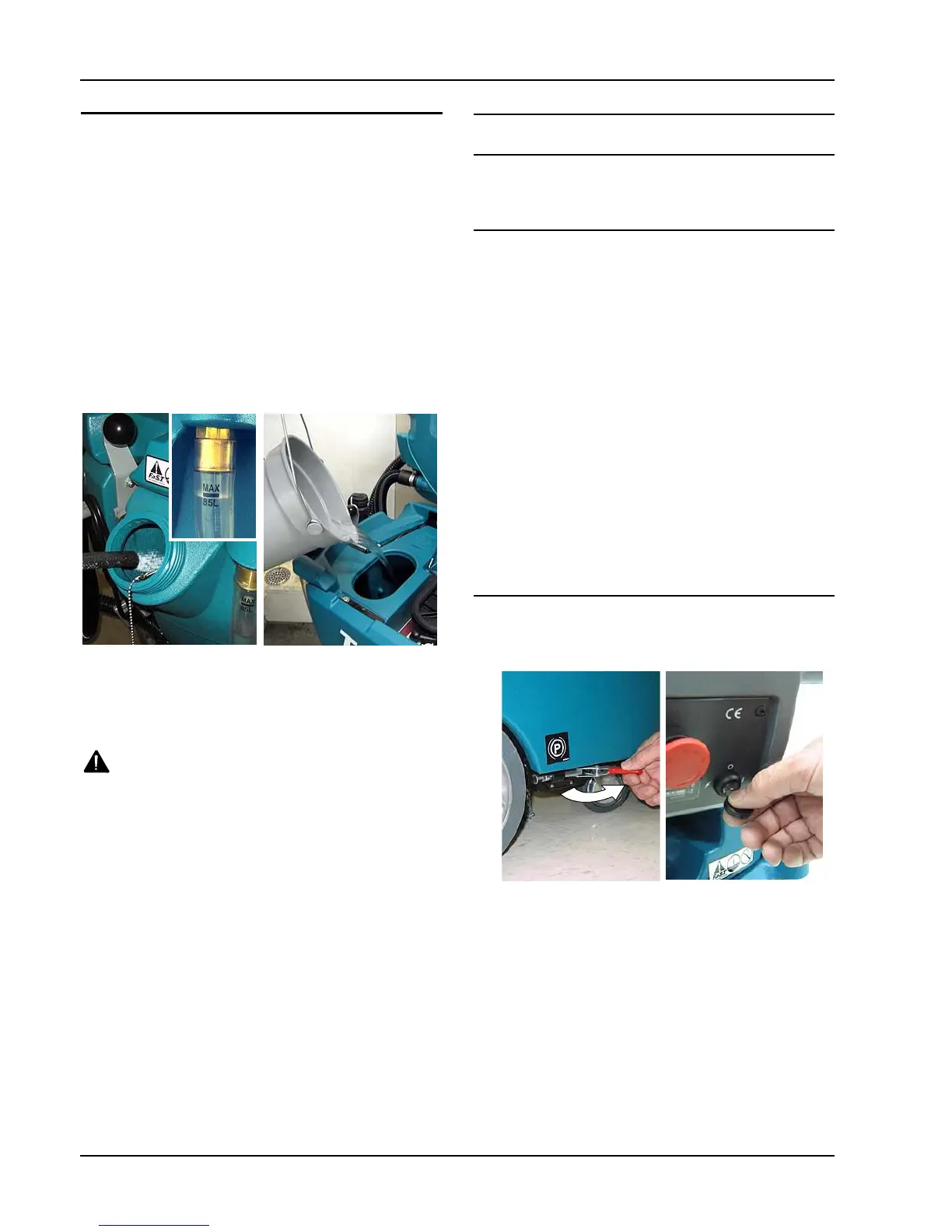
Using a hose or bucket, fill the solution tank to the
“MAX 85L” mark with water (Figure 20).
For Conventional Scrubbing: The water temperature
must not exceed 60C. Pour a recommended cleaning
detergent into the solution tank according to mixing
instructions on the container.
For FaST or ec- H2O Scrubbing: Use cool clean
water only (less than 21C). Do not add any
conventional floor cleaning detergents, system failure
may result.
FIG. 20
ATTENTION: For conventional scrubbing, only use
commercially approved cleaning detergents.
Machine damage due to improper detergent usage
will void the manufacturer ’s warranty.
W ARNING: Flammable materials can cause an
explosion or fire. Do not use flammable materials
in tank(s).
MACHINE OPERATION
FOR SAFETY: Do not operate machine unless
operator manual is read and understood.
PRE- OPERATION CHECKS
- Sweep area.
- Check the battery charge level indicator .
- Check the brushes/pads for wear.
- Check the squeegee blades for wear and proper
adjustment.
- Check the machine for fluid leaks.
- Make sure the recovery tank is empty and the float
shut- off screen is installed and clean.
- Check the scrub head skirt for wear.
- For FaST Scrubbing: Check the FaST- PAK
concentrate level.
- For FaST or ec- H2O Scrubbing: Make sure the
solution tank is filled with cool clean water only.
- For FaST or ec- H2O Scrubbing: Ensure that all
conventional cleaning agents are drained and
rinsed from solution tank.
STARTING THE MACHINE
1. Release the parking brake if equipped (Figure 21).
2. T urn the key to the on ( I ) position (Figure 21).
FIG. 21
3. FaST Model: Press the FaST system switch to the
on ( I ) position (Figure 22).
ec- H2O Model: Press the ec- H2O system switch
to the on ( I ) position (Figure 22). The ec- H2O
system indicator light will not turn on until the
machine starts scrubbing.
ATTENTION: ec-H2O NanoClean Models- During first
time use and after replacing the water conditioning
cartridge, the ec-H2O system will automatically
override the selected solution flow rate for up to 75
minutes.



 To Next Page
 Loading...