TERA
TR-590
32
Then, press “ MENU”, arrow points “CTCSS”, and press to select one of CTCSS/DCS I/
DCS N mode, press “MENU” to confirm. Radio will scan tones and display on screen. To
cancel press MENU.
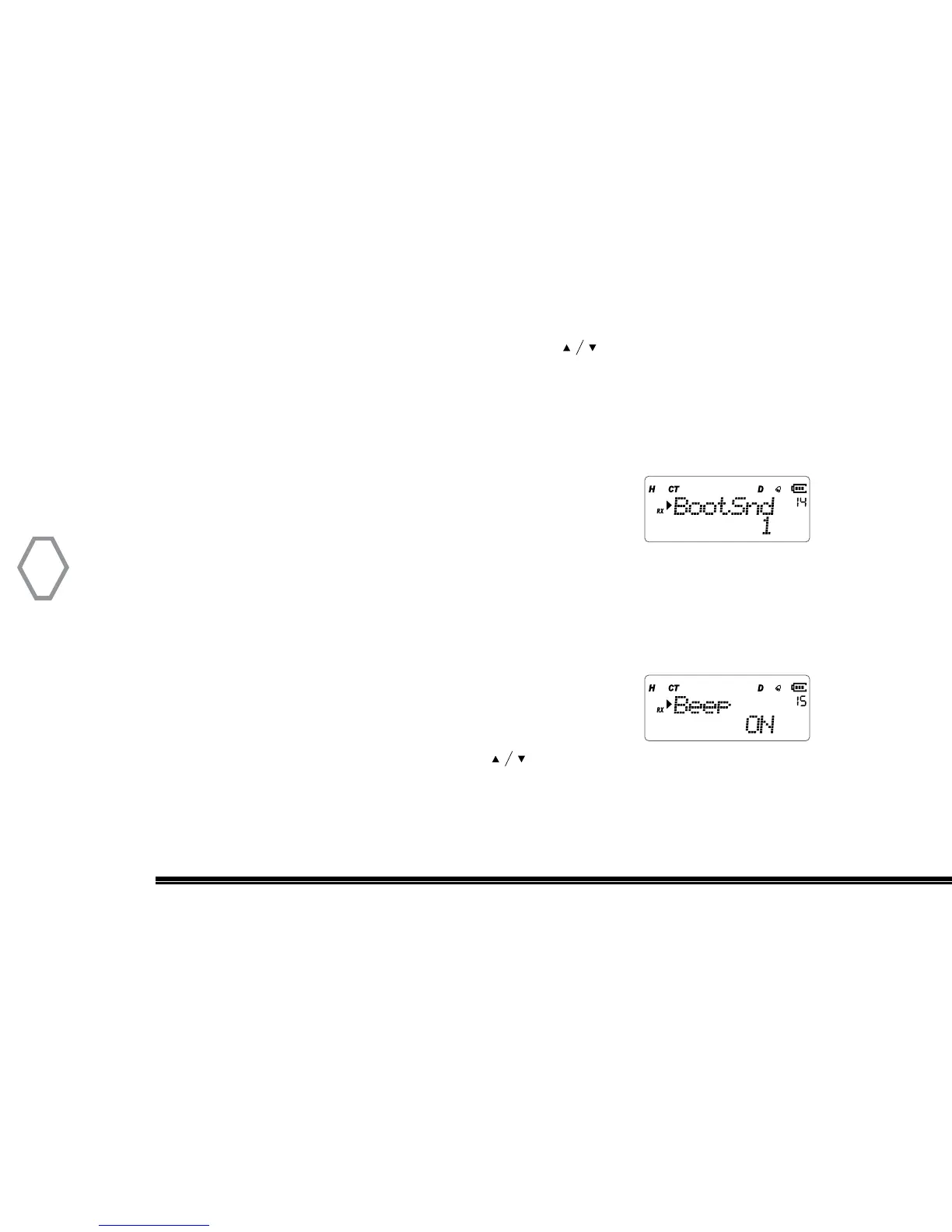
BootSnd (BootSnd
●
MENU 14)
The BootSnd function allows the user to select one of three
tone sequences when the radio is turned ON. User can select
“1” “2” or “3” startup tones. Default selection is “1”.
Press “MENU” then rotate the top selector knob to select “Menu 14”. Right after, press
the “MENU” button and rotate the top selector knob the select (“1” “2” or “3”). After
making a selection press “MENU” again to confirm selection and exit the menu.
Beep Tone Setting (Beep
●
MENU 15)
Press “MENU”, then rotate the top selector knob
to select “Menu 15”, screen displays:
Then, press “MENU”, arrow points “ON”, press to select OFF, turn off beep tone, or
select ON, turn on the beep tone, press “MENU” again to confirm selection and exit the
menu.


 To Next Page