TERA
TR-590
41
Memory Channel Store (Save Ch
●
MENU 32)
Save current frequency into selected channel. User can input channel number by key-
board. In frequency mode, it only saves transmitting frequency if exists the same
frequency with one you selected, receive frequency does not change. In non-frequency
mode, transmitting and receive frequency will be saved into selected channel.
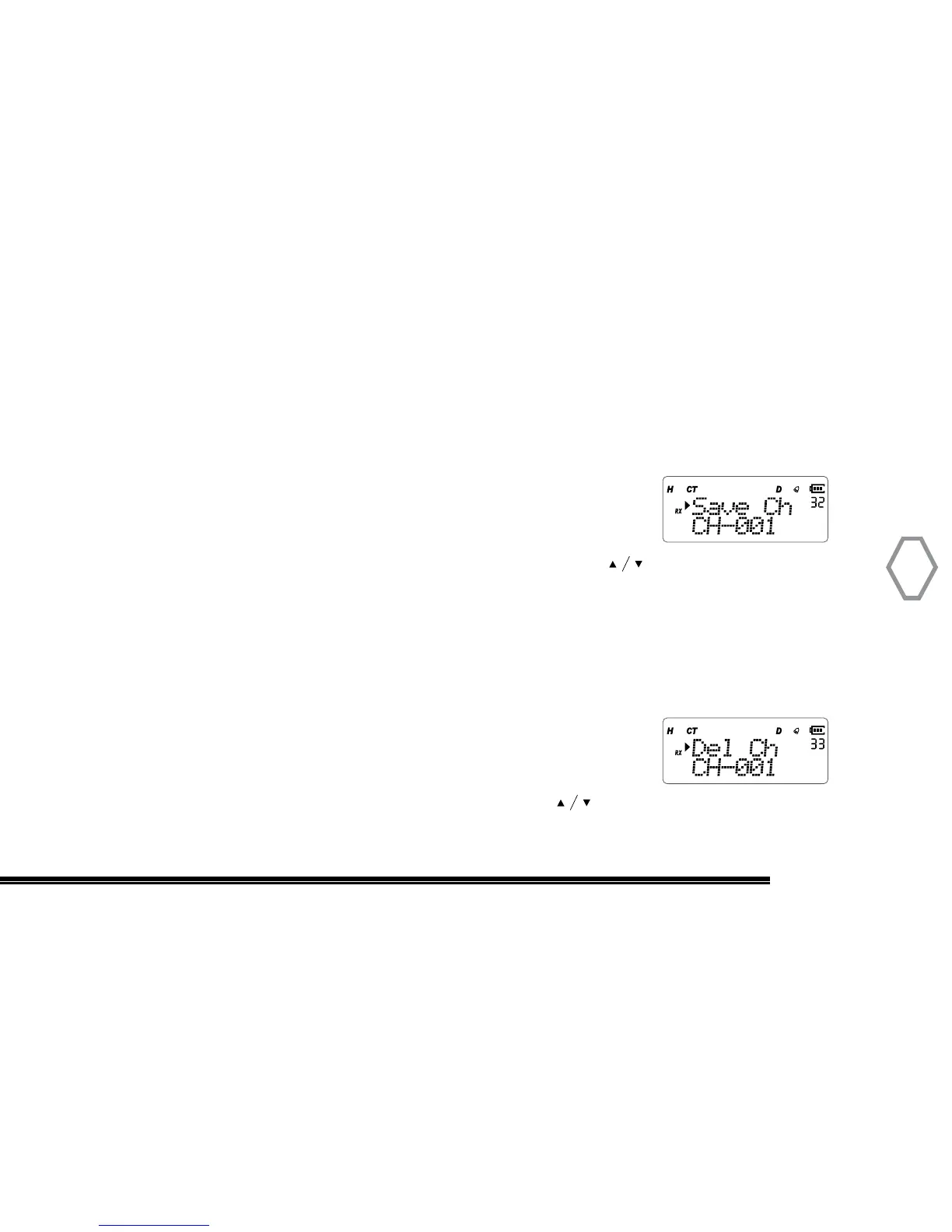
Press “MENU”, then rotate the top selector knob to select
“Menu 32”, the screen displays:
Right after, press “MENU”, arrow points to “CH-001”, press to select the
channel you want to save, press “MENU” to confirm, press “EXIT” back to standby.
Memory Channel Delete (Del Ch
●
MENU 33)
Channel list only displays already existing channel. This function is unavailable in
frequency mode. Press “MENU”, then rotate the top selector knob to select
“Menu 33”, screen displays:
Next, press “MENU”, arrow points to “CH-001”, press to select the channel you want
to delete, press “MENU” to confirm, press “EXIT” back to standby.


 To Next Page