TERA
TR-590
40
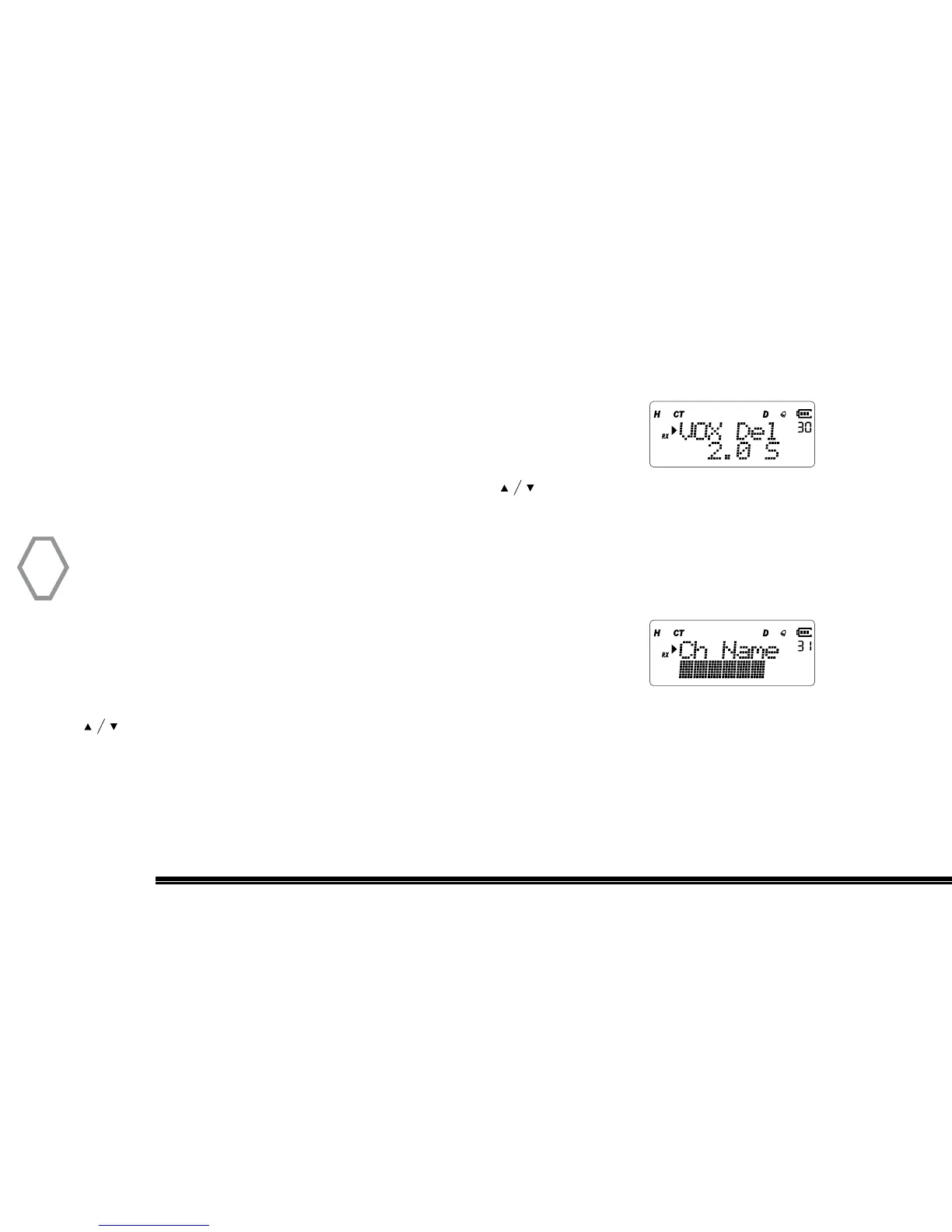
VOX Delay (VOX Del
●
MENU 30)
Settable Range of VOX delay is 0.3~5.0 sec, long-press UP / DOWN key for 2 sec go into
quick-select mode.
Press “MENU”, then rotate the top selector knob to select
“Menu 30”, screen displays:
Next, press “MENU”, arrow points “2.0S”, press to select delay time, press “MENU”
to confirm selection, press “EXIT” back to standby.
Edit & Save Channel Name (Ch Name
●
MENU 31)
User can edit name of saved channel. This function is unavailable in frequency mode.
Press “MENU”, then rotate the top selector knob to select
“Menu 31”, screen displays:
Then, press “MENU”, arrow points down and character position starts to blink. Press
to select character (“0~9”,”A~Z”,”-“), then press “*” to move left, press “#” to move
right, press “MENU” to confirm selection, press “EXIT” back to standby.


 To Next Page