TERA
TR-590
38
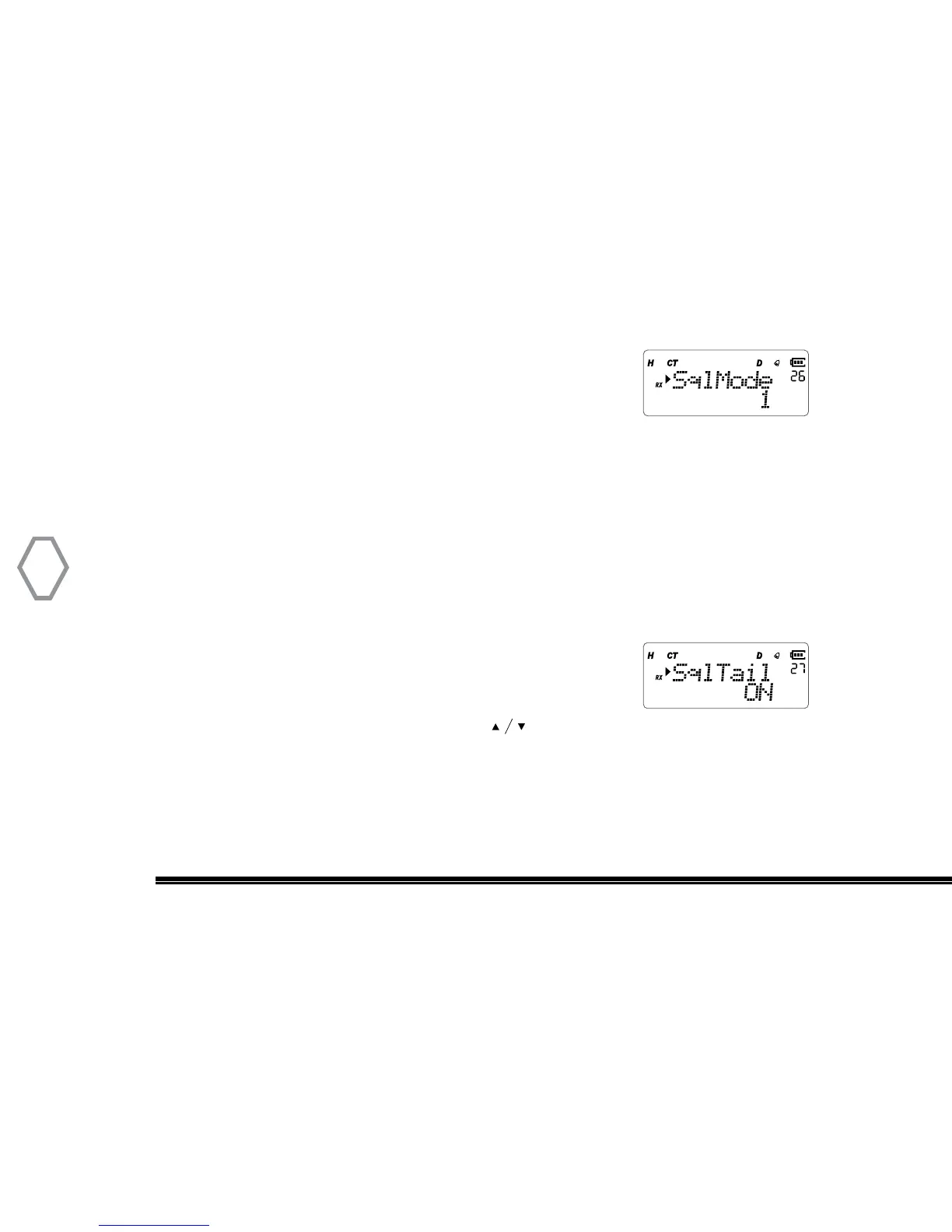
Squelch Mode (Sql Mode
●
MENU 26)
The feature allows user to select the master squelch mode
by selecting ( “1” “2” or “3”). Selection “1” will generally have
the loosest squelch setting which allows the weakest signals. Selecting “2” will tighten
the overall squelch and selecting “3” will only allow the stronger signals to come through
your handhelds speaker. Default selection is “2”.
Press “MENU” then rotate the top selector knob to select “Menu 26”. Right after, press
the “MENU” button and rotate the top selector knob the select (“1” “2” or “3”). After
making a selection press “MENU” again to confirm selection and exit the menu.
Squelch-Tail Eliminate (Sql Tail
●
MENU 27)
Press “MENU”, then rotate the top selector knob to select
“Menu 27”, screen displays:
Then, press “MENU”, arrow points “ON”, press to select ON to turn on this function
or select “OFF” to this function OFF, press “MENU” to confirm, press “EXIT” to return to
standby.


 To Next Page