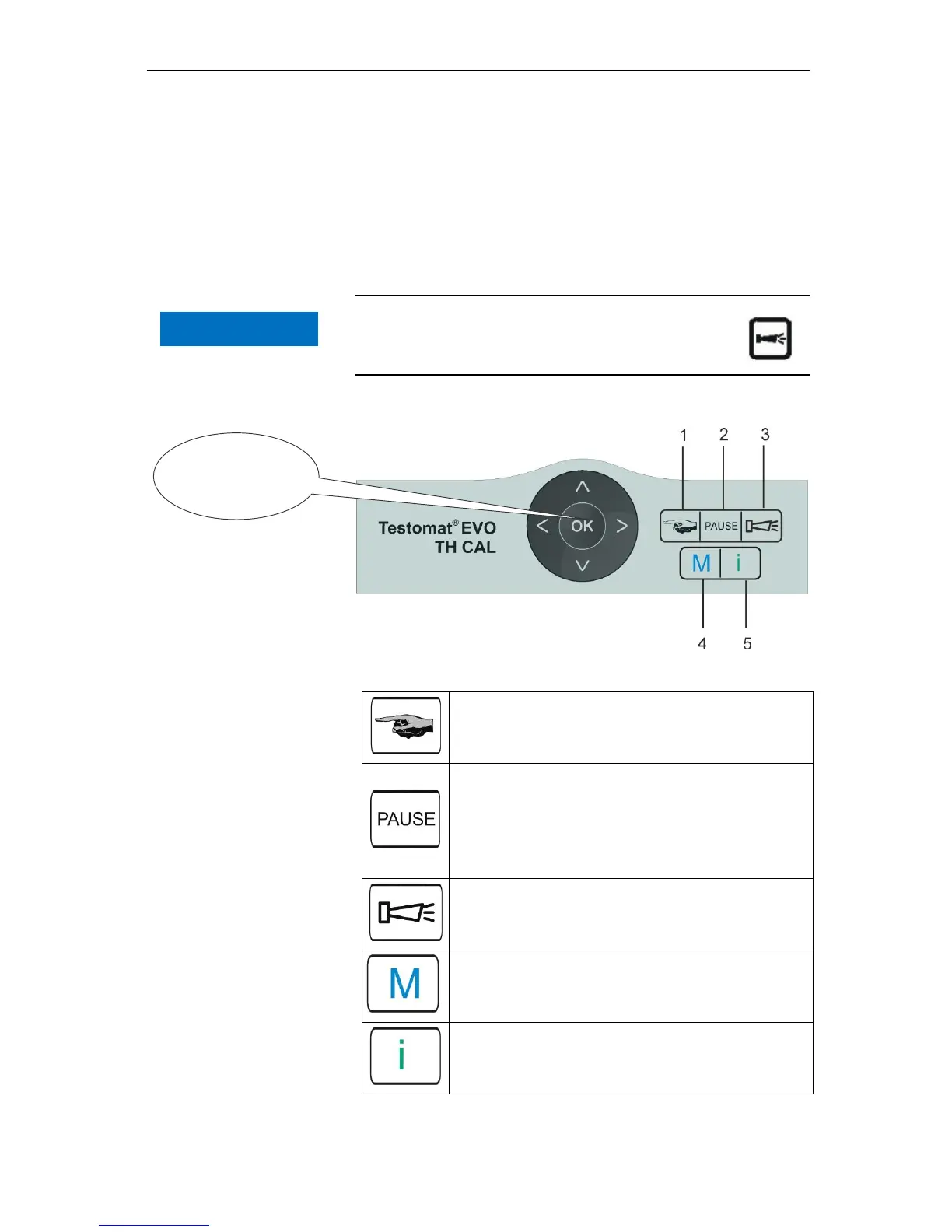
Functions of the control and display elements
26
10 Pause (green)
The flashing LED indicates the activated pause.
11 Service (yellow)
The yellow LED indicates that the maintenance period has
elapsed.
12 Alarm (red)
Indicates a functional error/error message or warning message.
Handling of error messages/warning messages
Eliminate the cause of the error and then acknowledge
the message with the "Horn" button
Control and function keys
The “Manual" button is used to start manual anal-
ysis
The "PAUSE" button puts the device into standby
mode (no automatic analysis performed: analysis
stop). However, an ongoing analysis will not be sus-
pended. The device only reverts to pause mode once
the analysis is complete.
Acknowledge error and warning messages with the
“horn" button
The "M" button is used to access the programming
menu for user- and device-specific settings
The "i" button is used to access all device infor-
mation and settings
Programming
keys
(Cursor block)



 To Next Page