Input basic programming data
55
Manual firmware update
The manual firmware update facilitates the recovery of software after
failed firmware updates. The indicator and device buttons are not
used in the process.
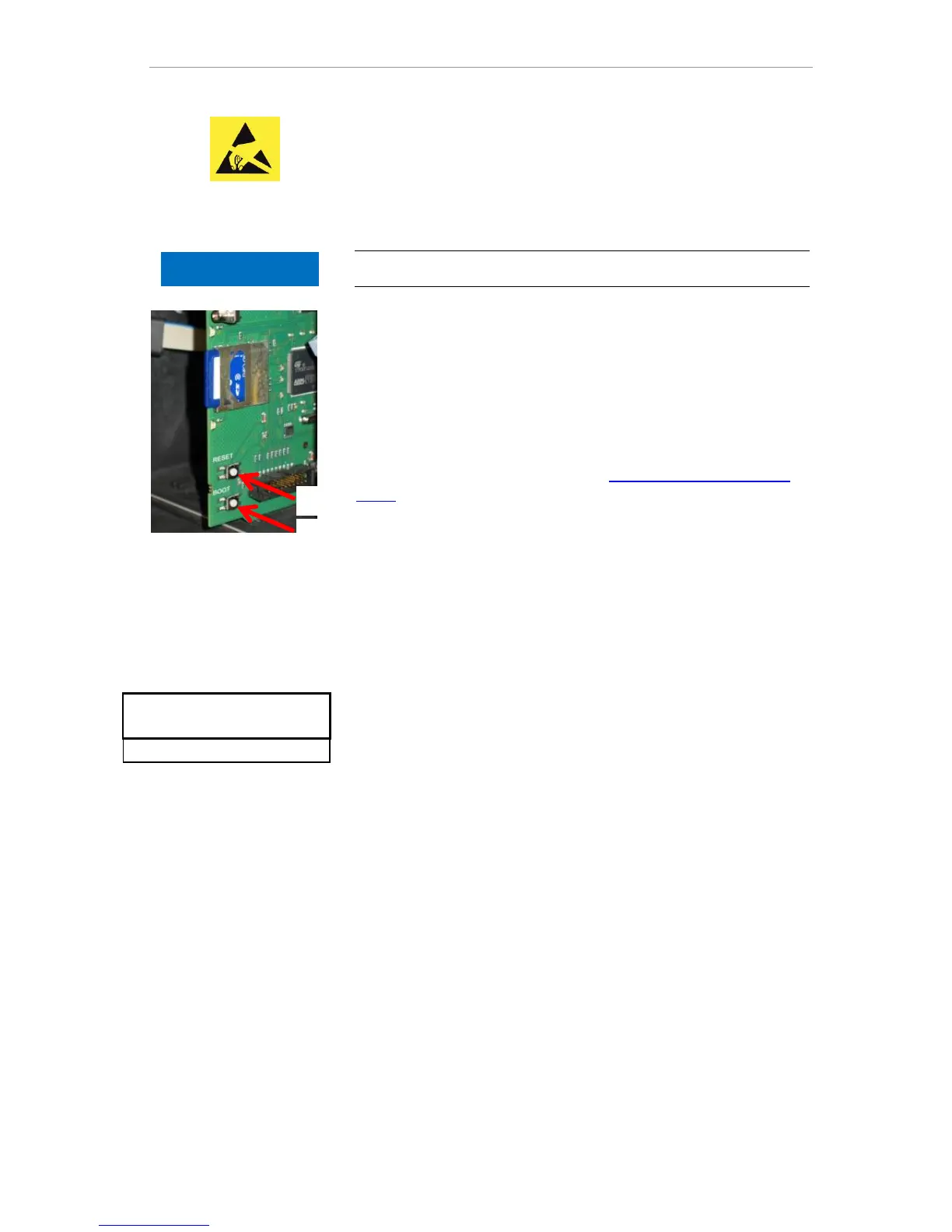
An SD card with a firmware file must be inserted in the device.
Press and hold the "BOOT" button on the control card. Than
briefly press the “Reset” button .
The update process progresses automatically. Progress is shown
by the LED lights.
In case of several software versions on the SD card the newest
version is loaded.
Release the “BOOT” button when the update starts.
For information on handling errors see Firmware update error mes-
sages.
Maintenance
As a reminder for maintenance, an interval in days can be set. Once
the interval has elapsed, the message "maintenance exceeded" is
issued.
Configuring the maintenance interval
Select the menu
=> Basic program => Service Time => Interval
200d
Change the value with the cursor keys
Confirm the input with "OK".
Acknowledge the maintenance
When maintenance has been performed, you must acknowledge it.
This allows the reverse-running day counter to be reset to the config-
ured value, whereupon the maintenance interval restarts afresh. The
counter indicates how much time remains until the next maintenance.
Select the menu => Basic program => Service Time
=> Acknowledge(OK) 200d
Confirm the input with "OK"
The counter is reset to the value set during the maintenance inter-
val.



 To Next Page