Input basic programming data
35
Confirm the selection by pressing “OK”
Enter the correction factor determined using the arrow keys
Confirm the entry by pressing “OK”
Calibration using standard solution
Select from menu =>BASIC PROGRAM => Calibration
Enter the desired value under Setpoint.
Select the menu item “Standard solution“
Activate the function with “OK” (When the function is active, a
checkmark ““ appears at the end of the line)
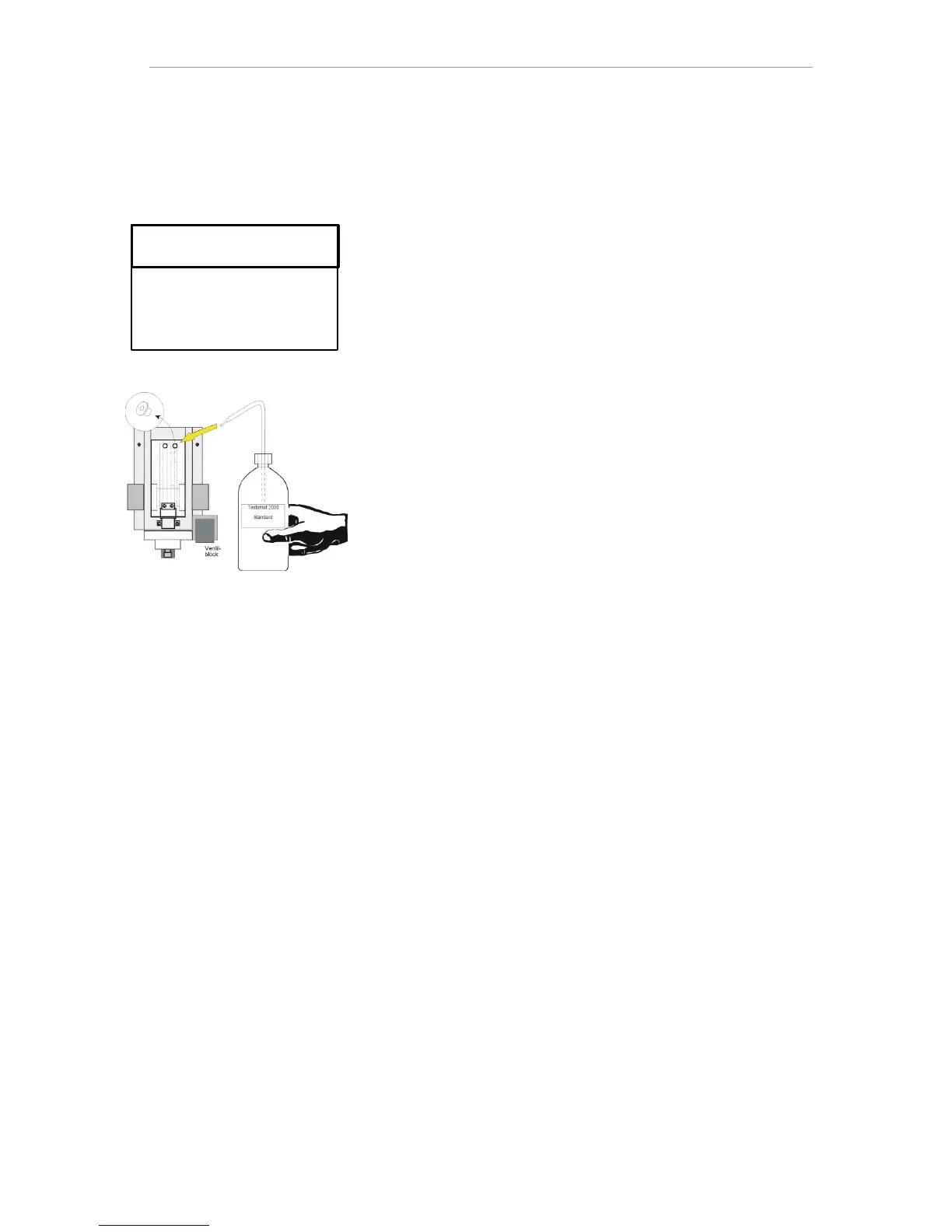
Remove the right plug from the measuring chamber. (The standard
solution is manually poured into the measuring chamber through
this hole. You can use a commercially available laboratory spray
bottle to do this.)
Select the menu item “START (OK)“
Confirm the selection by pressing “OK” The calibration starts by
rinsing the measuring chamber. The display will show:
Fill chamber
continue with (OK)
Fill the measuring chamber with the standard solution until it is
overflowing and press “OK”
The calibration is carried out.
After successful calibration, “Cal. successful!“ is displayed.
The measured value is determined and the correction factor is calcu-
lated. The factor is used immediately.
Calibration using sample water
Select from menu
=> Basic program => Calibration
Enter the desired value under Setpoint.
Select the menu item "START (OK)"
Calibration using sample water is carried out automatically.
After successful calibration, “Cal. successful!“ is displayed.
The measured value is determined and the correction factor is calcu-
lated. The factor is used immediately.
If an error occurs during analysis, the error message “Cal.
failed“ is displayed and no (new) factor is calculated.
Use the “Reset (OK)“ function to reset the factor to 1.00.



 To Next Page