AS 680/682
Display Configuration Tool Description, Operation and Maintenance
ADS−B
4−40 Ed. 10.07
4.5.5.2 Addition and Deletion of List Items
Addition of List Items:
If the configuration file contains list items like for example the configuration paragraph ’Location’, it
is possible to add list items by the help of the Display Configuration tool.
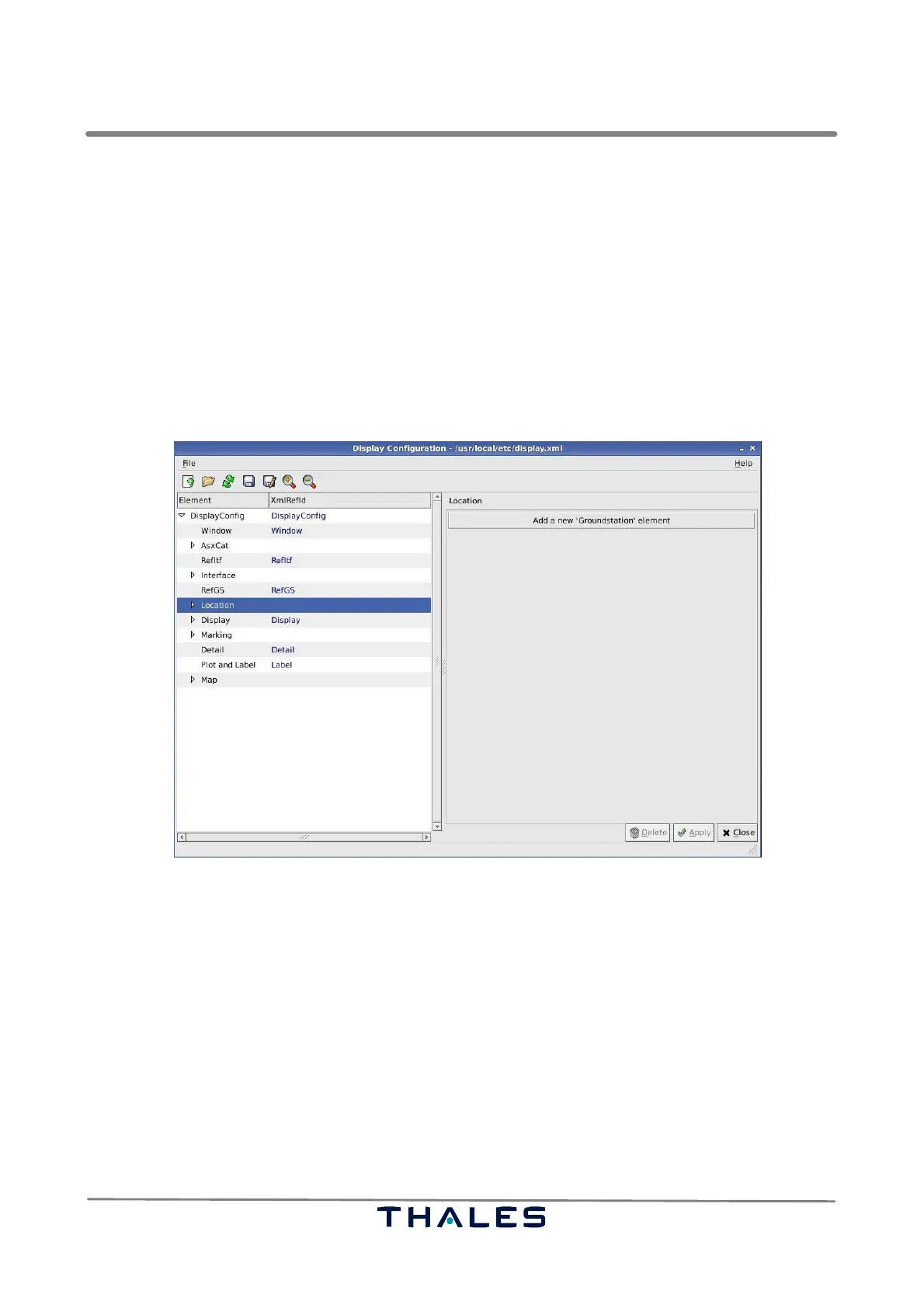
Clicking the node, which represents a list, in the Tree View causes the appearance of a button in the
Parameter Panel with the text "Add a new ‘<list item>’ element", see Fig. 4−63.
Clicking this button shows the default values of a new list item in the Parameter Panel. It is up to the
user to update the default values, apply the changes with the ’Apply’ button and save the changed
configuration to a configuration file, refer to sections 4.5.2.1 or 4.5.3.
Fig. 4−63 Display Configuration, Add New List Item (example)
NOTE: It is not possible to enter ’xmlRefld’ in the configuration tool for added list items. The tool
will assign an automatically generated identification, e.g. ’Ground−Station057’. To
change this automatically generated identification into a preferred name, the correspond-
ing entry in the configuration file must be edited with the help of a usual editor.
Deletion of List Items:
If a user selects a list item in the Tree View, the corresponding parameters and values appear in the
Parameter Panel to the right side, see Fig. 4−64.
The ’Delete’ button becomes sensitive. Now it is possible to delete the selected list item. After con-
firmation of the deletion, it is possible to save the changed configuration values to the configuration
file as explained in 4.5.2.1 or 4.5.3.


 To Next Page
 Loading...