AS 680/682
Display Configuration Tool Description, Operation and Maintenance
ADS−B
4−50 Ed. 10.07
4.5.7.13 Marking Parameters
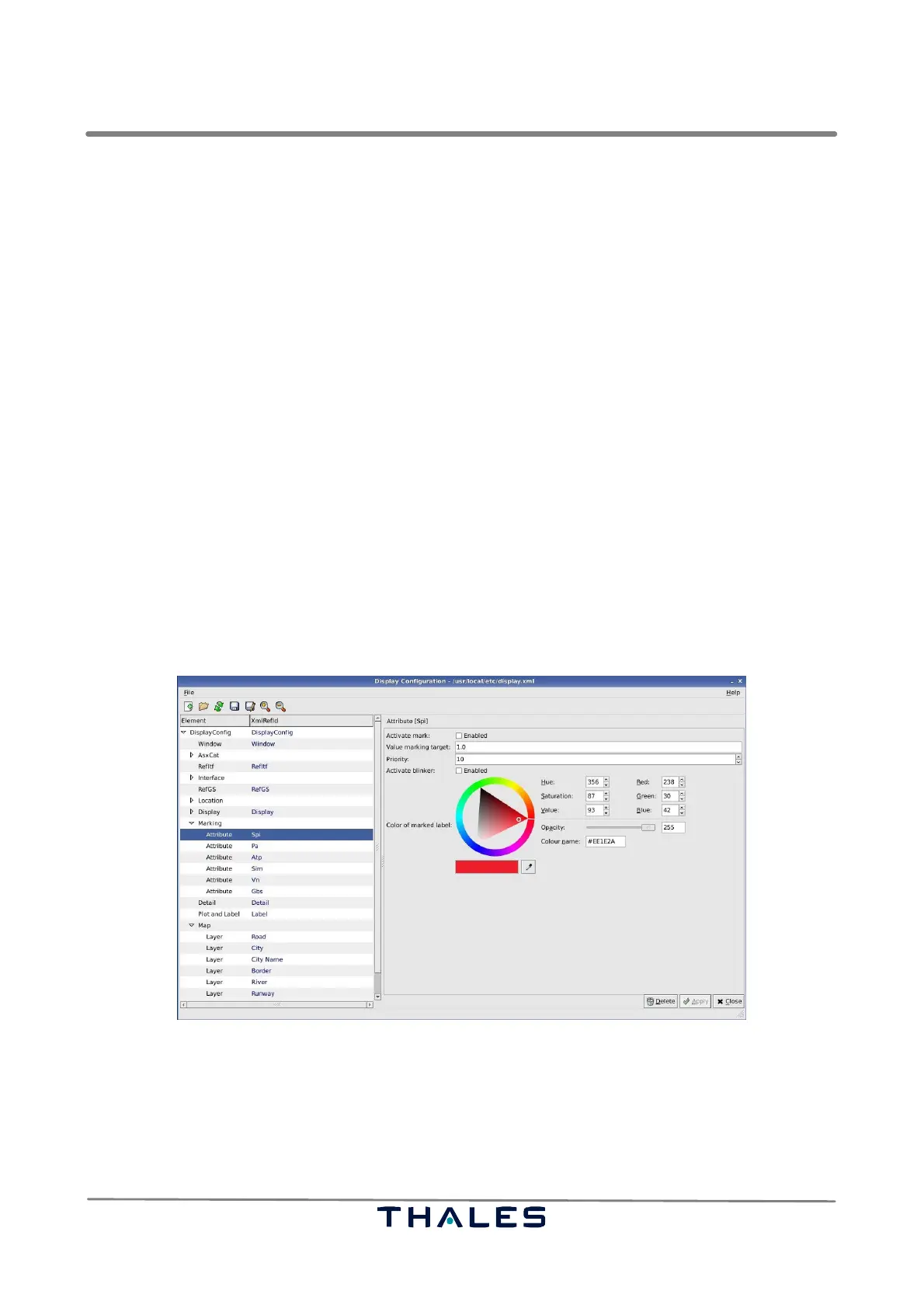
The node ’Marking’ contains the parameter panels for the different marking possibilities. These layers
can be found in the menu ’Markings’ of the Technical Situation Display, refer to section 4.4. The config-
uration panels of the different layers are equal in structure. Hence, the parameter panel of the map
item ’Spi’, Fig. 4−78, serves exemplary to explain also the parameter panels of the other marking
items.
S The ’Activate mark’ enabler activates the highlighting of tracks, which apply to the conditions deter-
mined in the following attributes.
S The ’Value marking target’ text field contains the value of the SPI (in the present case), when the
respective track shall be highlighted.
S The ’Priority’ value, an integer value, determines the priority of the present marking. For it is pos-
sible that a target applies to several markings, the priority tells, which marking shall overrule. The
higher the priority value the higher the priority.
Example:
If the marking of a certain ’PA’, e.g. PA = 8, is set to green and the marking of the ’SPI’ value ’1’
is red and if both markings are activated, then the target applying to both conditions is shown in
the colour of the marking of the highest priority.
S If the ’Activate blinker’ flag is enabled, tracks, which apply to the respective condition, are dis-
played with the corresponding colour, but with blinking target label.
S The colour widget enables the user to change the colour and opacity of the target’s label applying
to the condition of the respective activated mark.
Fig. 4−78 Parameters Marking (example)
4.5.7.14 Detail Parameters
The parameter panel Detail, see Fig. 4−79, is used to configure the Asterix Data Fields, which shall
be displayed in the Detailed View of the Technical Situation Display, refer to section 4.4.4. Asterix
Fields are shown, if enabled.



 To Next Page