Page | 45
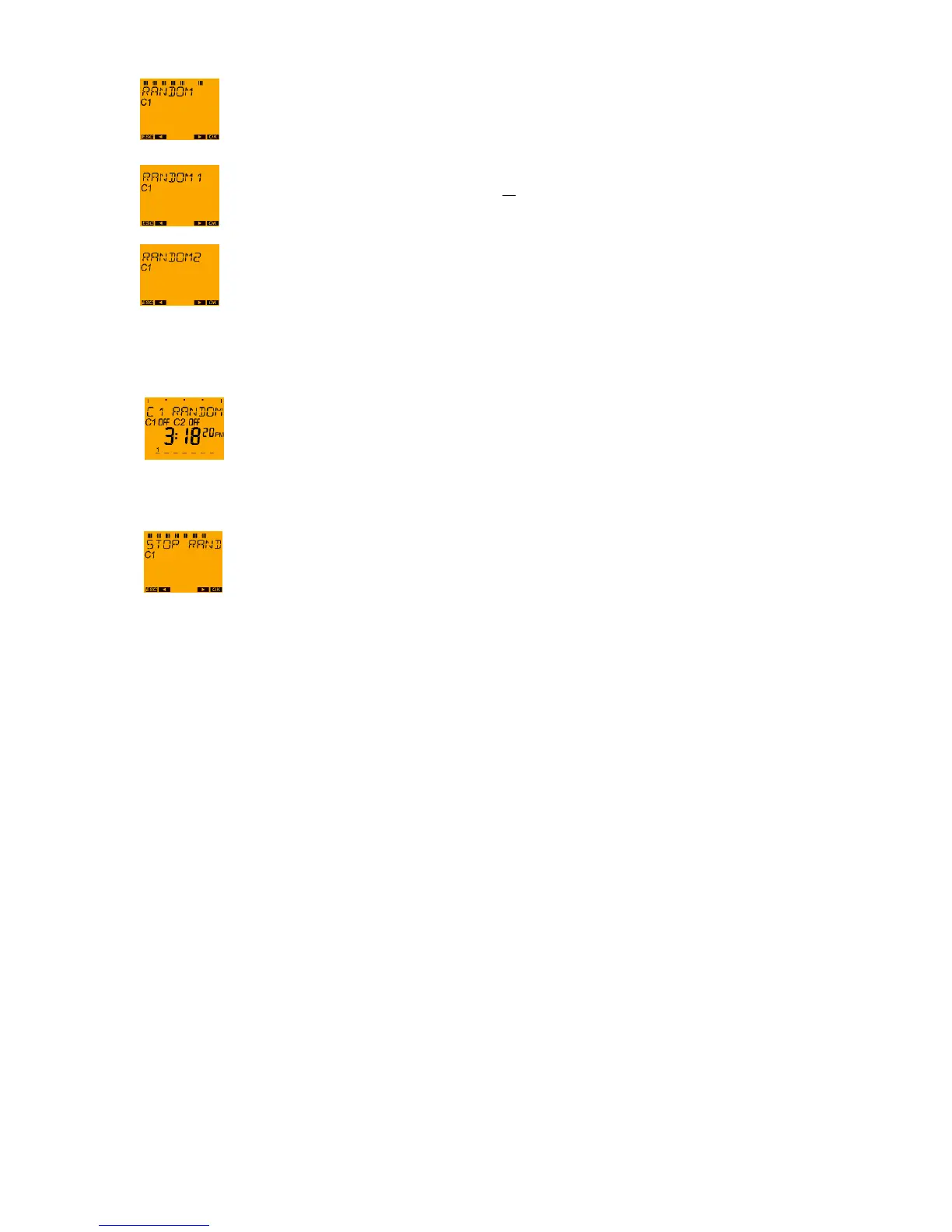
Press push button ► until RANDOM appears on the display and confirm with the OK push
button.
Select RANDOM 1 with push button OK or with push button ► change to
RANDOM 2 - confirm with the OK push button.
The input is saved and the display returns to the auto mode.
The RANDOM function is also displayed in the auto mode.
If random is set, then MANUAL appears in the menu: STOP RANDOM.
In order to delete random, confirm with the OK push button; there is then a return to the
auto mode.





 To Next Page