Page | 57
Language selection (language in the delivery condition)
Date (unchanged)
Time (unchanged)
Sum-Win setting (setting as in the delivery condition)
Auto mode
The following device settings are reset to the delivery condition:
o Date format
o Time format
o LCD lighting
o Settings for the external inputs
o PIN is deactivated
o Holidays empty
o Sum-Win changeover setting
o All switching commands are deleted
o The operating hours (without battery and mains hours and without mains connection
date) are deleted and the current deletion date is entered.
12.7 OPTIONS: INFO
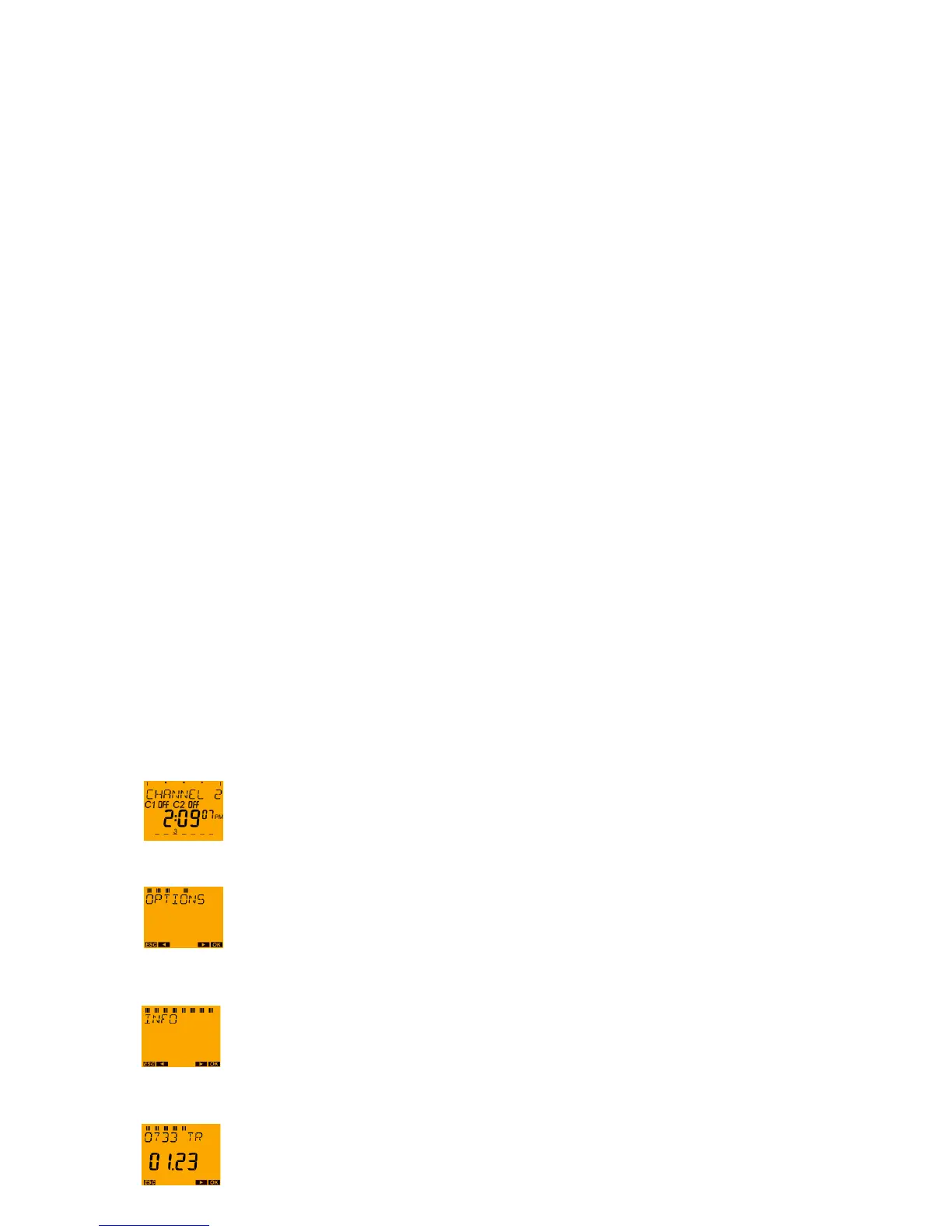
The INFO menu item contains 4 different displays which show information without TEXT.
o Display 1 In the text line the production year, the production week and
TR (=production designation) are displayed.
(Example: 10 29 TR = production date: YY (Year) WW (Calendar week) TR)
The software version is shown in the large 7-segment display.
o Display 2: In the text line the battery hours are shown.
o Display 3: In the text line the mains hours are shown.
o Display 4: In the text line the mains connection date is shown.
With the MENU push button request the main menu from the auto mode.
Press the ► push button three times and confirm the OPTIONS menu with the OK push
button.
Press push button ► until INFO appears on the display and confirm with the OK push
button.





 To Next Page