Page | 53
o The manual switch-off prevents unnecessarily long ON switchings and, in the case of
short ON switchings, an undesired "getting caught in the dark".
TIMER applications:
o The TIMER offers a wide variety of implementation options in the living and object area,
e.g. switching off of light in the utility and cellar rooms (automatic manual switching).
o The light is switched on manually (EXT input push button = TIMER ON with specific
switch-on time) and switched off after the timer time has elapsed.
o Pump control example: By using the time program on the time switch a time-controlled
pump switch-ON/OFF takes place and by using the EXT input push button = ON timer,
e.g. 10 minutes, the pump is switched on additionally for 10 minutes if required.
12.2.5 External input - Technical information
230 V input, i.e. simply connect phase L1 via a switch or push button to the EXT input.
In the time switch there is a resistance of 220 kOhm between Ext input and N. This ensures that
a current flows from approx. 1 mA. Therefore use NYM cable (not bell wire).
Push button with glow lamp path cannot be used.
The line length is limited to maximum 100 m since when using cables with several wires with
L1, L2, L3 and N in a cable capacitive pick-ups can occur (overvoltages) (in an extreme case up
to 3 mA of current can flow). In the case of a longer line there is therefore the danger that the
control signal on the EXT input cannot be correctly detected.
12.3 OPTIONS: LCD LIGHTING
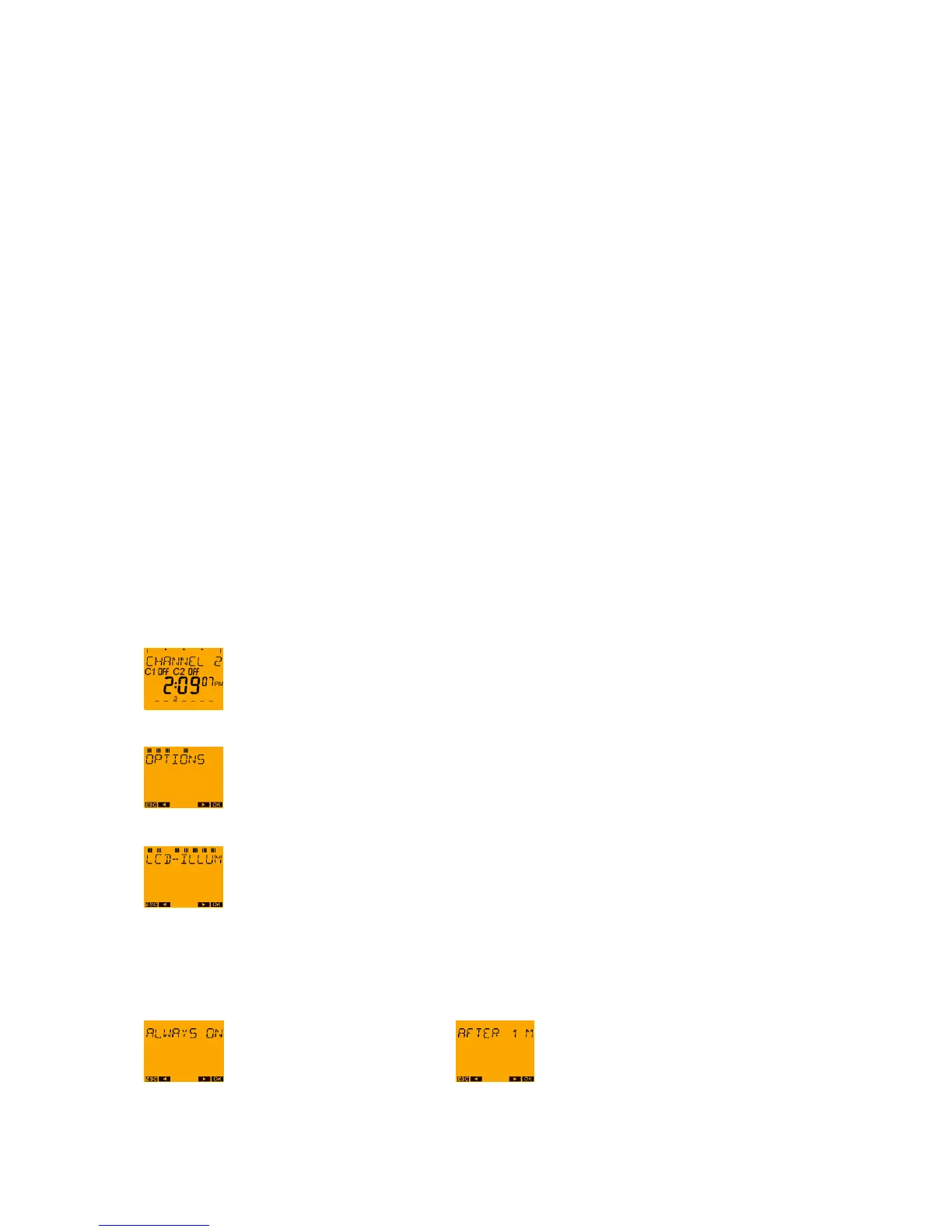
With the MENU push button request the main menu from the auto mode.
Press the ► push button three times and confirm the OPTIONS menu with the OK push
button.
Press push button ► until LCD LIGHTING appears on the display and
confirm by pressing OK.
It is now possible to choose between ALWAYS ON and OFF AFTER 1 MINUTE.
or with push button ► change to
Confirm by pressing OK. A return is now made to LCD LIGHTING.





 To Next Page