Page | 65
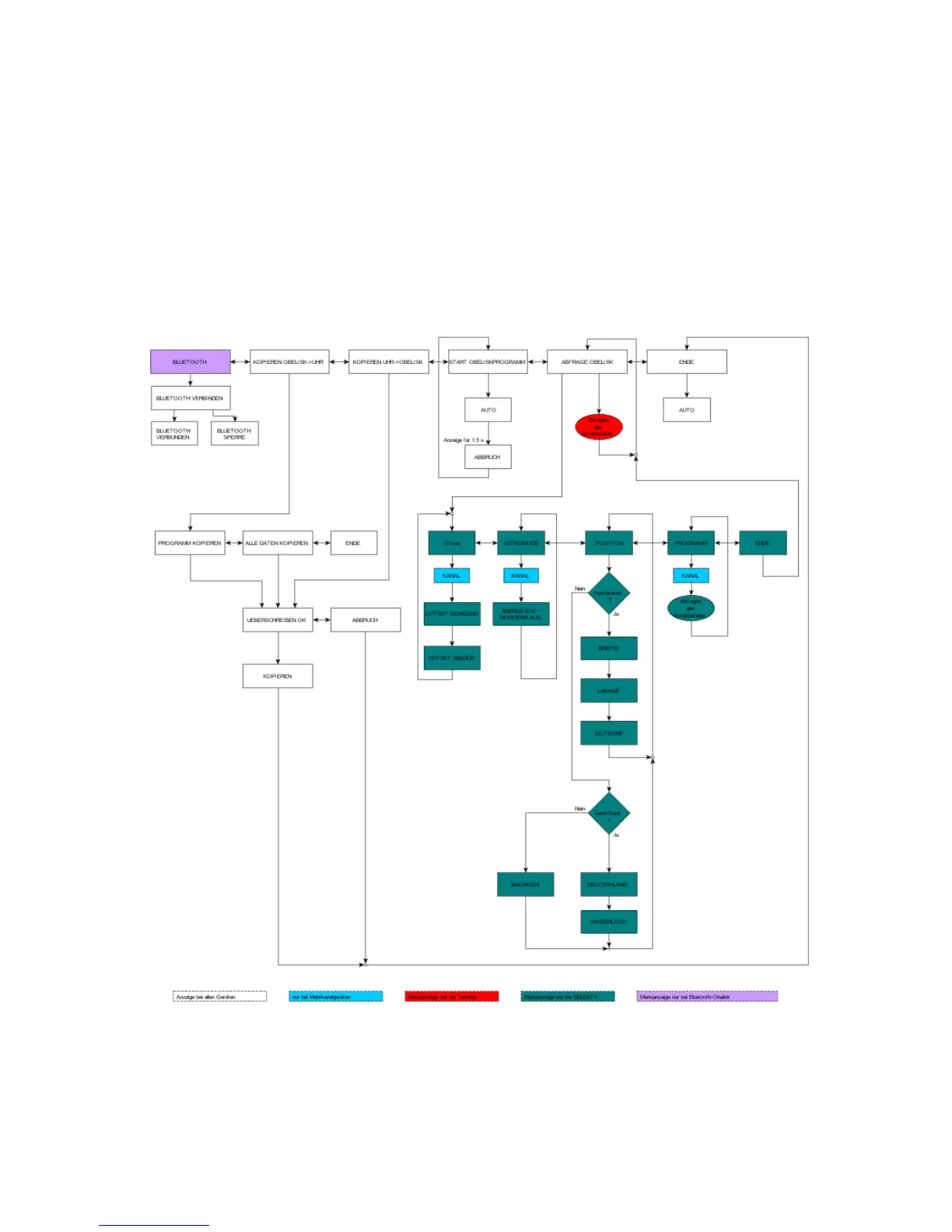
o Press a button to switch the clock back from auto mode to "BLUETOOTH". If a correct BLE
connection code is received whilst the "BLUETOOTH" display is active, "BLUETOOTH
ACTIVE" stays displayed.
o If the OK button is pressed in the OBELISK menu whilst the BLUETOOTH display is active,
CONNECT BLUETOOTH appears and the system waits for a connection telegram from a BLE
node. If a BLE node sends a connection code, that code is accepted and "BLUETOOTH
ACTIVE" is displayed.
In battery mode
o It is also possible to establish a Bluetooth connection in battery mode. After 70 seconds, the
clock enters sleep mode. Press the OK button twice to wake the clock up again and activate
Bluetooth.





 To Next Page