EasyManua.ls Logo

Thermal Dynamics A60 CUTMASTER - User Manual

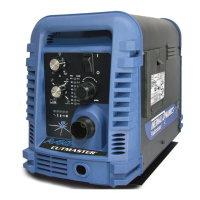
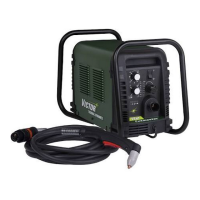
Thermal Dynamics A60 CUTMASTER
116 pages
Print Icon
To Next Page IconTo Next Page
Loading...
60%
Duty
Cycle
60
Art # A-08952_AB
600
v
400
460
v
v
AUTOMATED PLASMA
CUTTING SYSTEM
A60
CUTMASTER
Rev. AK Date: February 25, 2010 Manual # 0-4981
Operating Features:
Operating Manual

Table of Contents

Other manuals for Thermal Dynamics A60 CUTMASTER

Questions and Answers

  • A
    Amanda FranklinAug 22, 2025
    Why are FAULT and 75 PSI indicators flashing on Thermal Dynamics A60 CUTMASTER?
    • A
      Anna HermanAug 22, 2025
      The FAULT and 75 PSI indicators might be flashing because the start signal is active when the ON/OFF SWITCH is turned to the ON position. This can happen if the hand torch switch or hand pendant switch is held closed, or if the CNC START signal is active low. Release the START signal source.
  • T
    Traci JonesSep 4, 2025
    What to do if ON / OFF Switch is on but the A/C Indicator does not light on Thermal Dynamics Welding System?
    • L
      Laura PayneSep 4, 2025
      If the ON/OFF switch is on but the A/C indicator doesn't light, ensure the primary power disconnect is in the ON position. If it is already on, have a qualified person check the primary fuses/breakers. Connect unit to known good primary power receptacle.
  • K
    kellysamuelSep 2, 2025
    Why is the pilot arc on but the cutting arc won't establish on my Thermal Dynamics Welding System?
    • M
      Matthew WarrenSep 2, 2025
      If the pilot arc is on but the cutting arc will not establish, make sure the work cable is connected to the work piece and that the work cable/connector is not broken. If broken, replace the work cable.
  • S
    Samuel HoSep 1, 2025
    What causes the TEMPERATURE and FAULT indicators to flash on my Thermal Dynamics A60 CUTMASTER Welding System?
    • R
      Raymond PorterSep 1, 2025
      The TEMPERATURE indicator being on and the FAULT indicator flashing can be caused by obstructed air flow through or around the unit, or exceeding the unit's duty cycle. Allow the unit to cool.
  • R
    Roger SalasAug 30, 2025
    How to fix diminished torch cutting on Thermal Dynamics A60 CUTMASTER?
    • M
      Melissa GonzalezAug 30, 2025
      If the torch cutting is diminished, consider the following: * Check and adjust to the proper current setting. * Inspect torch consumables and replace them if needed. * Ensure a good work cable connection to the workpiece. * Reduce the cutting speed. * Make sure that there is no excessive oil or water in the torch.
  • K
    Keith RichardsonAug 29, 2025
    What to do if GAS indicator is off and FAULT and MIN pressure indicators are flashing on my Thermal Dynamics Welding System?
    • M
      morgansylviaAug 29, 2025
      If the GAS indicator is off, and the FAULT and MIN pressure indicators are flashing, check the following: * Ensure the gas supply is connected to the unit. * Verify the gas supply is turned on. * Confirm the gas supply pressure is not too low by setting the air supply inlet pressure to 120 psi.
  • H
    hfaulknerAug 27, 2025
    What does it mean when FAULT and 65 PSI indicators are flashing on Thermal Dynamics Welding System?
    • E
      Emily EwingAug 27, 2025
      If the FAULT and 65 PSI indicators are flashing, turn off power to the unit and set the INPUT VOLTAGE SELECTION SWITCH to match the primary input voltage.
  • P
    pottercynthiaAug 27, 2025
    What does it mean when FAULT and 85 PSI indicators are flashing on Thermal Dynamics Welding System?
    • B
      Betty PotterAug 27, 2025
      If the FAULT and 85 PSI indicators are flashing, check the upper O-Ring position on the torch head and correct it if necessary. Also, turn off the power supply, bleed down system pressure, remove the shield cup, tip, and starter cartridge, and check the starter cartridge lower end fitting for free movement. Replace it if the fitting does not move freely. Release torch switch and reactivate.
  • D
    David MartinAug 25, 2025
    How to troubleshoot FAULT & 80 PSI indicators flashing with cycling gas flow on Thermal Dynamics Welding System?
    • K
      krobinsonAug 25, 2025
      If the FAULT & 80 PSI indicators are flashing and the gas flow is cycling on and off, try the following: * Tighten the torch shield cup by hand, but do not overtighten it. * Turn off the power supply and remove the shield cup to install any missing torch tip, electrode, or starter cartridge. * Turn off the power supply, bleed down the system pressure, and remove the shield cup, tip, and start cartridge to check the start cartridge lower end fitting for free movement. Replace if the fitting does not move freely.
  • D
    desiree74Aug 23, 2025
    What to do if FAULT and 70 PSI indicators are flashing on Thermal Dynamics Welding System?
    • A
      awolfAug 23, 2025
      If the FAULT and 70 PSI indicators are flashing, check if the shield cup is loose and hand tighten it until it is snug. Also, ensure the torch ATC is securely fastened to the unit.

Summary

SECTION 1: GENERAL INFORMATION

Notes, Cautions, and Warnings

Explains the use of annotations like NOTE, CAUTION, and WARNING in the manual.

Important Safety Precautions

Covers critical hazards related to gases, fumes, electric shock, fire, and explosion.

Additional Safety Precautions

Addresses hazards related to noise, plasma arc rays, and lead exposure.

Referenced Publications and Standards

Lists industry standards and publications for further information.

Declaration of Conformity

States the equipment's compliance with relevant directives and regulations.

Statement of Warranty

Details the terms and conditions of the product warranty.

SECTION 2 SYSTEM: INTRODUCTION

How to Use This Manual

Guide on navigating the manual's structure and understanding its sections.

Equipment Identification

Instructions on locating model, serial numbers, and other identification details.

Receipt and Inspection of Equipment

Procedures for checking delivered equipment for completeness and damage.

Power Supply Specifications

Technical specifications for the plasma cutting power supply unit.

Input Wiring Specifications

Guidelines and requirements for connecting the power supply to the electrical input.

Power Supply Features Overview

Identifies and describes the main components and features of the power supply.

SECTION 2 TORCH: INTRODUCTION

Torch Manual Scope

Defines the coverage and intended audience for the torch section.

Plasma Torch General Description

Explains the basic design and operational principles of plasma torches.

Torch Configurations and Lead Lengths

Details different torch models and available torch lead lengths.

Torch Parts, Cooling, and Ratings

Information on torch components, cooling methods, and performance ratings.

Gas Requirements and Safety

Specifies gas supply needs and highlights associated safety hazards.

Options and Accessories

Lists optional equipment and accessories available for the torch system.

Introduction to Plasma Technology

Provides background information on the plasma cutting process.

Plasma Torch Operation Principles

Explains gas flow, arc formation, and heat transfer within the plasma torch.

Parts-In-Place (PIP) Circuit

Details the safety circuit that ensures proper installation of torch parts.

SECTION 3 SYSTEM: INSTALLATION

Unpacking and Initial Inspection

Steps for receiving, unpacking, and inspecting the system components.

Lifting Options and Safety

Guidelines for safely lifting and transporting the power supply unit.

Power Supply Location and Mounting

Recommendations for choosing a location and securely mounting the power supply.

Primary Input Power Connections

Instructions for connecting the main power source to the system.

Power Supply Cover Access

Procedures for removing and reinstalling the power supply unit cover.

Input Voltage and Phase Wiring

Configuration steps for setting input voltage and phase for the power supply.

Single and Three Phase Wiring

Specific wiring instructions for single-phase and three-phase power connections.

Gas Connections

Instructions for connecting the compressed air or gas supply to the unit.

Optional Air Filter Installation

Steps for installing optional single or two-stage air filter kits.

High Pressure Air Cylinder Setup

Guidance on connecting and preparing high pressure air cylinders for use.

SECTION 3 TORCH: INSTALLATION

Torch Connections

Procedure for connecting the plasma torch to the power supply.

CNC Connection

Instructions for connecting the plasma cutting system to CNC machinery.

Automation and Machine Torch Setup

Steps for setting up and aligning automated or machine torches.

SECTION 4 SYSTEM: OPERATION

Front Panel Controls and Features

Identifies and explains the function of each control on the front panel.

Preparations for Operation

Essential tasks to perform before starting the plasma cutting system.

Gas Pressure Settings and Cutting Modes

Adjusting gas pressure and selecting operating modes like RUN or LATCH.

Shutdown Procedure

Steps for safely powering down and disconnecting the plasma cutting system.

SECTION 4 TORCH: OPERATION

Machine and Automated Torch Operation

Guide on operating the torch with automated systems or CNC.

Automation Torch Parts Selection

Choosing the correct consumable parts for automation torches.

Machine and Hand Torch Parts Selection

Selecting appropriate parts for machine and manual torch operations.

Cut Quality Factors

Parameters affecting the quality and characteristics of the cut.

Cut Quality Characteristics Explained

Detailed explanation of terms like kerf width, dross, and bevel angle.

General Cutting Information and Tips

Provides general advice and safety reminders for the cutting process.

Hand Torch Operation

Instructions for using the plasma torch in a manual handheld configuration.

Hand Torch Drag Cutting and Straight Edge Use

Techniques for drag cutting and using a straight edge guide with a hand torch.

Hand Torch Piercing Procedure

Method for initiating a cut by piercing the material with a hand torch.

Gouging Operation and Parameters

Guide to performing plasma gouging, including parameters and techniques.

Recommended Cutting Speeds (Exposed Tip)

Tables providing recommended cutting speeds for various materials and thicknesses.

Mild Steel Cutting Speeds (40 A)

Cutting speed parameters for 40A mild steel with an exposed tip.

Stainless Steel Cutting Speeds (40 A)

Cutting speed parameters for 40A stainless steel with an exposed tip.

Aluminum Cutting Speeds (40 A)

Cutting speed parameters for 40A aluminum with an exposed tip.

Mild Steel Cutting Speeds (60 A)

Cutting speed parameters for 60A mild steel with an exposed tip.

Stainless Steel Cutting Speeds (60 A)

Cutting speed parameters for 60A stainless steel with an exposed tip.

Aluminum Cutting Speeds (60 A)

Cutting speed parameters for 60A aluminum with an exposed tip.

Mild Steel Cutting Speeds (80 A)

Cutting speed parameters for 80A mild steel with an exposed tip.

Stainless Steel Cutting Speeds (80 A)

Cutting speed parameters for 80A stainless steel with an exposed tip.

Aluminum Cutting Speeds (80 A)

Cutting speed parameters for 80A aluminum with an exposed tip.

Recommended Cutting Speeds (Shielded Tip)

Tables providing recommended cutting speeds for various materials and thicknesses with shielded tips.

Mild Steel Cutting Speeds (40 A) - Shielded

Shielded tip cutting parameters for 40A mild steel.

Stainless Steel Cutting Speeds (40 A) - Shielded

Shielded tip cutting parameters for 40A stainless steel.

Aluminum Cutting Speeds (40 A) - Shielded

Shielded tip cutting parameters for 40A aluminum.

Mild Steel Cutting Speeds (60 A) - Shielded

Shielded tip cutting parameters for 60A mild steel.

Stainless Steel Cutting Speeds (60 A) - Shielded

Shielded tip cutting parameters for 60A stainless steel.

Aluminum Cutting Speeds (60 A) - Shielded

Shielded tip cutting parameters for 60A aluminum.

Mild Steel Cutting Speeds (80 A) - Shielded

Shielded tip cutting parameters for 80A mild steel.

Stainless Steel Cutting Speeds (80 A) - Shielded

Shielded tip cutting parameters for 80A stainless steel.

Aluminum Cutting Speeds (80 A) - Shielded

Shielded tip cutting parameters for 80A aluminum.

SECTION 5 SYSTEM: SERVICE

General Maintenance Schedule

Overview of recommended maintenance tasks and frequencies.

Detailed Maintenance Checks

Specific checks for daily, weekly, and periodic maintenance of the system.

Common Faults and Troubleshooting

Lists common problems, their possible causes, and recommended solutions.

Fault Indicator System Explained

Interpretation of system fault lights and error codes.

Basic Troubleshooting Guide

Step-by-step guide for diagnosing and resolving common system issues.

Circuit Fault Isolation Procedures

Methods for diagnosing and isolating faults within the system's circuitry.

Power Supply Cover Access

Instructions for safely removing and reinstalling the power supply unit cover.

Filter Element Assembly Replacement

Procedure for replacing the filter element in the power supply.

Optional Filter Element Replacement

Detailed instructions for replacing single-stage and two-stage filter elements.

SECTION 5 TORCH: SERVICE

Torch General Maintenance

Procedures for cleaning and lubricating the plasma torch.

Consumable Torch Parts Service

Instructions for inspecting and replacing worn torch consumable parts.

SECTION 6: PARTS LISTS

Introduction to Parts Lists

Overview of the parts list section and how it is organized.

Ordering Information

Guidelines on how to order replacement parts and accessories.

Power Supply Replacement

Information regarding the replacement of the entire power supply unit.

Replacement Power Supply Parts

List of individual replacement parts for the power supply.

Options and Accessories

Catalog of optional equipment and accessories available for the system.

SL100 SV Torch Replacement Parts

Catalog of replacement parts specifically for the SL100SV torch.

SL100 Automation;Machine Torch Consumables

List of consumable parts for SL100 automation and machine torches.

SL60 Torch Consumables

List of consumable parts for the SL60 manual torch.

Hand Torch Replacement Parts

Catalog of replacement parts for the manual hand torch.

APPENDIX 1: Sequence of Operation

APPENDIX 2: Data Tag Information

APPENDIX 3: Torch Pin-Out Diagrams

APPENDIX 4: Torch Connection Diagrams

APPENDIX 5: System Schematic (208;460 V)

APPENDIX 6: System Schematic (400;600 V)

APPENDIX 7: Publication History

Global Customer Service Contact Information

Thermal Dynamics A60 CUTMASTER Specifications

General IconGeneral
BrandThermal Dynamics
ModelA60 CUTMASTER
CategoryWelding System
LanguageEnglish

Related product manuals