Operation
Calibration Factors Menu
3-14 Model 49i Primary Standard Instruction Manual Thermo Fisher Scientific
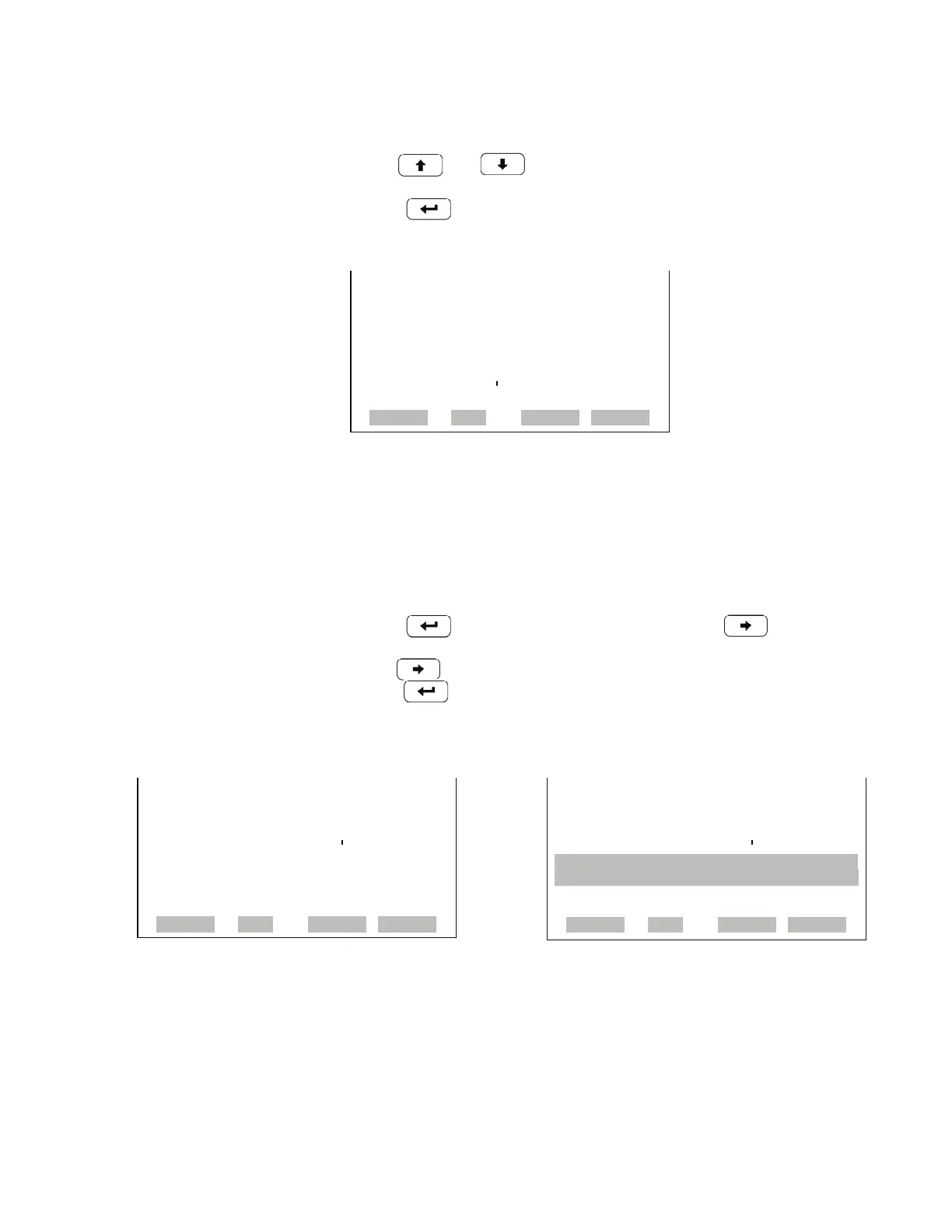
• In the Main Menu, choose Calibration Factors > O
3
Coef.
• Use and to increment or decrement the coefficient value.
• Press to save the new coefficient.
Reset User Calibration Default The Reset User Calibration Default screen allows the user to reset the
calibration configuration values to factory defaults.
• In the Main Menu, choose Service > Calibration Factors > Reset User
Cal Defaults.
• Press to warn user and enable restore with .
• Use to reset the calibration pressure reference value when pressed
after .
O3 COEFFICIENT:
O3: 600
SET COEF TO: 1.000
©ª INC/DEC
SAVE VALUE
RANGE AVG DIAGS ALARM
RESTORE DEFAULT CAL: RESTORE DEFAULT CAL:
RESTORE
RESTORE
ARE YOU SURE YOU WANT TO?x
PRESS ¨ TO CONFIRM RESTORE
RANGE AVG DIAGS ALARM
RANGE AVG DIAGS ALARM



 To Next Page