Operation
Alarms Menu
Thermo Fisher Scientific Model 49i Primary Standard Instruction Manual 3-65
O
3
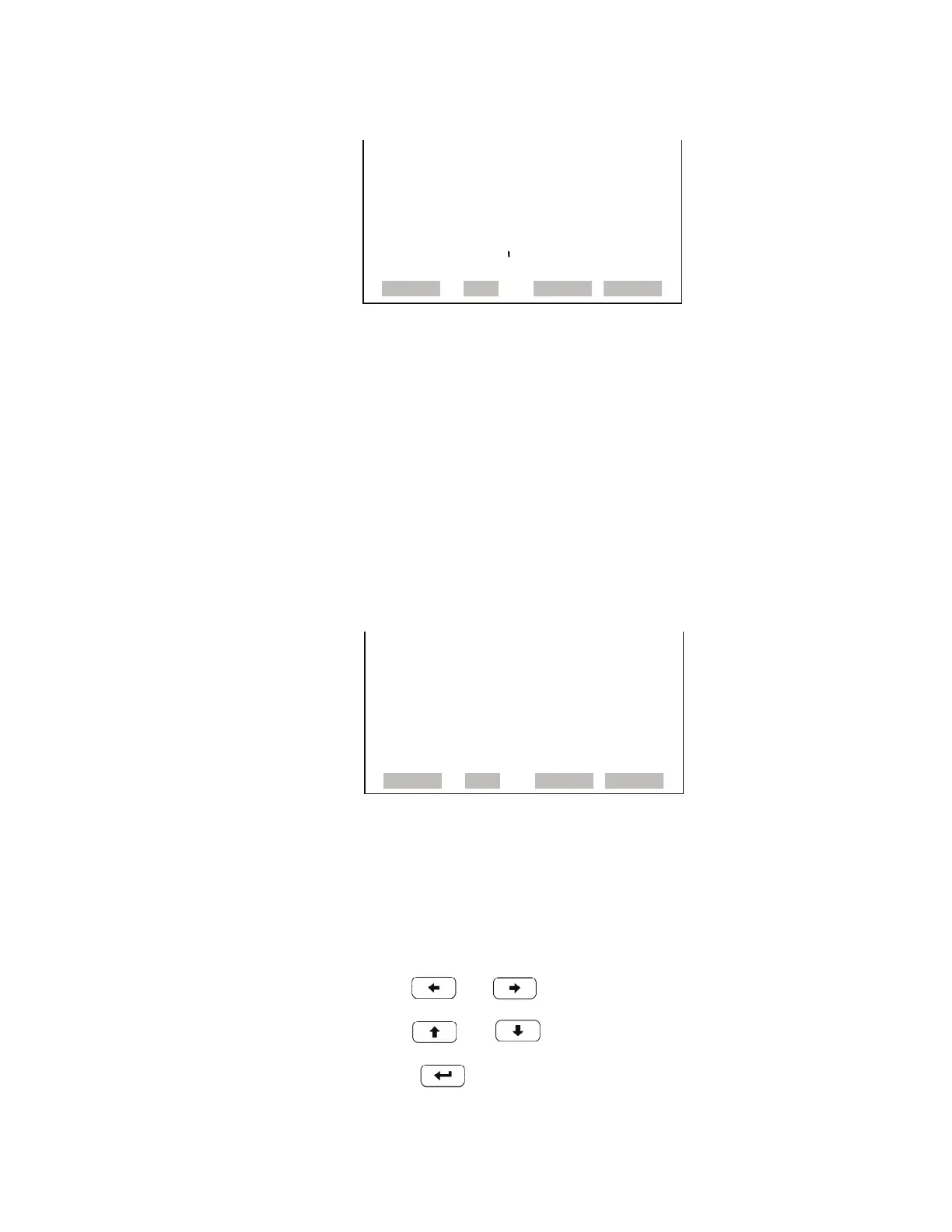
Concentration The O
3
Concentration screen displays the current O
3
concentration and
sets the minimum and maximum alarm limits. Acceptable alarm limits
range from 0 to 5,000 ppb. The minimum alarm may be programmed as a
floor trigger (alarm is triggered when the concentration falls below the
minimum value) or a ceiling trigger (alarm is triggered when the
concentration goes above the minimum value). If the O
3
concentration
goes beyond either the minimum or maximum limit, an alarm is activated.
The word “ALARM” appears in the Run screen and in the Main Menu.
• In the Main Menu, choose Alarms > O
3
Concentration.
Min and Max O
3
Concentration
Limits
The Minimum O
3
Concentration alarm limit screen is used to change the
minimum O
3
concentration alarm limit. The minimum and maximum O
3
concentration alarm limit screens function the same way.
• In the Main Menu, choose Alarms > O
3
Concentration > Min or Max.
•Use and to move the cursor left or right.
• Use and to increment or decrement the numeric value.
• Press to save set to value as actual value.
INTENSITY A:
ACTUAL MIN: 45000 HZ
SET MIN TO: 55000 HZ ?
©ª INC/DEC
SAVE VALUE
RANGE AVG DIAGS ALARM
O3 CONCENTRATION:
ACTUAL 600
>MIN 0.0
MAX 5000
MIN TRIGGER CEILING
RANGE AVG DIAGS ALARM



 To Next Page