- 38 -
SCHEDULER SETUP
SETTING THE REAL TIME CLOCK
Each module is shipped with the clock set for Eastern Standard Time. To adjust reset the clock to your
time zone, or in the event the clock has lost its factory time from power exhaustion, you can reset the
clock with these simple steps.
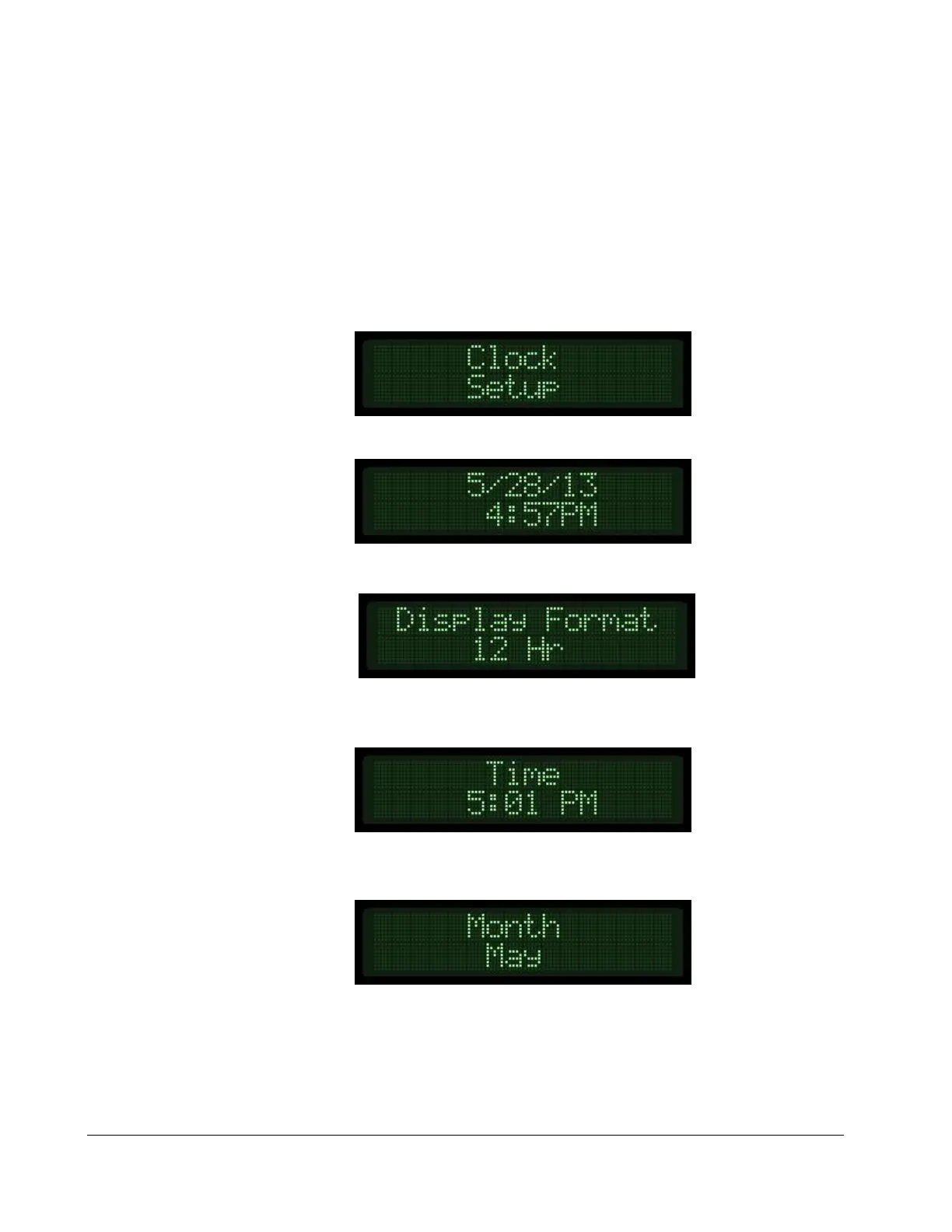
1) Locate the Clock Setup menu in the Controller Setup area of the menu system.
2) Press the up arrow key to see the current date and time programmed.
3) Press the up arrow key to see and/or change the Display Format.
4) Press the up arrow key to see and/or change the current Time. To change the time, press
the Enter key, use the up or down arrows to set, and press the Enter key again to save.
5) Press the up arrow key to see and/or change the current Month. To change the month,
press the Enter key, use the up or down arrows to set, and press the Enter key again to save.


 To Next Page