EasyManua.ls Logo

THOMPSON PUMP J1939 - User Manual

THOMPSON PUMP J1939
51 pages
Print Icon
To Next Page IconTo Next Page
Loading...
Product Manual
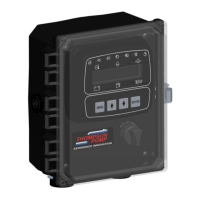
Pump Display & Control Panel
J1939 Engines
Part Number: C4F-G8352-AS
Revision: 2.2
Application: Full Feature Pump Panel
______________________________________________________________________________________________________________________________________
Question and Answer IconNeed help?

Do you have a question about the THOMPSON PUMP J1939 and is the answer not in the manual?

Summary

Prior to Starting Engine

Parameter Configuration

Defines critical pump operation features like fuel level, voltage source, and transducer settings.

Manual Operation Settings

Details manual throttle modes like TSC Vernier and Multistate with their descriptions.

Automatic Operation Settings

Covers automatic throttle modes like Single Speed, Linear, and Target for pump operation.

Fail-Safe Float Start;Stop

Dual Float Back-Up Operation

Manual Throttle Settings

Vernier Throttle

Standard up/down throttle adjustment between min/max selections, using J1939 throttle (TSC1).

Multistate Throttle

Allows for one to four specific operating speeds, adjusted via up/down buttons.

Automatic Throttle Settings

Single Speed (Profile) Throttle

Engine runs according to a predetermined speed profile, selecting warm-up, prime, operating, and cool-down speeds.

Linear Throttle

Level;Pressure Maintain Throttle

Panel Operation

Manual Operation

Steps for starting, stopping, and controlling engine throttle manually using the panel buttons.

Auto Start;Stop Operation

Sleep Mode

Module Connectors

Primary Connector (14 Pin)

Secondary Connector (23 Pin)

Panel Connectors

21 Pin Engine Harness Connector

Lists pin functions for the 21-pin engine harness connector.

31 Pin Accessory Connector

Lists pin functions for the 31-pin accessory connector.

Sensor Inputs

Pump Monitoring and Safety

Engine Alarms, Codes and Messages

Engine ECU Alarms;De-Rate;Shut Downs

Explains ECU actions like broadcasting trouble codes, de-rating, or shutting down the engine.

Panel Alarm Annunciation and Code Reader

Describes how the panel displays trouble codes (SPN.FMI), code descriptions, and occurrence counts.

Indication Lamps

Active and Stored Engine ECU Codes

Control Panel Specific Alarms and Shut Downs

Control Panel Analog and Digital Inputs

Analog #1 Input Functions

Digital Functions

Digital Function Monitoring

Digital Function Messages

Digital Function Delays

Control Panel Relay Outputs

Relay Functions

Relay Polarity

Relay Initial State

Allow Power Down

Panel to Engine ECU Communications

Source Address

The address where the engine sends display and alarm data.

TSC1 Address

The address for receiving throttle commands from the panel.

Engine Type

Important for T4 operation, with selections for different engine manufacturers.

Battery Recharge Monitor

Modbus Configuration

Clutch Configuration

Clock Setup

Emissions Monitoring

Emissions Information

Provides lamp indications, messages, and other emission-related information broadcast from the ECU.

Regeneration Process

Active Regeneration

Service Regeneration Level

Regen Inhibit

Scheduler Setup

Setting the Real Time Clock

Step-by-step guide to manually set the current date and time on the module.

Displaying Date and Time in Auto Mode

Setting Up the Weekly Scheduler

Running on the Weekly Scheduler

Menu System

To Enter Menu System

Instructions on how to enter the menu system by holding MENU and pressing ENTER.

Menu Navigation

How to navigate through menu options using MENU, UP, and DOWN buttons.

Exit Menu System

Instructions on how to exit the menu system.

To Change a Setting

Steps to change a setting using ENTER, UP/DOWN arrows, and ENTER again.

Main Menus

Viewing Menus

Provides access to view fault codes, engine parameters, emissions, pump parameters, and event logs.

Configuration Menus

Controller Setup Menus

Lists various configuration menus for the controller, including engine, pump, scheduler, and input/output settings.

Quick Setup

Engine Parameter Configuration

Pump Parameter Configuration

Scheduler Configuration

Input Configuration

Output Configuration

Throttle Configuration

Engine Safety Configuration

Pump Safety Configuration

Module Configuration

Display Configuration

CAN Configuration

Auto Operation Settings

Auto Start Configuration

Battery Recharge Configuration

Maintenance Configuration

Emissions Configuration

Modbus Configuration

Clutch Configuration

Clock Set-up

THOMPSON PUMP J1939 Specifications

General IconGeneral
BrandTHOMPSON PUMP
ModelJ1939
CategoryEngine
LanguageEnglish

Related product manuals