E-DOC-CTC-20090507-0002 v1.0
47
6 Thomson Gateway GUI
Returning to Factory Default Settings
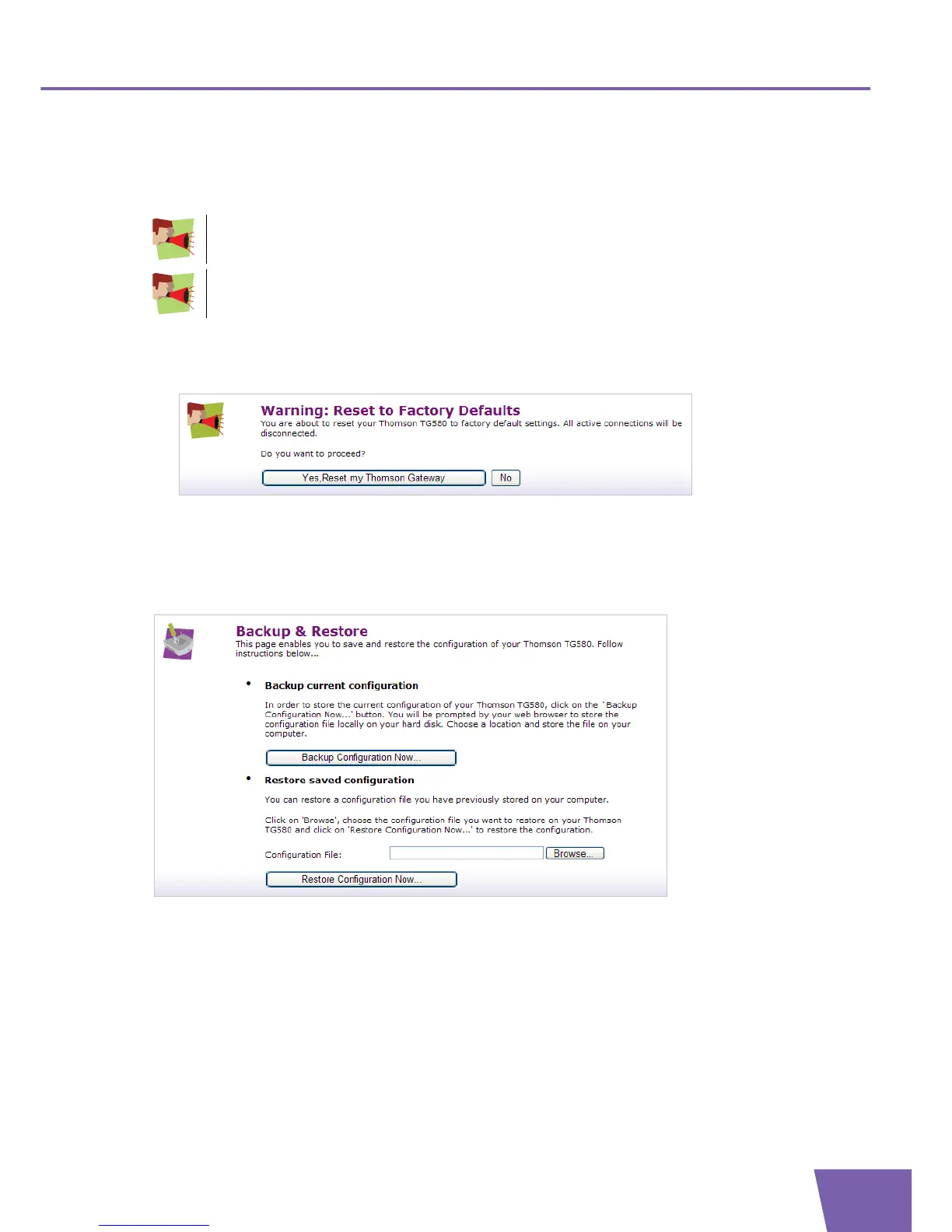
The Reset to Factory Defaults page allows you to return to the initial configuration of your Thomson
Gateway.
Proceed as follows:
1 In the Pick a task list, click Return to Factory Default Settings.
2 The following page appears:
3 Click Yes, reset my Thomson Gateway.
Saving or Restoring Configuration
The Backup & Restore page allows you to:
Save your current configuration.
Restore a previously saved configuration.
For more information, see ”2.3 Backing Up/Restoring your Configuration” on page 16.
All changes you have made to the configuration will be deleted. If you want to save your current
configuration, see ”2.3 Backing Up/Restoring your Configuration” on page 16.
If you reset your Thomson Gateway to factory default settings, all wireless and broadband
connections may be disconnected permanently after reboot (other settings) or briefly interrupted
during the reboot.



 To Next Page