E-DOC-CTC-20090507-0002 v1.0
80
6 Thomson Gateway
GUI
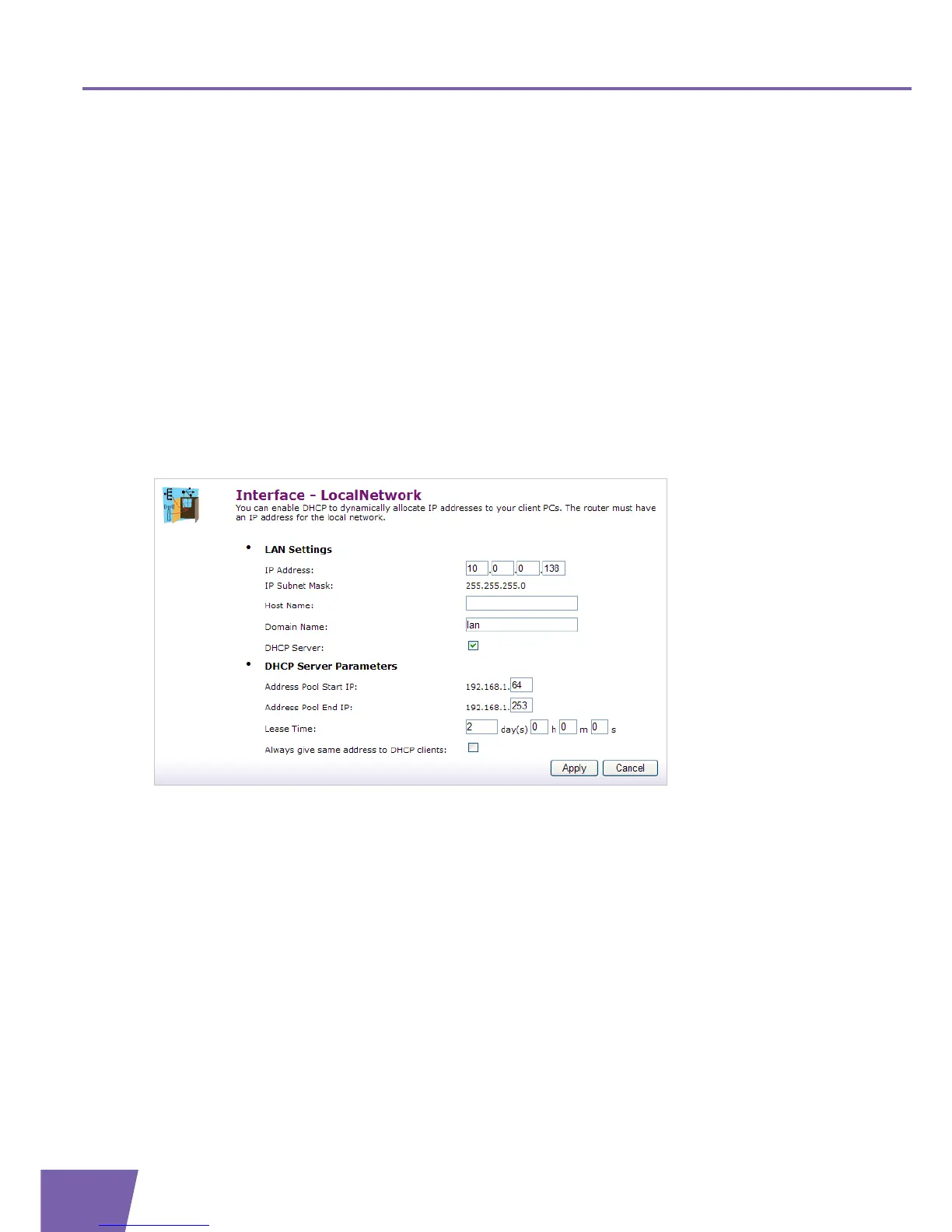
Host Name:
Displays the host name for the local network.
Domain Name:
Displays the domain name you specified.
DHCP Server:
Indicates the DHCP server is enabled (Yes) or disabled (No).
Under DHCP Server Parameters:
Address Pool Start IP:
The start IP address of the DHCP server’s address pool.
Address Pool End IP:
The end IP address of the DHCP server’s address pool.
Lease Time:
The time for which the DHCP client is allowed to use the assigned IP address.
Always give same address to DHCP clients:
If you enabled this, the lease time will be automatically set to Infinite.
The Interface settings Configure page allows you to:
Under LAN IP :
Type the IP Address of your choice (for example 10.0.0.138) in the text box.
Specify the Host Name and Domain Name in the text box.
Select/clear the DHCP Server check box to enable/disable DHCP Server on the interface.
Under DHCP Server Parameters:
Type the Address Pool Start/End IP of your choice in the text boxes.
Specify a Lease Time in the text boxes.
Select the Always give same address to DHCP clients check box if you want to make sure that a DHCP
client always gets the same DHCP lease IP address..
Click Apply to save these settings.



 To Next Page