E-DOC-CTC-20090507-0002 v1.0
82
6 Thomson Gateway
GUI
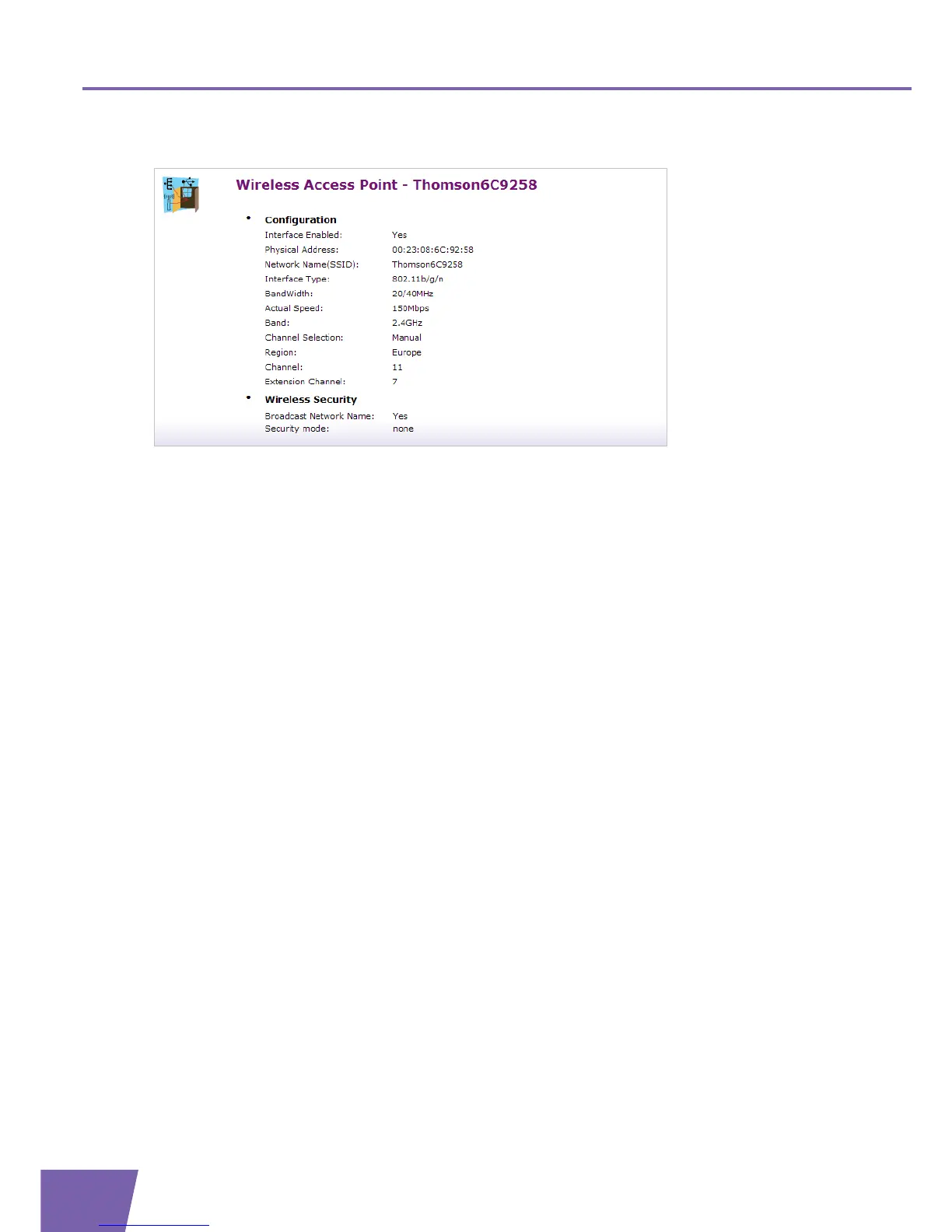
The Wireless Access Point Details page displays all of the available configuration information.
Besides the same information as on the Overview page, the following fields are available:
Under Configuration:
Channel Selection:
Displays whether you select a fixed channel yourself (Manual)or the Thomson Gateway selects a
channel for you (Auto).
Region:
Displays your regulatory region.
Channel:
Displays the channel that is currently used by the Access Point (AP).
Extension Channel:
Displays the secondary channel that is used to send and receive data.
Under Wireless Security:
Broadcast Network Name:
Indicates whether your Network Name is broadcasted or not.



 To Next Page