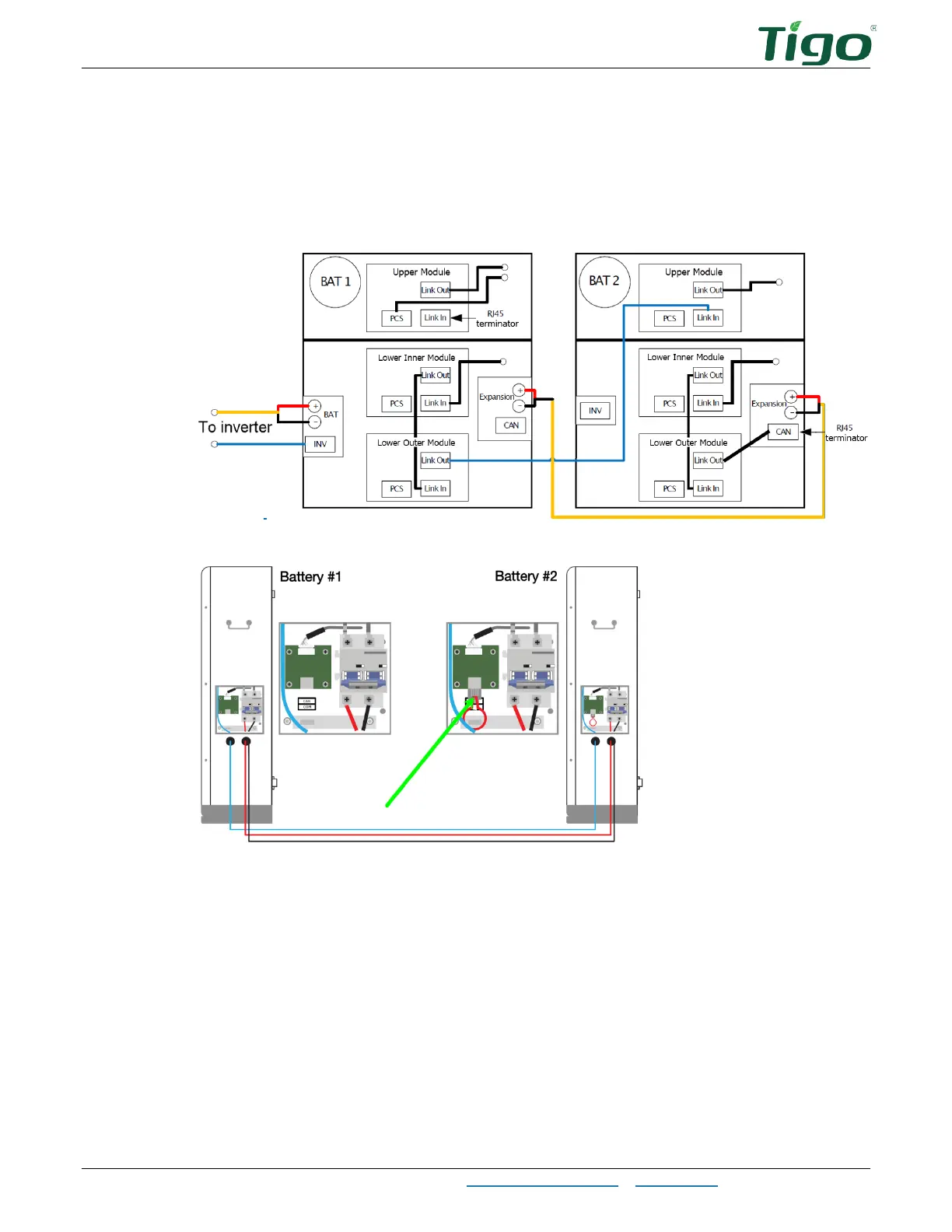
The EI Battery – Add Batteries
EI Residential Solar Solution US Installation Manual | www.tigoenergy.com | Help Center 44
To add one battery with a serial connection (EI Battery part number 603-00000-
10
only):
1. Inside the battery enclosures, connect a COM cable from the battery #1 lower outer
module
COM Link Out
plug to the battery #2 upper module
COM Link In
plug.
2. In the battery expansion wireboxes, connect conductors between the
BAT+
and
BAT–
terminals on batteries #1 and #2.
3. Insert a terminator in the battery #2 battery expansion wirebox CAN/COM terminal.



 To Next Page