Appendix A – UL 1741 PCS CRD Section 208 Information – Self-Consumption
EI Residential Solar Solution US Installation Manual | www.tigoenergy.com | Help Center 70
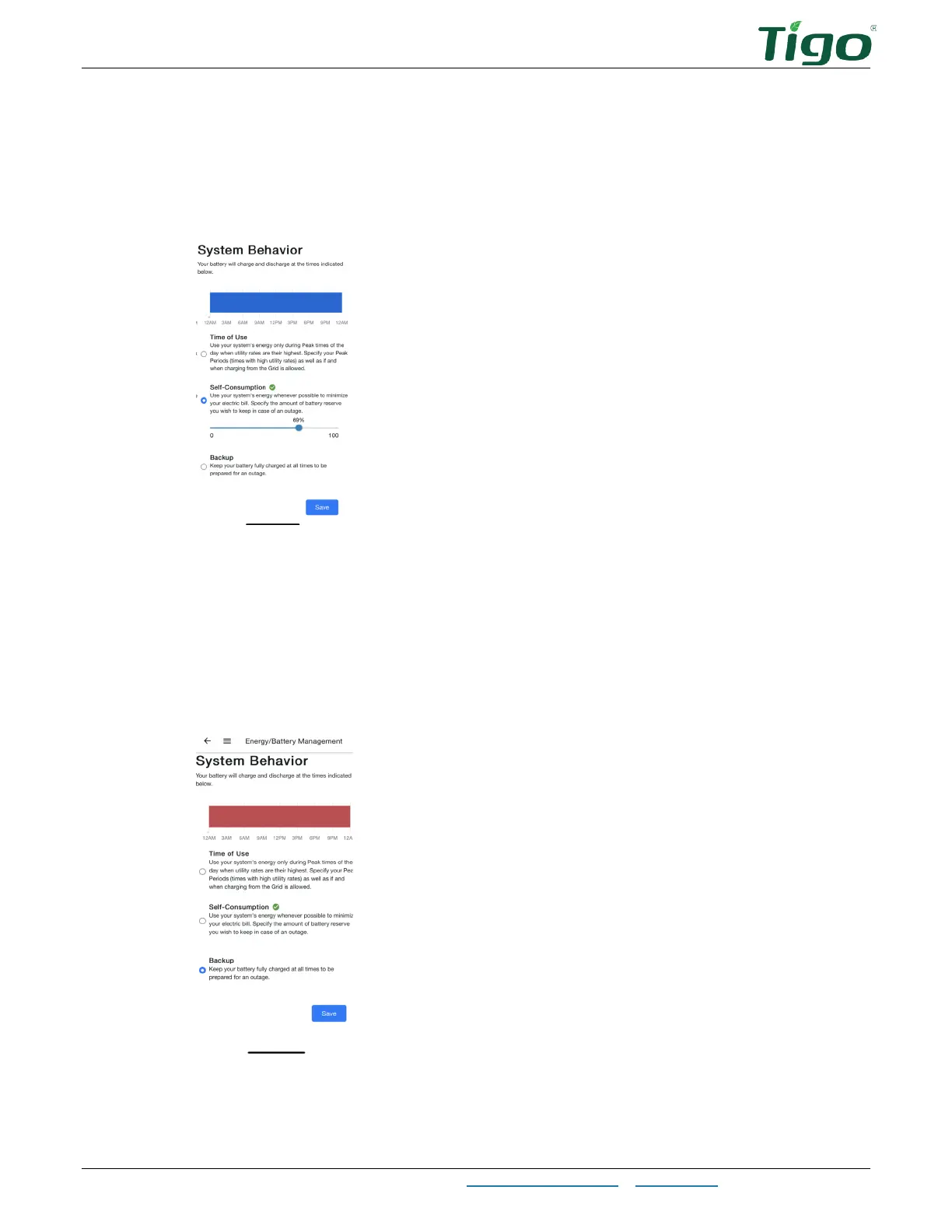
Self-Consumption
This mode controls the battery reserve to enable minimizing grid usage.
To configure
Self-Consumption
settings:
1. Select
Energy/Battery Management > System Behavior > Self-Consumption
.
2. Adjust the slider to set a desired battery reserve (how much energy to save in case of
grid failure).
Backup
This mode controls the battery reserve to enable maximizing backup energy in case of an outage.
To configure
Backup
settings:
1. Select
Energy/Battery Management > System Behavior > Backup
.
2. Tap the
Backup
control.



 To Next Page