Commissioning – Run the Tigo Energy Intelligence App
EI Residential Solar Solution US Installation Manual | www.tigoenergy.com | Help Center 54
4. Confirm your location and tap
Create –>
to save the system
information.
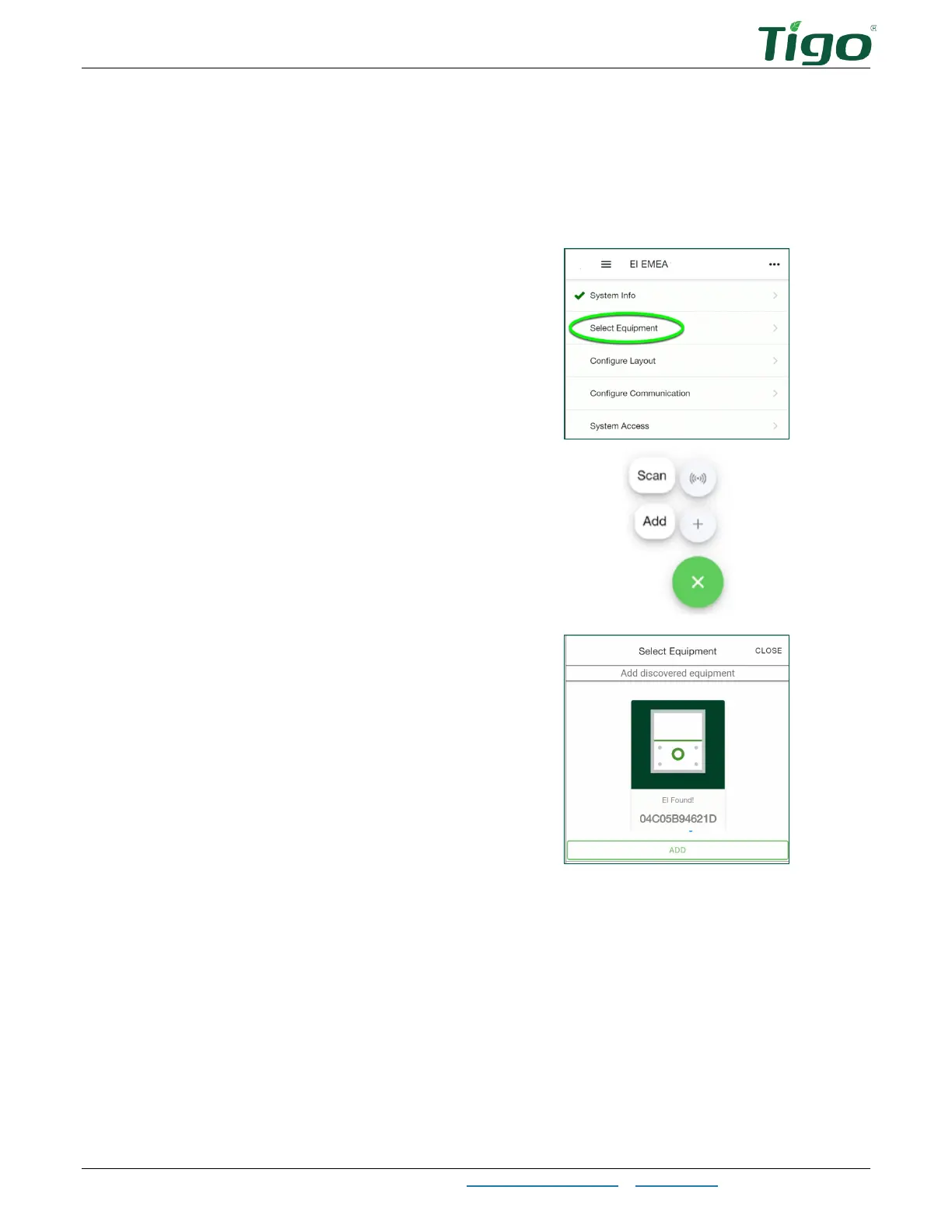
Select Equipment
2. Tap
Scan
to let the app scan for EI
components such as the inverter and
battery.
Tap
Add
to configure components
manually.
The first component discovered is the EI
Inverter or, in some cases, the Cloud
Connect Advanced (CCA) component.
3. After a component is discovered or
entered manually, tap
Add
.



 To Next Page