Commissioning – Run the Tigo Energy Intelligence App
EI Residential Solar Solution US Installation Manual | www.tigoenergy.com | Help Center 55
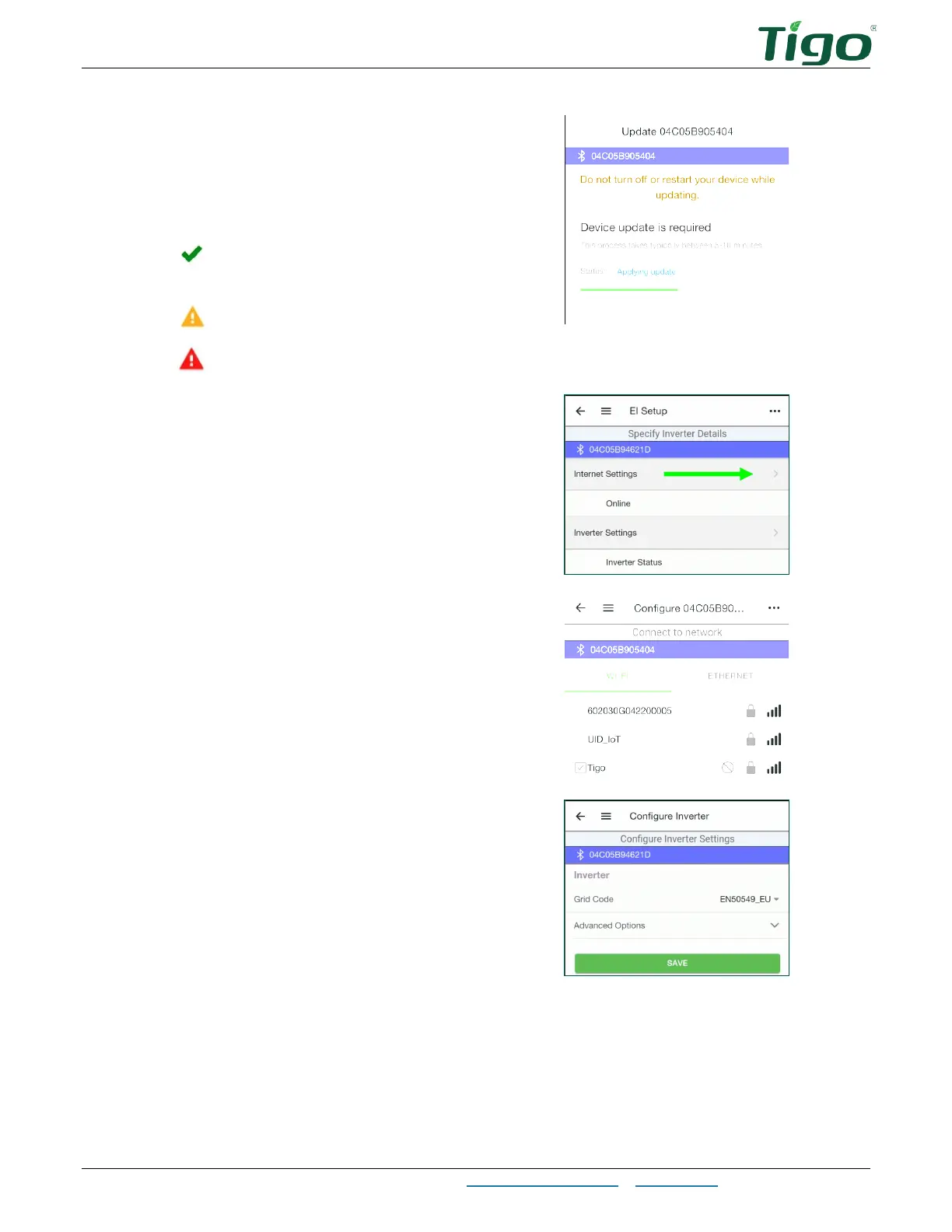
4. Perform updates as needed.
As you progress through the
commissioning process, symbols will
show which areas need attention and
which are complete:
– Section is complete and passes
all checks.
– Section has not been completed.
– A fault requires correction.
5. Tap
Internet Settings
and connect to
the customer’s WiFi network.
6. Drag the screen down to refresh the list
of networks.
7. Tap Inverter Settings, select the
Grid
Code
, configure
Advanced Options,
and
tap
Save
.
8. Configure
AC Meter, Battery Settings
, and
Main Breaker Limit
options as needed.



 To Next Page