TAP and TS4 MLPE – Install the Tigo Access Point (TAP)
EI Residential Solar Solution US Installation Manual | www.tigoenergy.com | Help Center 48
To install a TAP:
4. Prepare a 4-wire or CAT5/6 cable:
• Shielded if running next to PV conductors
• 20 – 18 AWG or CAT5/6 twisted pairs
• Solid core
• Cable outside diameter (OD) ≤9mm (.35in)
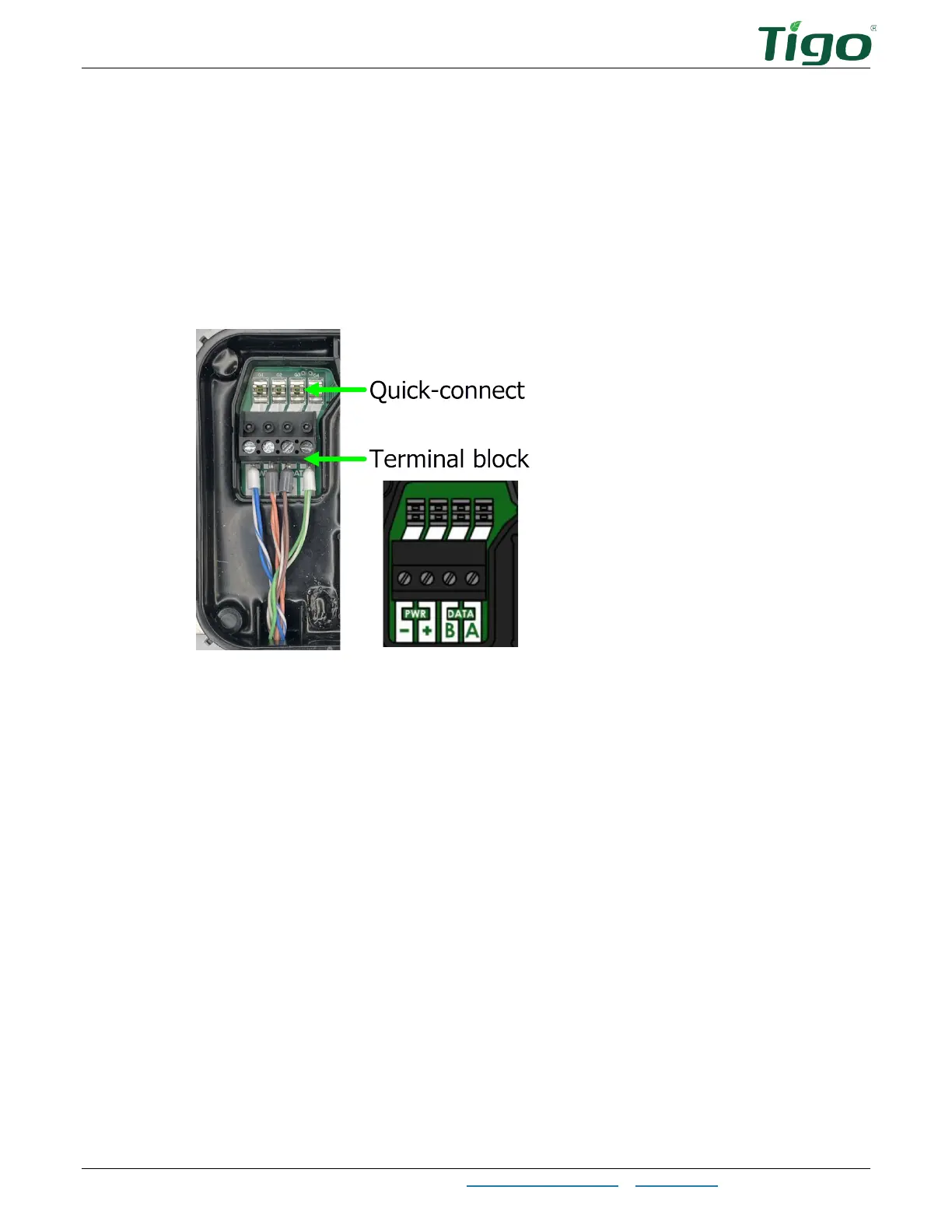
5. Connect cable wires to the left side of the TAP using either the quick-connect (4-wire) or
the terminal block (4-wire or CAT5/6 twisted pairs).
6. Use the right-side terminals to connect a cable to another TAP. If there is only one TAP,
leave the terminating jumper in the right-side terminal block.
7. Attach the TAP to the PV module. For frameless modules, remove the silver clips and
bolt directly to the rail.



 To Next Page