Telephone book
37
Personal OGM (call filter)
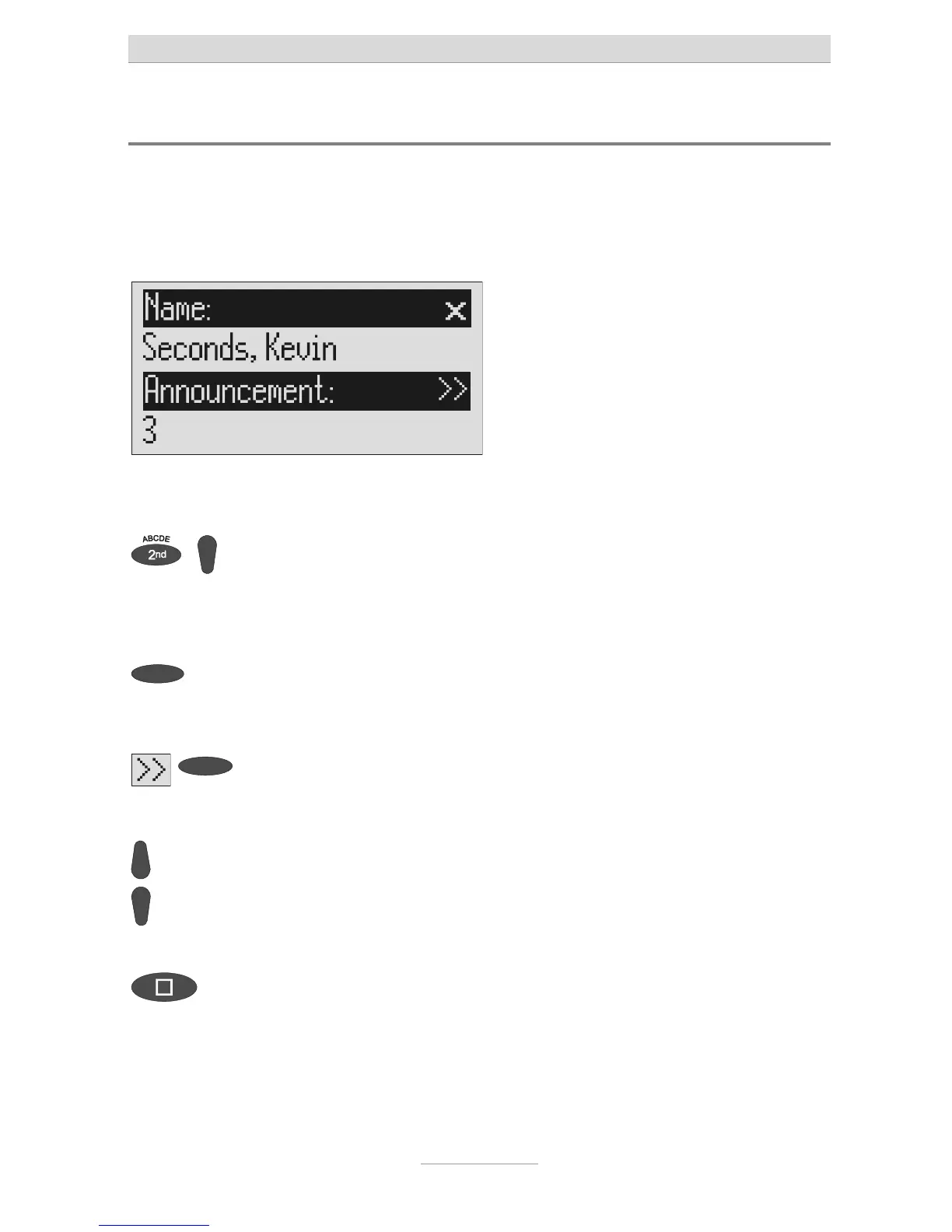
You can assign each entry in the telephone book to one of the fourteen individual,
recordable OGMs. If the telephone number calling matches the entry the caller
hears an OGM that is specially recorded for him. You can also switch the answering
machine off for certain callers.
Open entry field. The entry field for the name and the tele-
phone number are displayed.
For a new entry: Press second
function and then control button
(down).
2s
For an existing entry:
Search for entry (as described in
"Searching entries") and press the
selection button next to the entry
for 2 seconds.
Press the selection button next to
he sub-menu symbol for 2 se-
conds.
The display shows the current OGM.
Set the desired OGM using the
control buttons (up or down).
The numbers 1 to 5, none and a dash ap-
pear in the display. If you select "none" the
answering machine does not switch itself
on automatically for this entry. The func
ion
is switched off using the dash.
To stop the entry press stop sev-
eral times.
The entry is stored. The initial state is again
displayed.
The desired OGM can be recorded as described in the "OGM" chapter (Page
16).



 To Next Page