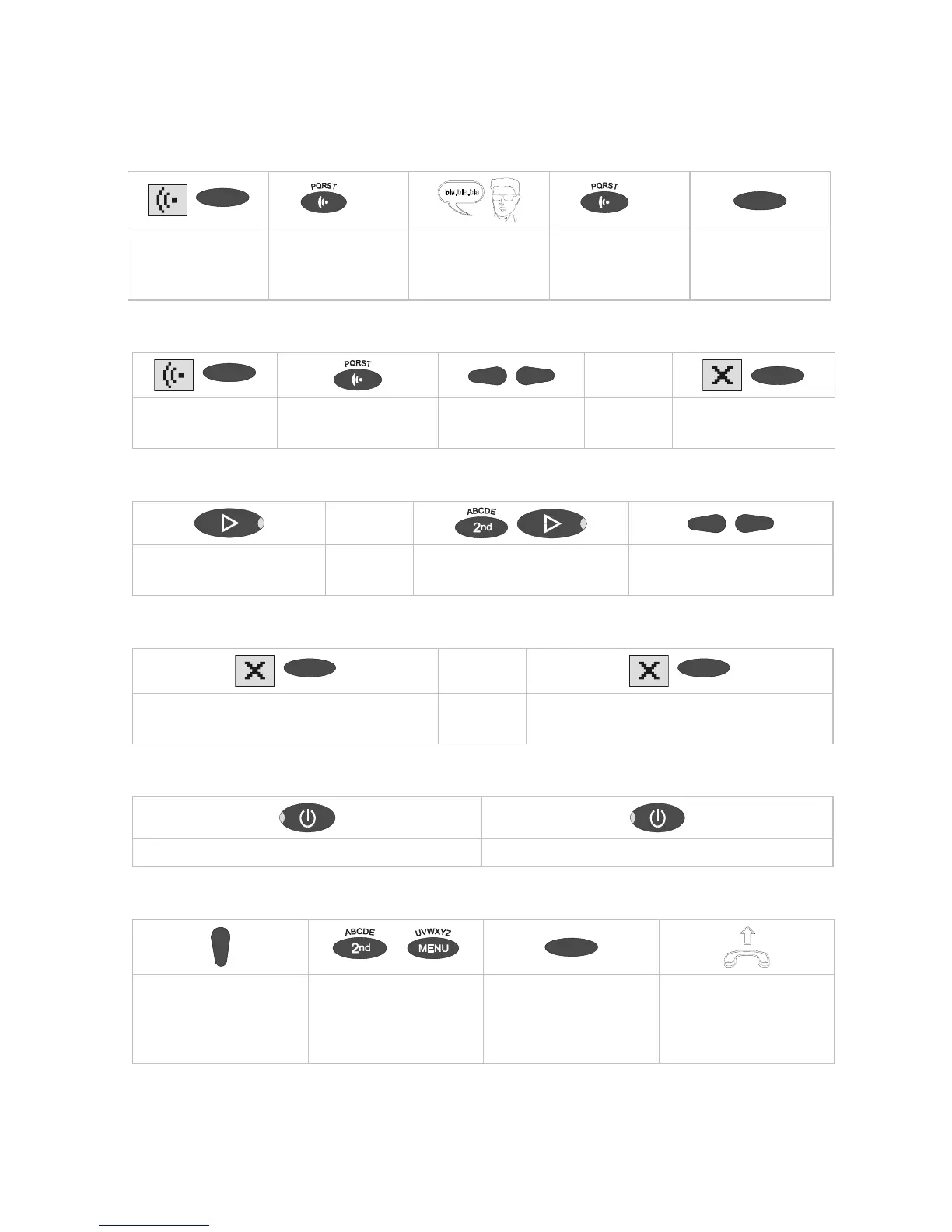
Brief operating instructions
Record an outgoing message
Select OGM using
selection button
Press and hold
OGM.
Start speaking. Release OGM. Select type of OGM
using selection
button
Checking OGMs
oder
Select OGM using
selection button
Press OGM briefly. Adjust volume Press selection button
to delete.
Playing back incoming messages
or
To play back new incoming
messages
To play back all recordings Adjust volume
Deleting all incoming messages
or
Press selection button during playback to
delete the current ICM
Press selection button for 2 seconds to delete
all messages
Answering mode
Press to switch on answering mode Press to switch off answering mode
Dialling from the telephone book
...
Open telephone book and
search for entry using the
control button (down).
To limit the search select
letters using the
corresponding entry
button
Press the selection
button next to the desired
name
After dialling lift receiver
and conduct call.



 To Next Page