28
8.5. Line (Stereo) Input Selection (Only with D-936R or D-937SP module)
[IN 1] LINE SEL
[1] 1 2 3
4
ON
PARAMETER
PUSH-ENTER
CHANGE
• Rotate the Setting knob to select the line (stereo) number and
press the function ON/OFF key to enable or disable the input. For
example, when the [IN 1] indication is displayed, settings are
performed for the stereo module inserted into the unit's rear-
mounted IN1 and 2 slot.
• The "–" indication is displayed when disabled.
• There are two operation modes for the module: MIX ALL and
SELECT modes. (MIX ALL mode is provided with the D-936R
only.)
MIX ALL mode: Mixes 4 (stereo) line inputs. Any individual stereo
input can also be disabled.
SELECT mode: Selects a single (stereo) line input. Trim settings
can be performed for individual line inputs.
• The setting screen reverts to the Input/Output Gain Setting
screen when the shift key is pressed.
Using D-936R: Line input mode selection (p. 26)
Using D-937SP: Channel status verification (previous page)
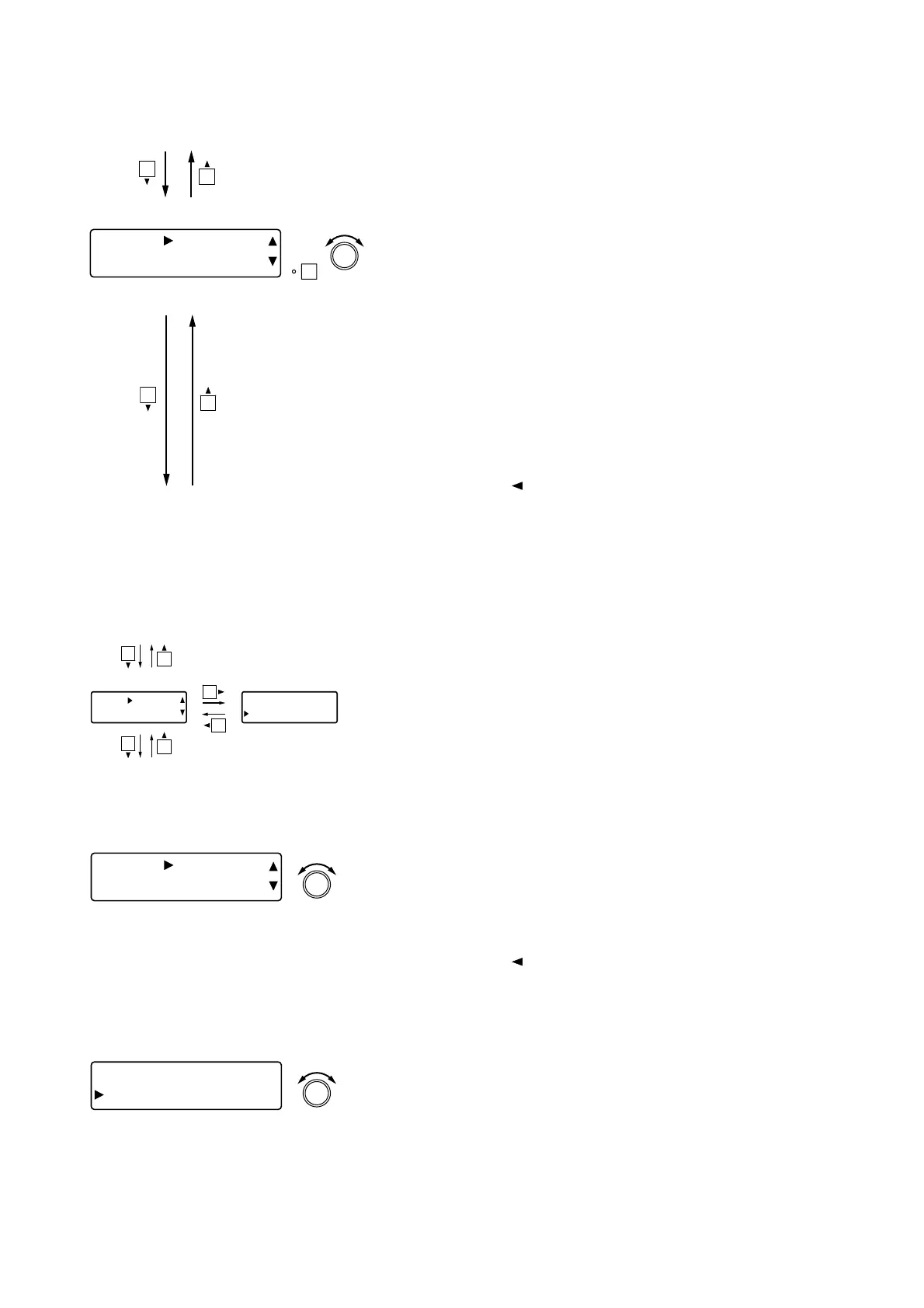
[IN 1] TRIM
+0.0d
B
PARAMETER
PUSH-ENTER
CHANGE
• Rotate the Setting knob to set the input trim gain.
Parameter setting range: –15 to +15 dB in 0.1 dB steps
• Pressing an Input channel selector key allows the trim to be
adjusted for that channel. The [IN 1] indication changes to the
selected channel number indication.
• The setting screen reverts to the Input/Output Gain Setting
screen when the shift key is pressed.
Gain Polarity
Using D-921F or D-921E: PAD (Input sensitivity) settings (p. 26)
Using D-936R or D-937SP: Line (stereo) input selection (previous section)
Using D-923AE: Channel status verification (previous page)
High-pass filter settings (next page)
[IN 1] TRIM
+0.0d
B
[IN 1] TRIM
POL NORMAL
8.6.1. Input trim gain settings
[IN 1] TRIM
POL NORMA
L
PARAMETER
PUSH-ENTER
CHANGE
• Rotate the Setting knob to set the input trim polarity.
Parameter setting range: NORMAL, INVERSE
• Pressing an Input channel selector key allows the trim to be
adjusted for that channel. The [IN 1] indication changes to the
selected channel number indication.
8.5.2. Input trim polarity settings



 To Next Page