54
10.2. Feedback Suppression Filter Setting Confirmation
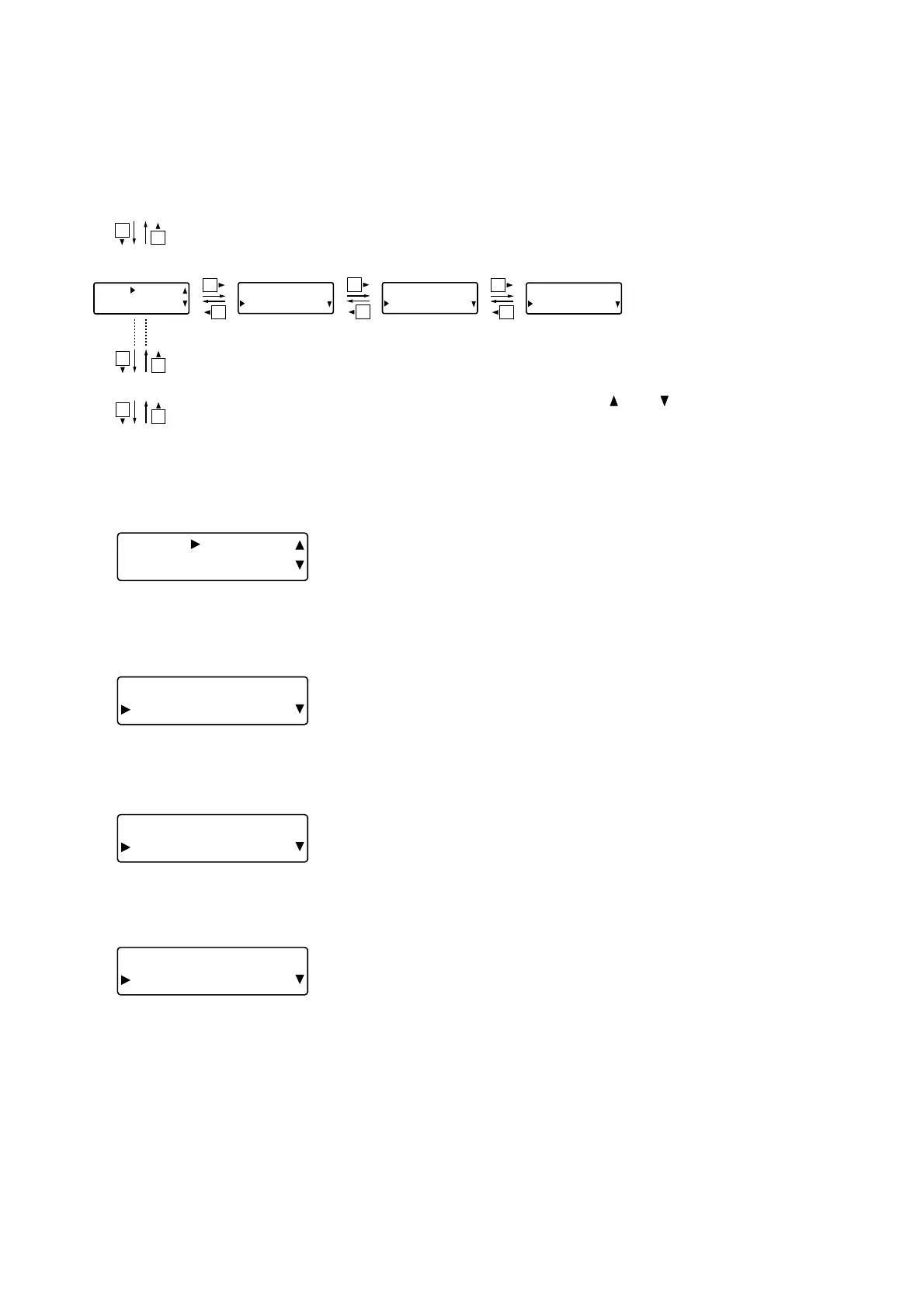
The settings of all 12 Dynamic and Auto mode feedback suppression filters can be quickly confirmed.
[Screen display operations]
[MicB] FILTER1
TYPE AUT
O
[Mi cB] F I LTER1
Q48.09
Filter 1 mode
confirmation
Q confirmation
Filter gain
confirmation
Frequency
confirmation
Feedback suppression settings (p. 52)
Filter 12 mode confirmation
Effect (echo) settings (next page)
[Mi cB] F I LTER1
GA I N + 0 . 0 d
B
[Mi cB] F I LTER1
FREQ 1 0 . 0 kHz
Tip
Feedback suppression filters range from 1 to 12 in number, and the setting
items for each filter are the same. Press the and shift keys to change the
filter number.
10.2.1. Mode confirmation
[MicB] FILTER1
TYPE AUT
O
• The DYN indication is displayed for filters set by the Dynamic
mode operation, while the AUTO indication is displayed for filters
set by the Auto mode operation, and the "
----
" indication for
filters that are not set.
10.2.3. Filter gain confirmation
[MicB] FILTER1
GAIN +0.0d
B
• Set filter gains can be confirmed.
10.2.2. Frequency confirmation
[MicB] FILTER1
FREQ 10.0kH
z
• Set filter frequencies can be confirmed.
10.2.4. Q confirmation
[MicB] FILTER1
Q 34.6
2
• Set filter Q can be confirmed.



 To Next Page