62
Step 3. Rotate the Setting knob to select the channels to be grouped together with the channels displayed in
the [ ] area on the upper row.
(The selected channels are displayed in the " ]" area on the lower row.
Step 4. Press the function ON/OFF key to confirm the selected channels.
All of the channels set for grouping are displayed on the upper row at the right.
Note
When group settings are performed, the offset gain between the channels in the [ ] area on the
upper row and the selected channels are set as the selected channels' group trim value. Therefore,
after grouping, the fader gain is the same if the channels grouped together are within the same group.
Tip
The channels set for grouping are displayed on the lower row at the right when the shift key is
pressed to revert to the initial Group setting screen.
12.3. Crossover Configuration Settings
Enable or disable the Crossover function. When enabling, set the crossover filter's maximum slope as well.
When enabled, the Crossover setting screen is displayed on the Output setting screen, depending on setting
contents. (Refer to p. 43.) Also, the number of filters to be displayed on the Filter setting screen (p. 45) used in
the output settings changes depending on the setting contents.
Note
The "Stereo-Linked" (p. 61) output channel will not use the crossover function.
That output channel is displayed on the screen as shown at right, being made
invalid for the crossover configuration setting.
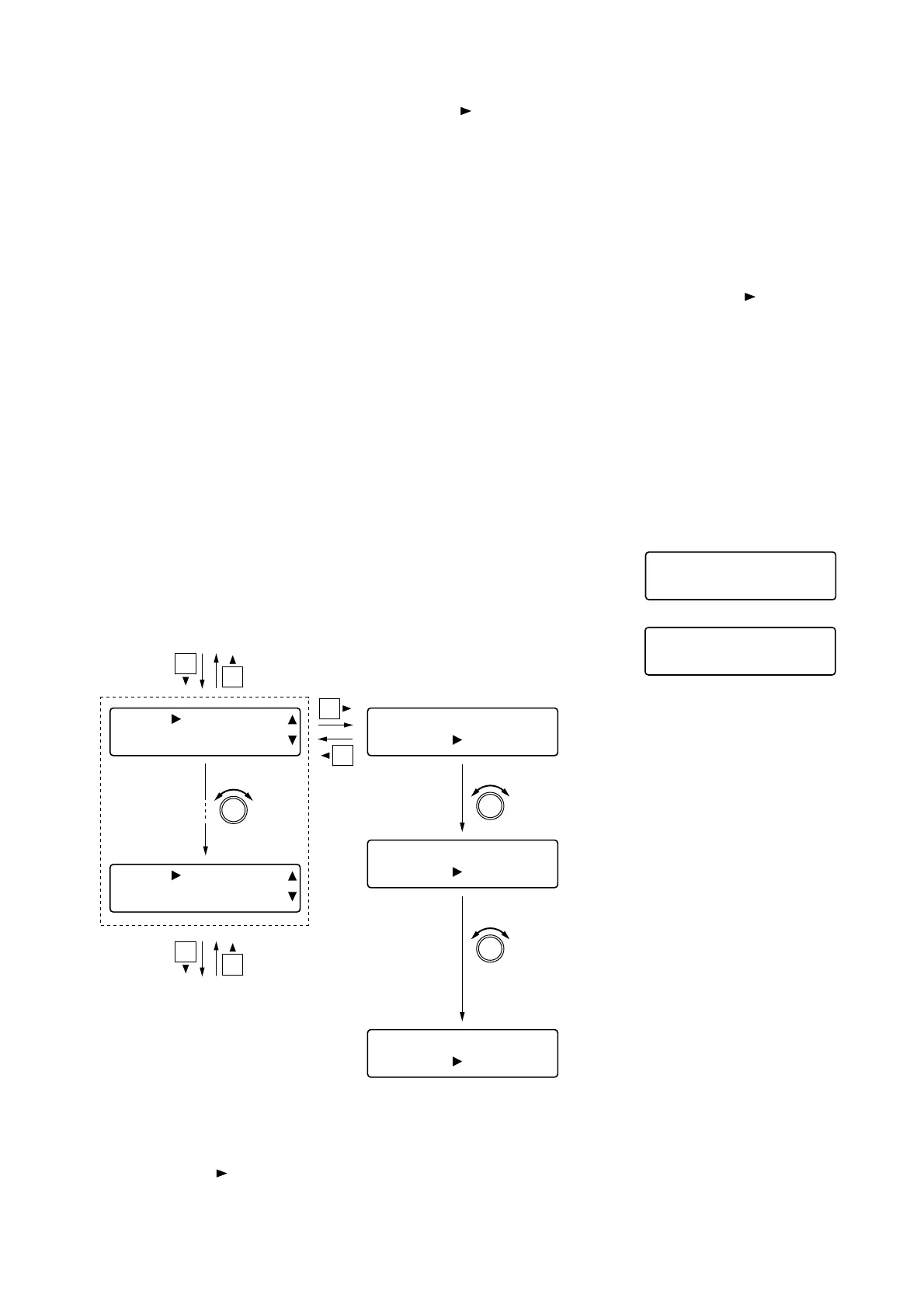
Step 1. Rotate the Setting knob to display the channel to be set
in the [ ] area on the lower row.
Step 2. Press the shift key.
Step 3. Rotate the Setting knob to enable or disable the
crossover function.
• The crossover function (high
frequency) is disabled.
• The Crossover setting screen is not
displayed.
• The crossover function (high
frequency) is used as a high-pass
filter. A slope of up to 12 dB/oct can
be set.
• The Crossover setting screen is
displayed. (A slope of up to 12 dB/oct
is displayed.)
• The crossover function (high
frequency) is used as a high-pass
filter. A slope of up to 24 dB/oct can
be set.
• The Crossover setting screen is
displayed. (A slope of up to 24 dB/oct
is displayed.)



 To Next Page