EasyManua.ls Logo

Toa D-901 - Auto-Mixing Group Settings

Toa D-901
94 pages
Print Icon
To Next Page IconTo Next Page
To Previous Page IconTo Previous Page
Loading...
37
8.14. Auto-Mixing Group Settings
Both the Ducker function (next page) and the NOM Attenuation function (p. 39) are Auto-Mixing Functions that
automatically adjust individual input channel gains in response to input signal level.
The auto-mixing functions can operate in each of the 4 groups, GROUP A through D. Although all the input
channels are grouped into GROUP A by default, they can be individually assigned to the desired groups.
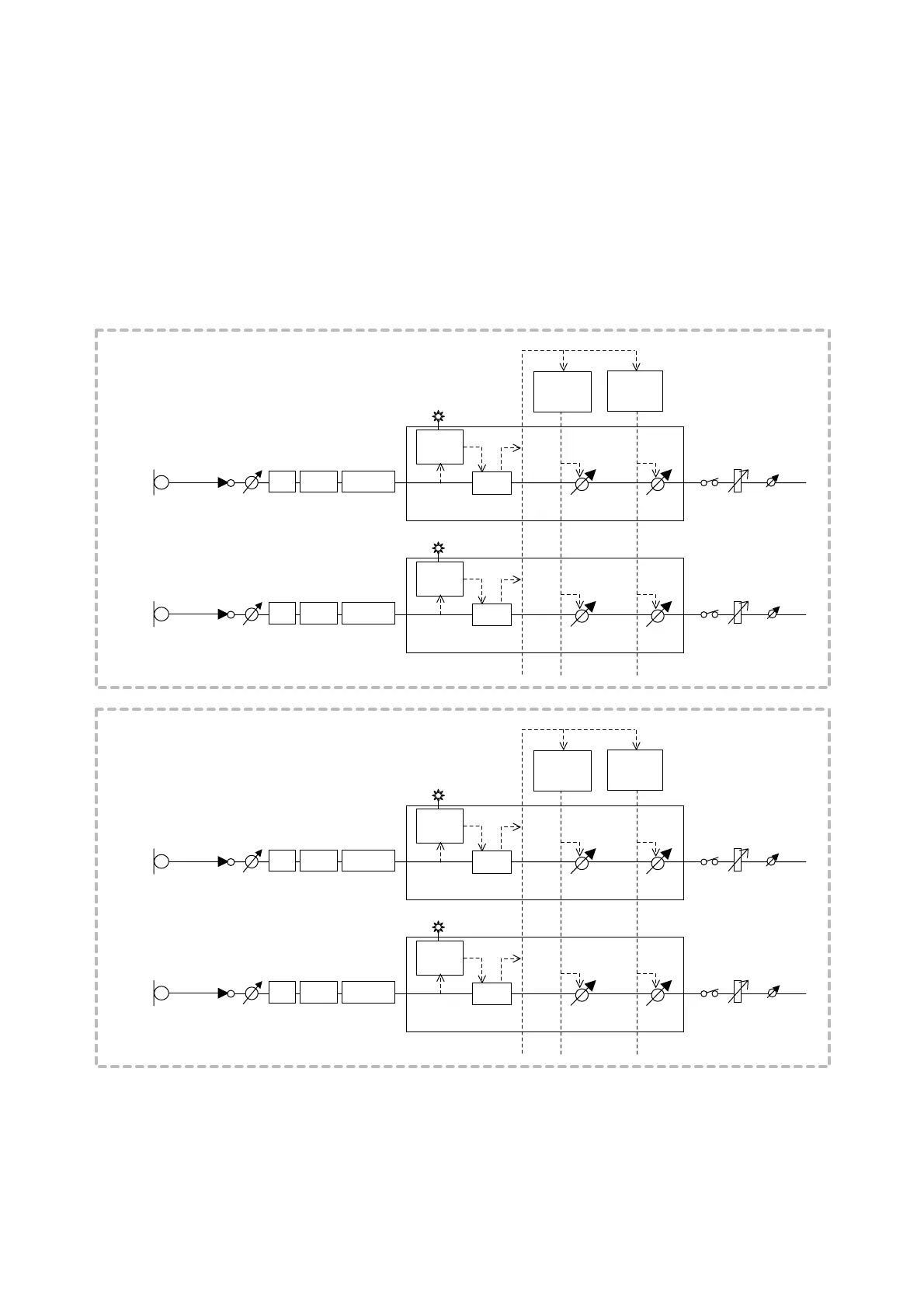
The figure below shows the block diagram of the Auto-Mixing (Auto MIX) section.
[Auto-mixing block diagram]
The diagram below shows an example where the input channels 1 and 2 are assigned to GROUP A, and the
input channels 3 and 4 to GROUP B.

Microphone 1
[GROUP A]
Microphone 2
Auto MIX
Auto MIX
Trim
Trim
SIG LED
SIG LED
ON
ON
Fader
Fader
GR Trim
GR Trim
HPF
Gate
PEQ(2)
Level
Sense
COMP/
Auto-leveler
COMP/
Auto-leveler
HPF
Gate
PEQ(2)
Level
Sense
Ducker
Control
NOM
Control
Microphone 3
[GROUP B]
Microphone 4
Auto MIX
Auto MIX
Trim
Trim
SIG LED
SIG LED
ON
ON
Fader
Fader
GR Trim
GR Trim
HPF
Gate
PEQ(2)
Level
Sense
COMP/
Auto-leveler
COMP/
Auto-leveler
HPF
Gate
PEQ(2)
Level
Sense
Ducker
Control
NOM
Control

Table of Contents

Other manuals for Toa D-901

Related product manuals