3-2
Chapter 3
INSTALLATION AND SETTING PROCEDURES (HARDWARE)
1. VX-015DA, VX-030DA, AND VX-050DA DIGITAL POWER AMPLIFIER MODULE
1.1. Changing the Speaker Line Voltage
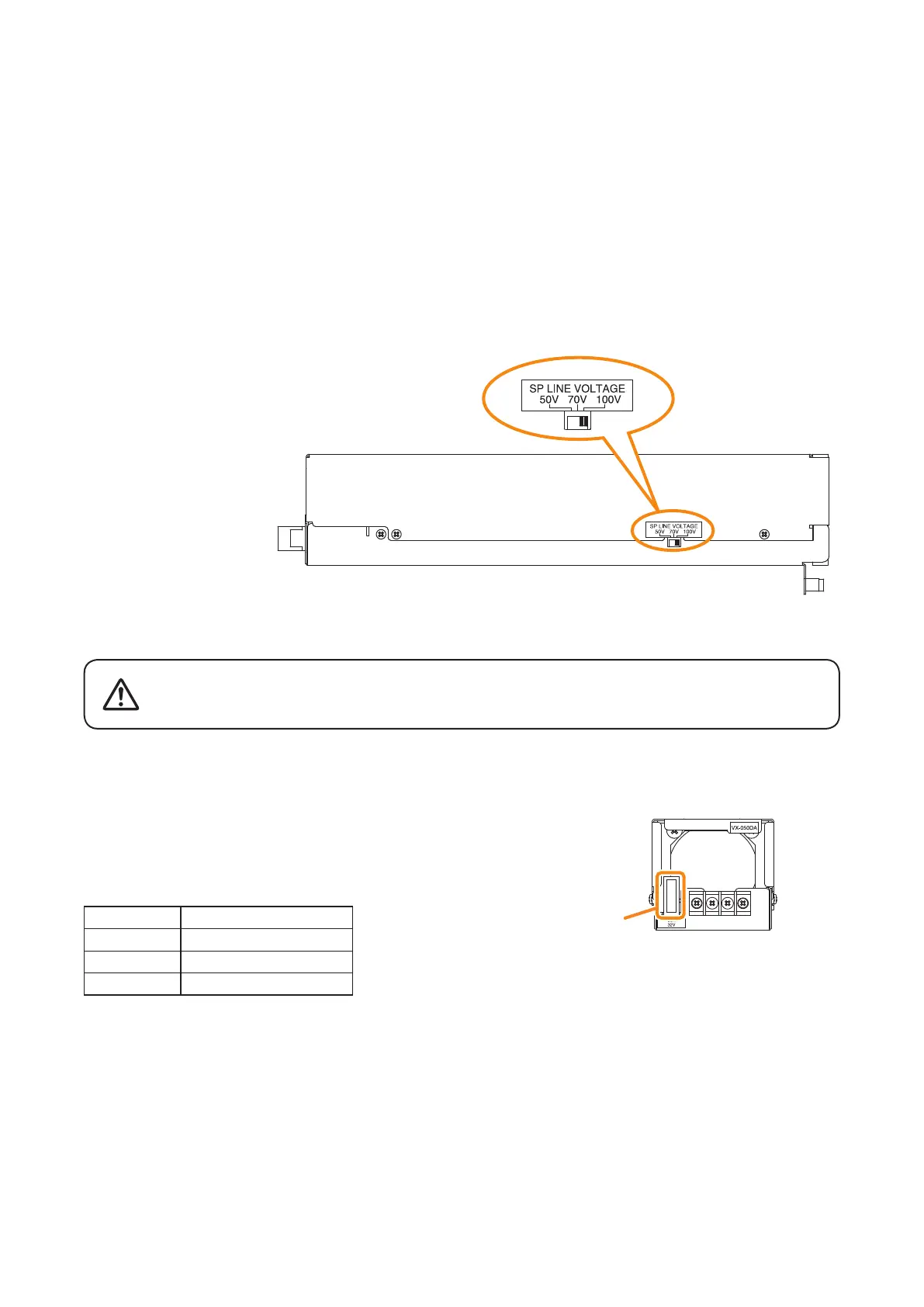
Though the speaker line voltage of the VX-015DA, VX-030DA, and VX-050DA is factory-preset to 100 V, you
can change it to 50 V or 70 V with the output voltage selection switch on the power amplier's side.
Note
The speaker line failure detection functions are designed to perform on a 100-volt line of speaker.
For the methods using a 70- or 50-volt line, please consult your TOA dealer.
1.2. Replacing the Blade Fuse
When the blade fuse blew, replace it with new one following the procedures below.
Step : Replace the blade fuse on the rear panel.
Tip
You can replace the fuse with the amplier module installed in the VX-3000F.
[Capacity]
Model No. Capacity
VX-015DA Blade-Type Fuse 10 A
VX-030DA Blade-Type Fuse 20 A
VX-050DA Blade-Type Fuse 30 A
VX-015DA/030DA/050DA side
Output voltage selection switch
Fuse
VX-015DA/030DA/050DA rear
Be sure to switch off the amplifier's power when replacing the fuse.
Inserting or removing the fuse with the amplifier's power on may cause
personal injury.
WARNING



 To Next Page