3-10
Chapter 3
INSTALLATION AND SETTING PROCEDURES (HARDWARE)
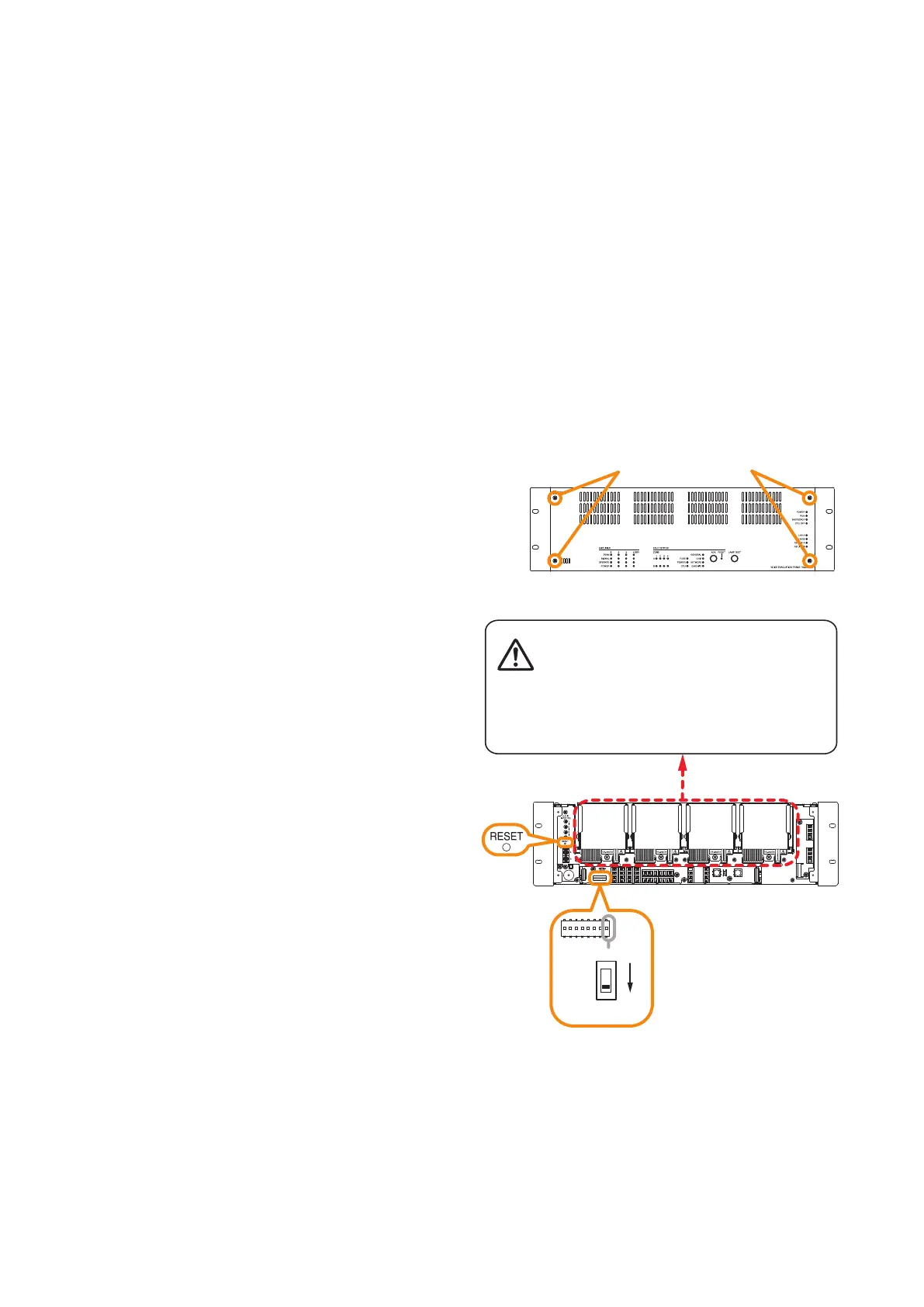
Step 1. Detach the front panel.
Remove 4 xing screws for front panel and detach
the front panel.
Step 2. Set the switch 8 of the DIP switch to OFF.
Step 3. Press the reset key.
The VX-3000F is reactivated.
Step 4. Replace the front panel.
Secure it using 4 xing screws for front panel.
3.2. Setting the IP Address
VX-3000F's IP address is automatically determined depending on the ID switch setting as follows when the
switch 8 of the DIP switch inside the front panel is set to the ON position (default setting).
IP address : 192.168.14.xx ("xx" is one larger than ID Number.)
Subnet mask : 255.255.255.0
Default gateway : 0.0.0.0
To change the above IP address of the VX-3000F, change the DIP switch setting and reactivate the VX-3000F
following the procedures below.
Notes
• When the switch 8 is set to the ON position, even if you change and upload the IP address using the VX-3000
Setting software, it will not be changed, remaining as set by default.
• Only the IP address shown above can be set with the Setting switch.
When wishing to set the IP address other than the above, set it using the VX-3000 Setting Software. (See the
separate Setting Software Instructions, "UNIT DETECTION AND NETWORK SETTINGS.")
VX-3000F front
Fixing screws for front panel
1
2
3
VX-3000F front
(Front panel detached)
Switch 8
Reset key
There is a high voltage section inside the power
amplifier's filter. Never insert your finger or
metallic objects inside the unit.
ON



 To Next Page