Chapter 7 – UT Screens
45
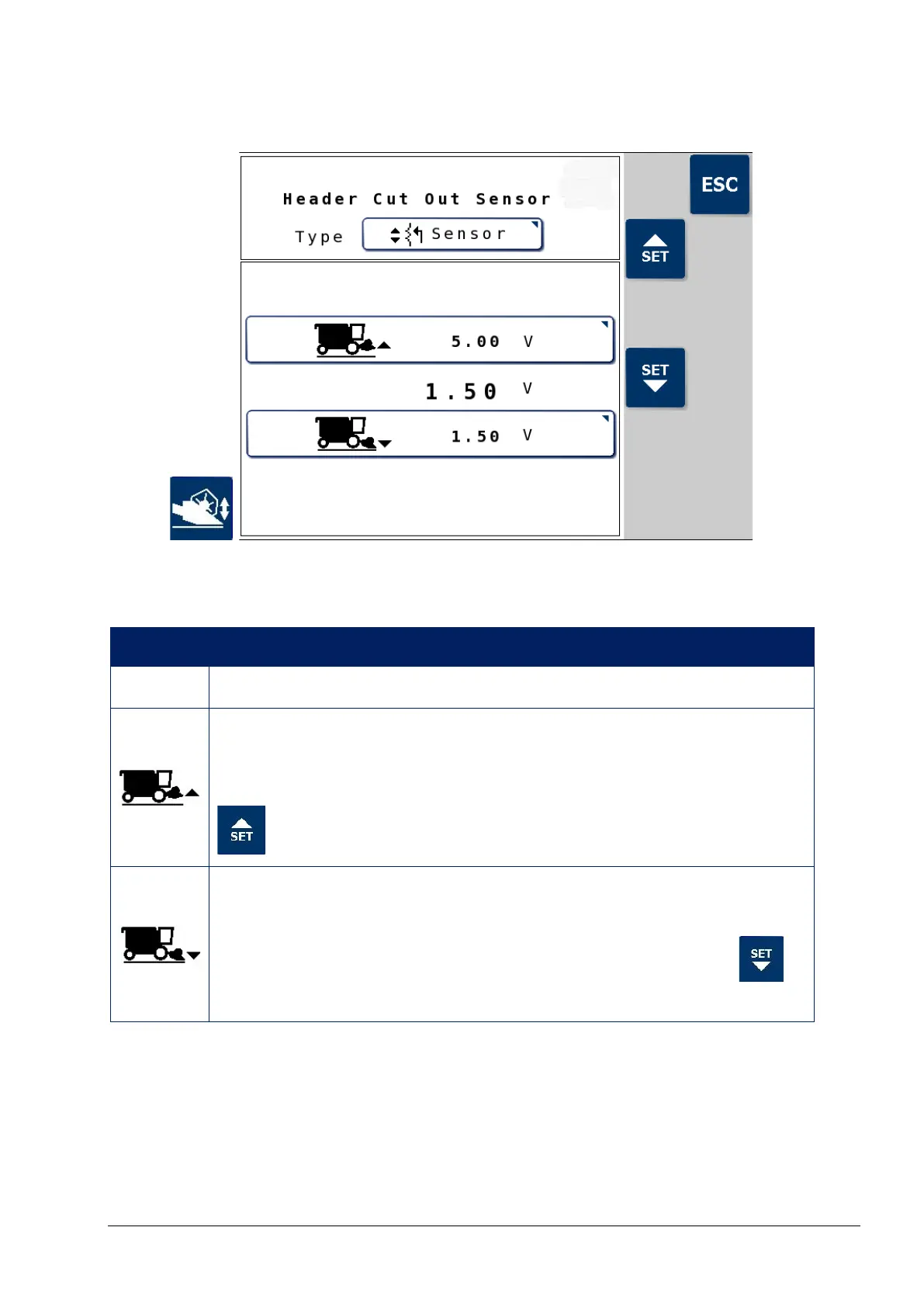
7.7.1. Header cut out sensor
Note: The header cut out Type may be Sensor or Switch. The
settings on this page are only applicable if a sensor is installed.
Icon Description
Type Press to select Sensor or Switch.
Sensor maximum voltage
Displays the sensor voltage at the upper limit of the header
height. Move the header as high as it will go and press the
button.
Sensor minimum voltage
Displays the sensor voltage at the lower limit of the header
height. Move the header to the ground and press the
button.
Once the maximum and minimum voltage are set for the header, the
header cutting height must be set. Refer to Header setup screen, page
40, Cut out height.



 To Next Page