40
Icon Description
the default moisture content is set to 16% for all crops.
Note: This setting is the same as the % Corr setting on the
Moisture Sensor screen. See page 49.
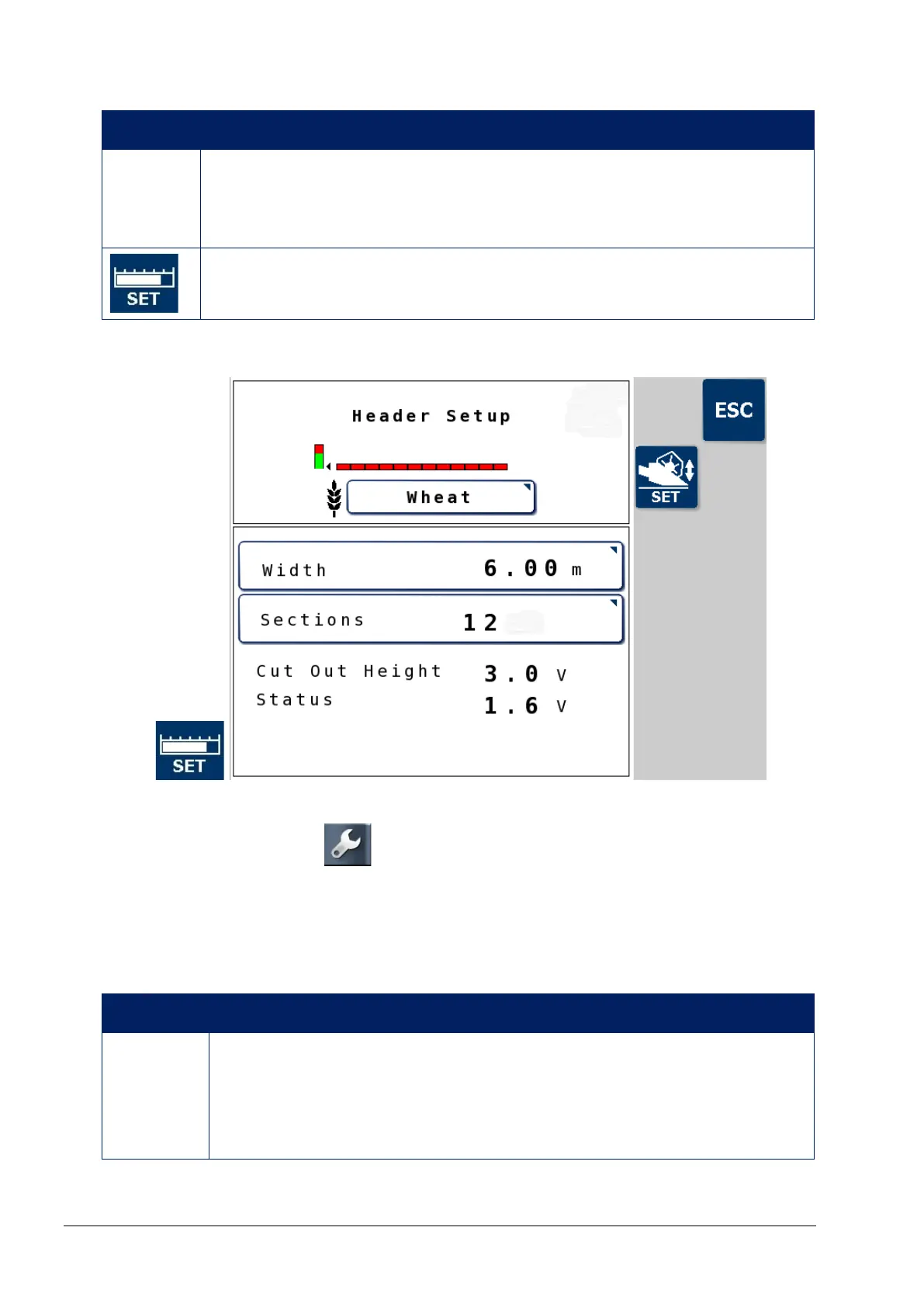
Opens the Header Setup screen, which allows settings for
the cutter bar (changes per crop). See page 40.
7.5.1. Header setup screen
Note: If width or sections are changed on this screen, go to the
console Setup screen , Implement / ECU and select REFRESH
ECU SETTINGS to implement the changes.
Cut Out Height and Status display as zero if Switch type is selected
on the Header cut out sensor, page 45.
Icon Description
Width
The actual working width of the header or cutting surface
unit. This will vary depending on the operator but is
typically 0.25 meters (10") less than the maximum width
of the header.



 To Next Page