19
PREPARATION
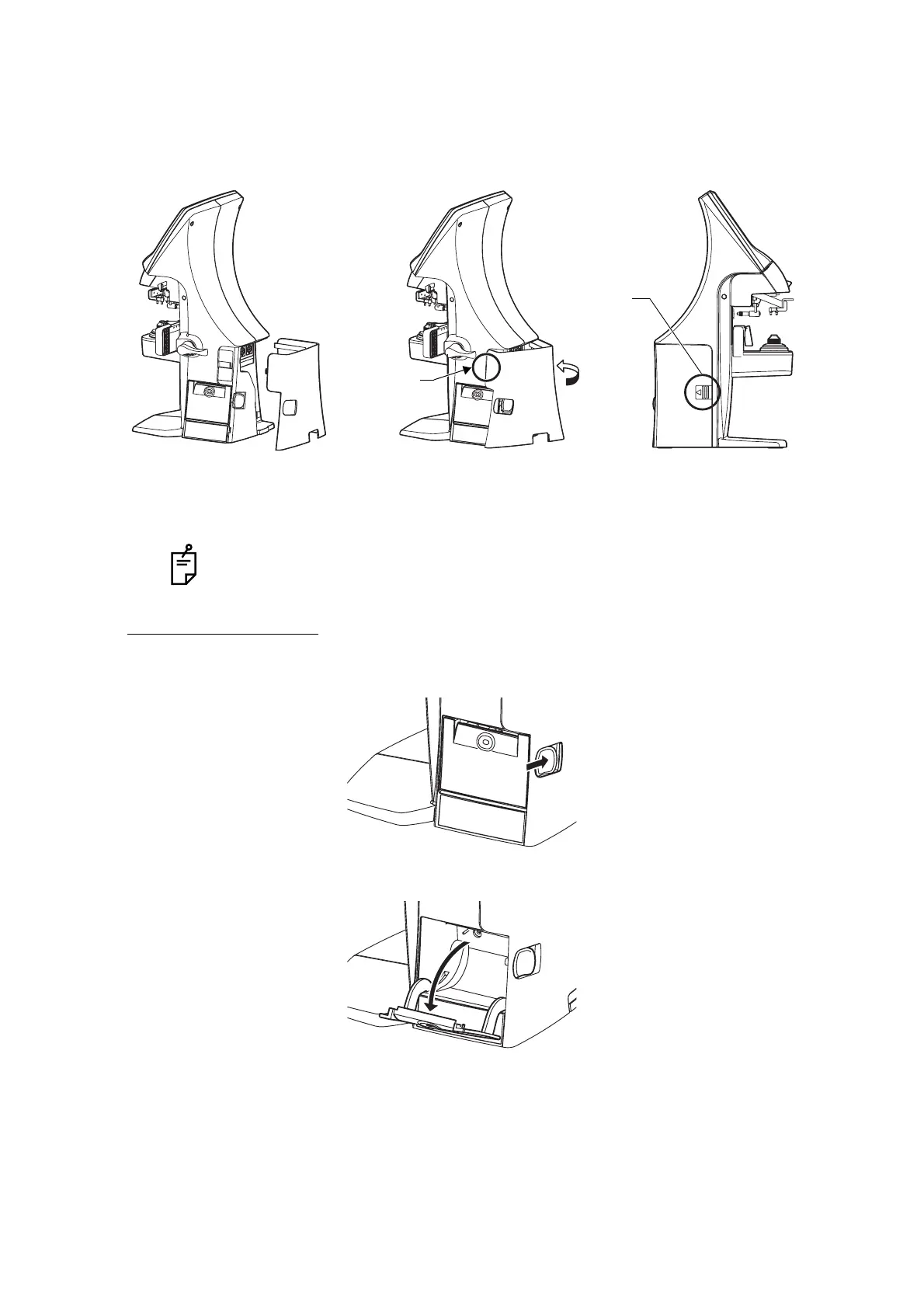
7 Setting the Port Cover.
SETTING THE PAPER
1 Press the PRINTER button and open the cover.
2 Open the printer cover to the limit.
By connecting an AC adapter, the main body starts automatically.
The stop to be
fitted first
Etched mark
Fit the stop of the figure above to the
main body. After fitting the stop, turn
the cover along the arrow direction.
Fit the stop by push



 To Next Page