45
SETTING FUNCTIONS ON SETUP SCREEN
LIST OF SETUP ITEMS
Setup items are categorized into 5 large indexes.
"Initial"..................items related to the initial status after power on
"Print"...................items related to output from the internal printer
"Comm"................items related to data input/output with the external device
"LAN" ...................items related to output using the LAN
"Special"...............items related to maintenance (for service engineer only)
INITIAL (INITIAL SETTING)
Initial contains settings related to the initial status after power on.
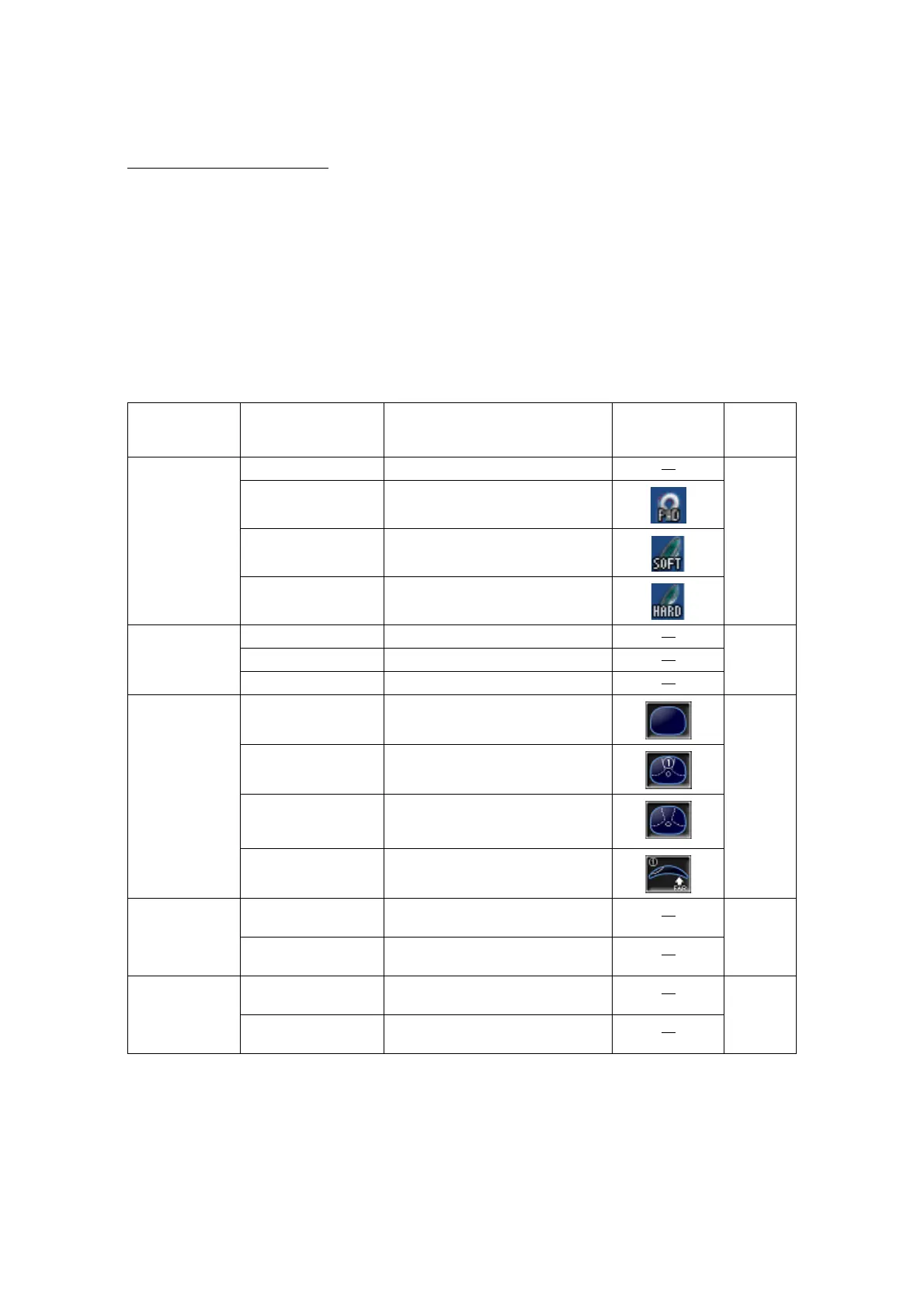
Descriptions Options button Contents of setup Display of
Setup icon/
Display of button
Default
LENS NORMAL Measures a normal lens. NORMAL
NORMAL (PAD) Measures a normal lens wearing the
lens protection pad.
SOFT CONTACT Measures a soft contact lens.
HARD CONTACT Measures a hard contact lens.
DISPLAY HORIZONTAL LARGE Horizontally enlarges the SCA display. NORMAL
VERTICAL LARGE Vertically enlarges the SCA display.
NORMAL Normal display
PROGRESSIVE OFF Auto progressive recognition mode
OFF.
AUTO
AUTO Auto progressive recognition mode
ON.
PROGRESSIVE
ONLY
Always begins with the Progressive
zone center search mode of the pro-
gressive lens.
REVERSE Measures the diopter power with the
concave side up.
FAR MEMORY ON Auto memory of distance vision mea-
surement.
ON
OFF Manual memory of distance vision
measurement.
NEAR MEMORY ON Auto memory of near vision measure-
ment
ON
OFF Manual memory of near vision mea-
surement



 To Next Page