20
PREPARATION
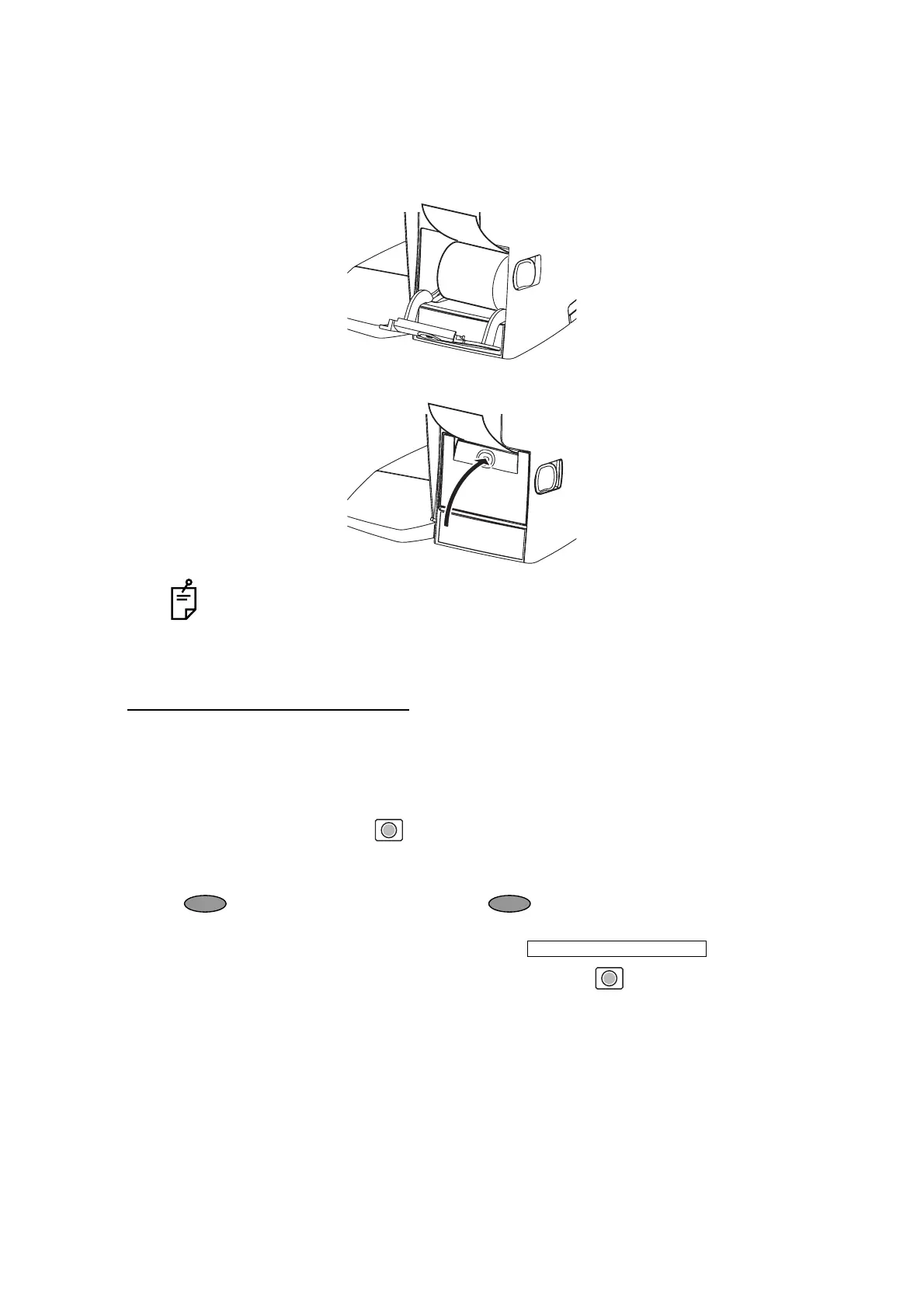
3 Insert the printer paper in the direction shown below and pull out the paper end to your
side by 7 to 8cm.
4 Bring the paper into the center, then close the printer cover.
AUTO POWER SAVE FUNCTION
1 When switch/tap operations are not done for about 10 minutes, or if no patient lens is set,
power save starts automatically.
2 During power save, the screen saver is actuated.
3 When the Memory button is pressed continuously for more than 2 seconds, the
backlight of the monitor goes off and the Power switch LED blink.
4 For reset, either tap the monitor, or press the Memory button, or press the Power switch
. Incidentally, press the Power switch short, or if pressed and held long, the
power is shut off
5 If auto power save function is not required, select .
6 To actuate power save manually, press the Memory button longer than 2 seconds.
• Printer feed function: Hold PRINTER button down.
• In case the printer cover is not firmly closed, printing will not start.
• A 58mm wide paper roll (example: TP-50KJ-R [Nippon Paper Co.]) is recom-
mended.
Other paper rolls may cause abnormal printing noise or unclear print.
INITIAL/AUTO OFF/NO



 To Next Page