49
MAINTENANCE
MAINTENANCE
REPLACING THE MARKING INK CARTRIDGE
(THE SAME APPLIES TO STEEL NEEDLE SPECIFICATION)
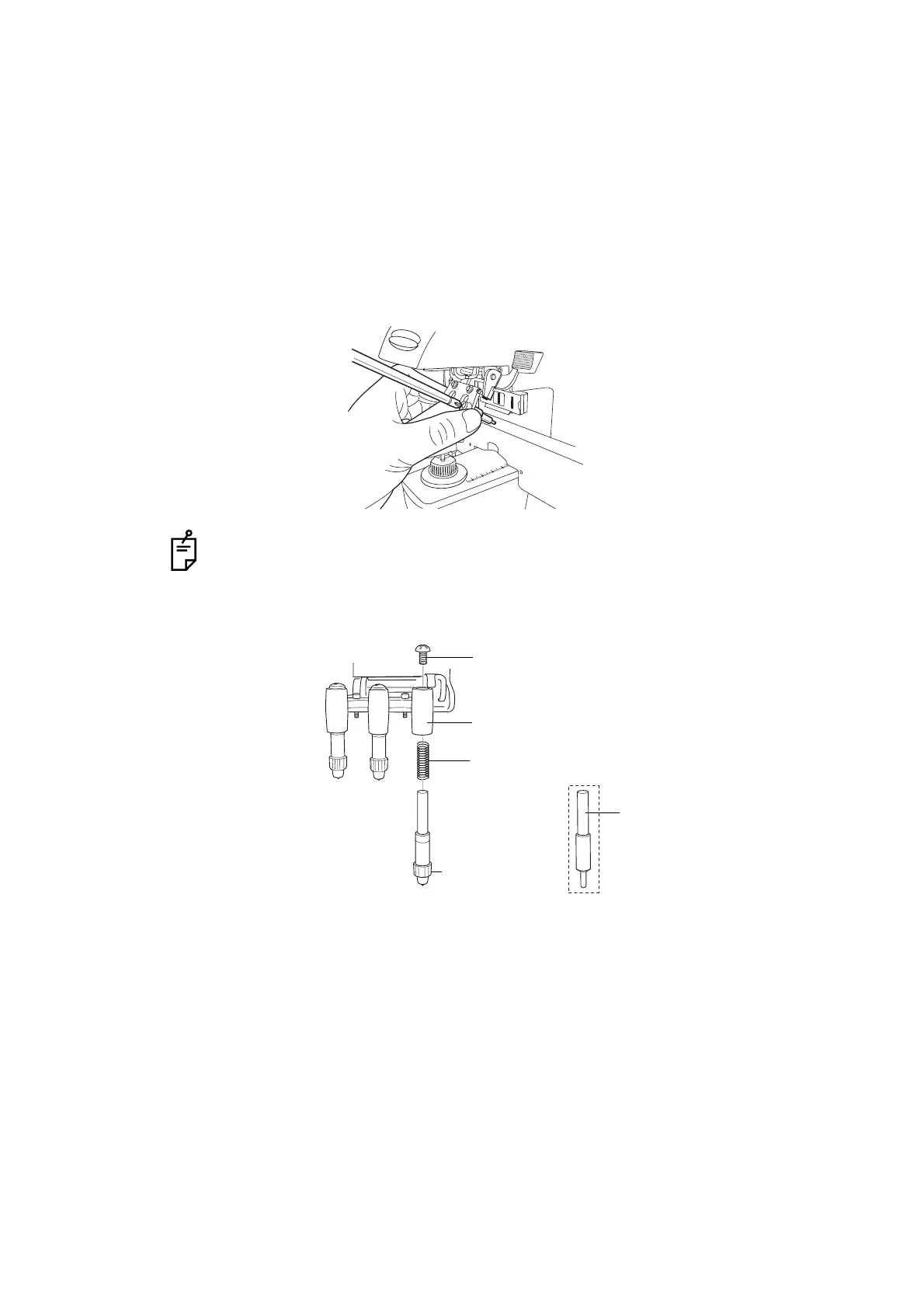
1 To replace the marking ink cartridge, remove the top screw. Pull out the cartridge while
applying pressure to it so as the spring not jump out from the inside.
Work the lens holder/stopper under the lowered condition.
2 To set the cartridge, insert the spring and keep the cartridge top well above the marking
ink holder, and then fasten the screw.
When not in use, put the dust cover over the cartridge (to prevent insect damage).
Steel needle
(optional accessory)
Screw
Marking ink holder
Spring
Marking ink
cartridge



 To Next Page