22
USING THE INSTRUMENT
MEASURING A SINGLE FOCAL LENS
When a measurement mode button is , a single focal lens can be measured.
,
1 Move the lens and move the target near the center.
2 ALIGNMENT OK will be displayed when the target image center is within the minimum cir-
cle (0.5 or smaller).
3 The MARKING OK is displayed when the target image center is reached. If is dis-
played, "single focal lens" is memorized automatically.
When BEEP function is ON, the buzzer will sound.
(Note) The target may move in a contrary manner immediately after the lens is placed.
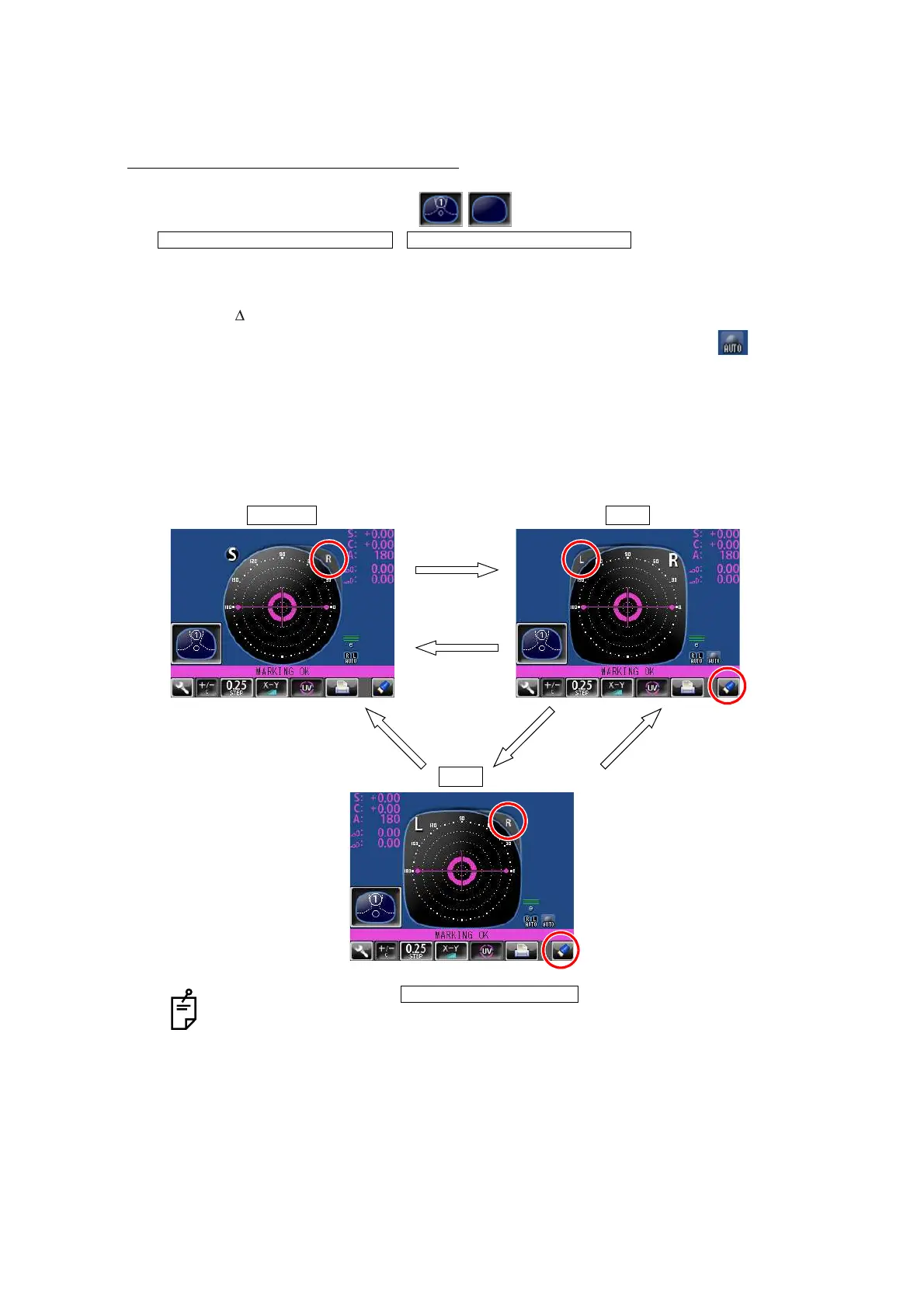
WHEN R/L DESIGNATION IS REQUIRED:
Tap the R button. The R/L display screen is displayed.
By tapping the L button, L is displayed. By tapping the CLEAR button, S is returned.
• When the setting is , the Single Lens screen is
returned by tapping the CLEAR button.
• By tapping the CLEAR button, saved measurement values are cleared.
INITIAL/PROGRESSIVE/AUTO INITIAL/PROGRESSIVE/OFF
Single lens R lens
L lens
R button
CLEAR button
L button R buttonCLEAR button
INITIAL/AUTO R/L/ R/L



 To Next Page