18
PREPARATION
PREPARATION
INSTALLATION
1 Remove the tape from the lens support.
2 Remove the tape from the marking ink cartridge.
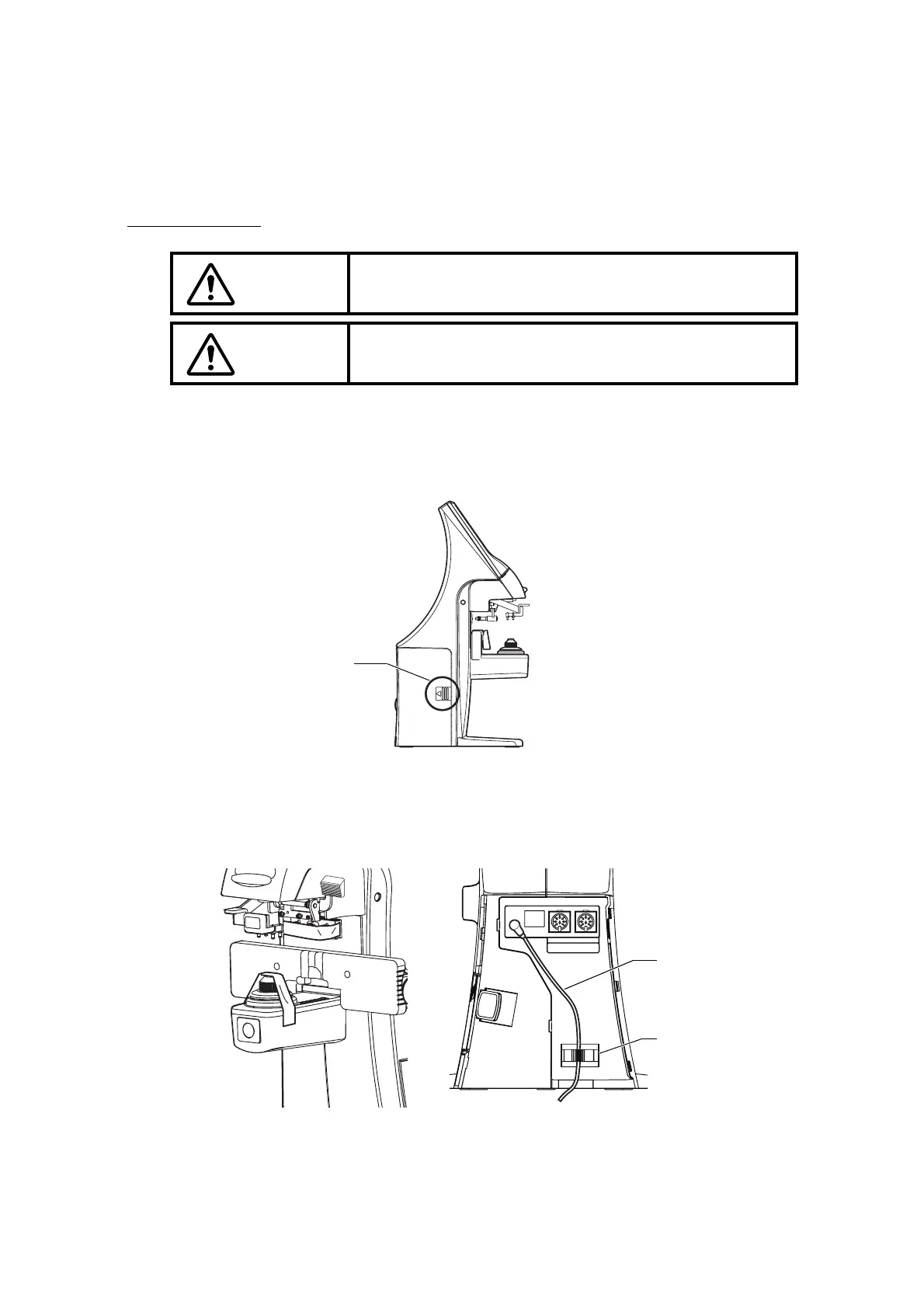
3 Remove the port cover. Push the etched mark and move the cover to the arrow direction.
4 Plug in the power cable to the AC adapter.
5 Pass the cable through the cable clamp.
6 Connect the AC adapter plug to the AC adapter jack located on the rear panel of the main
body.
WARNING
To avoid fire/electric shocks, connect the power plug to a 3P
AC outlet (with ground) and secure grounding.
CAUTION
To avoid injury by falling, do not install the instrument on a
slope or in an unstable place.
Etched mark
IN OUT
AC adapter cable
Cable clamp



 To Next Page