44
SETTING FUNCTIONS ON SETUP SCREEN
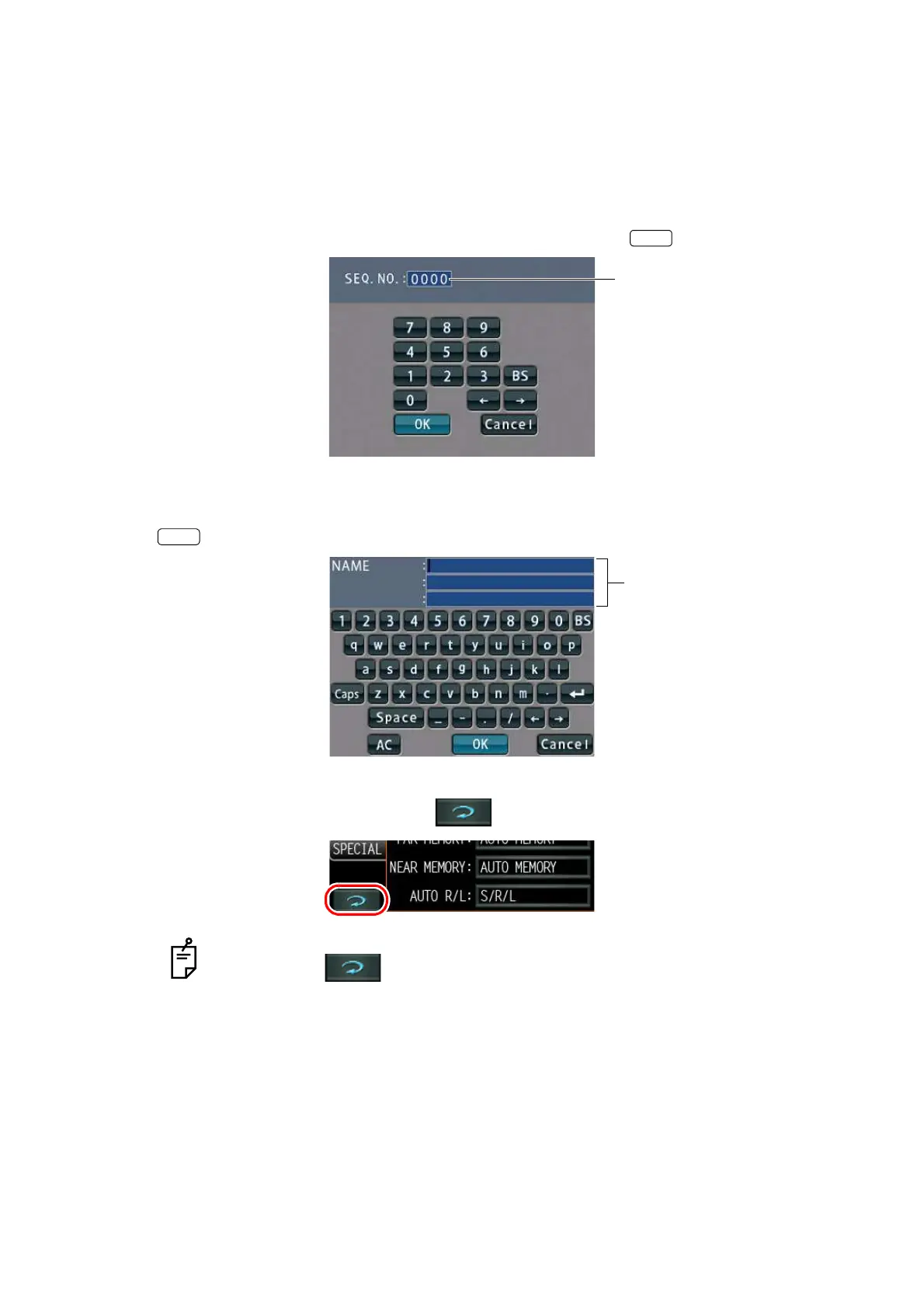
• Instead of the options button, ten-key and keyboard would be displayed.
TEN-KEY:
Tap ten-key on the screen and enter the figure. If there are several windows to enter, tap the
window to enter the figure by ten-key. Setting is complete by tapping .
KEYBOARD:
Tap keyboard on the screen and enter characters. If there are several windows to enter, tap
the desired window, then enter the character by keyboard. Setting is complete by tapping
.
5 After entering all setting items, save the setting items and return to the Measurement
screen by tapping the Return button .
To return the setting to the previous status, turn off the power before tapping the
Return button .
OK
Enter window
OK
Enter window



 To Next Page