25
USING THE INSTRUMENT
4 When the distance vision measurement is obtained and saved, the screen automatically
changes to the near vision measurement display.
(The distance vision region can be easily detected, as you repeat moving and stopping
the lens little by little at measuring.)
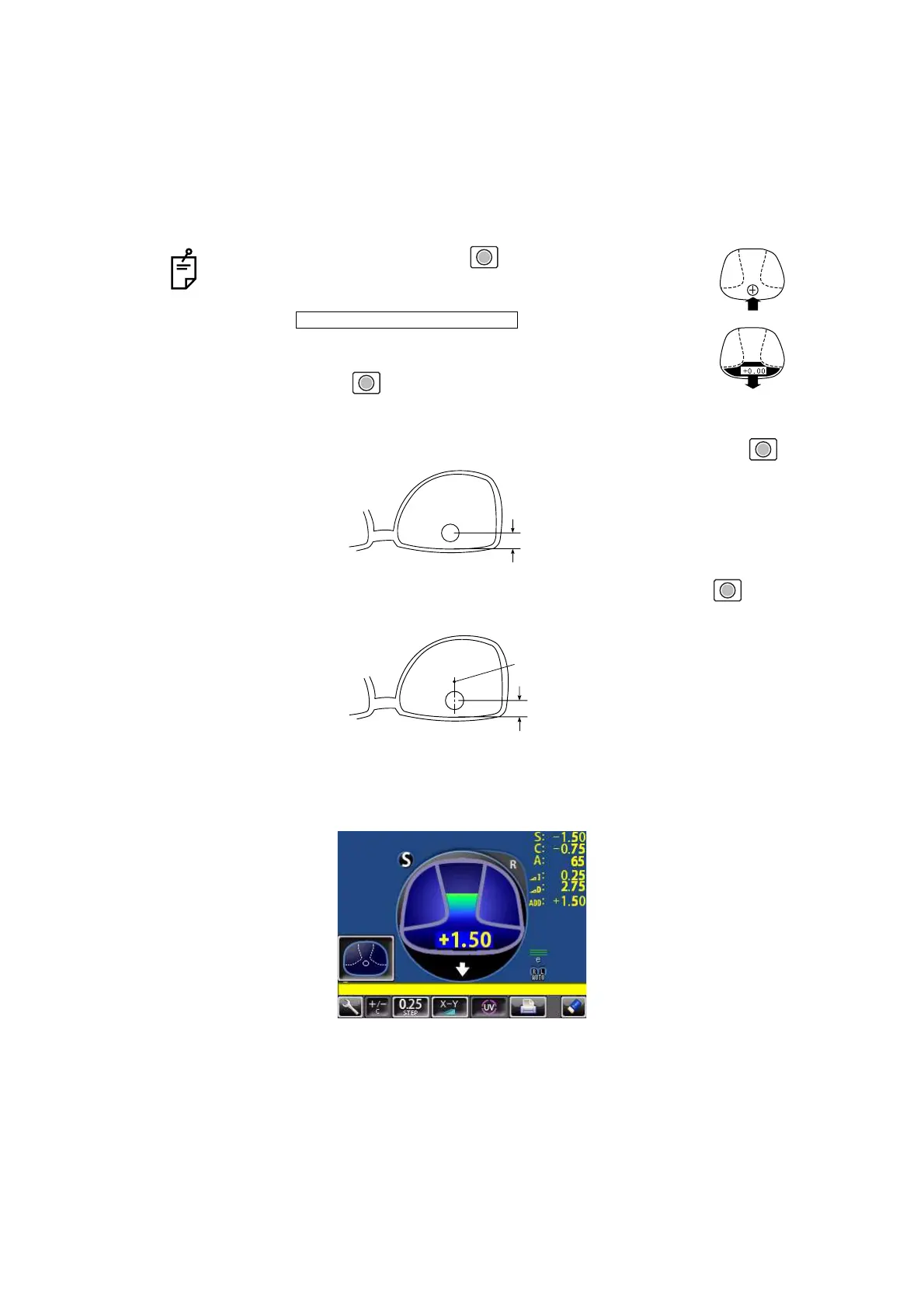
5 Measure progressive lens for near vision.
While watching the screen, draw out the lens table forward: the bar-meter extends and the
“+” appears. To bring this “+” to the bar-meter center, swing the lens right-left and extend
the bar-meter.
• By pressing the Memory button , you may manually store
the result of distance vision power measurement. The screen
will then switch to the near vision measurement.
When is selected as the
default setting, the result of the distance vision measurement is
not automatically stored. With this setting, you must press the
Memory button to save the distance vision.
• For high-power lenses, sometimes the distance vision region
cannot be easily detected. In this case, obtain the measurement in the approxi-
mate position that is shown on the above, and then press Memory button .
• For horizontal prism prescription lenses, press the MEMORY button at the
distance reference point.
INITIAL/FAR MEMORY/OFF
10mm approx.
10mm approx.
eye point



 To Next Page