4.5. Valve calibration
54
4.5. Valve calibration
This procedure sets the minimum and maximum PWMto move the
spreader belt.
1.
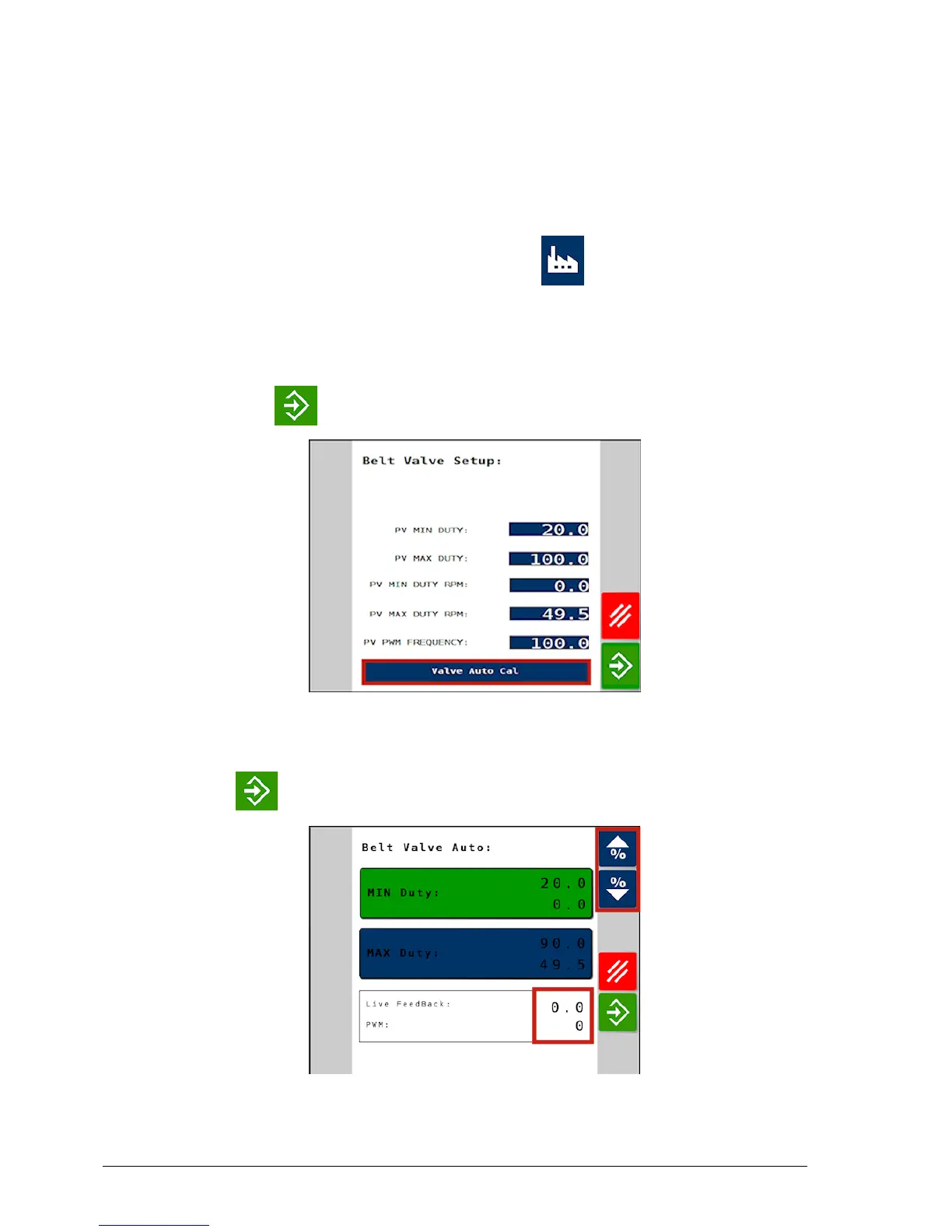
From the Main Menu select Factory / Channels / Valve
Setup. The Belt Valve Setup screen summarizes the current valve
settings.
2. Select Valve Auto Cal, set the engine to normal operating rpm
and press to start the calibration procedure.
3. With Min Duty selected, by observing the Live Feedback rpm
value, adjust the belt until it is on the threshold of moving.
4.
Press to set the minimum PWM output.



 To Next Page