CHAPTER 8 ESC/POS MODE (INTERFACE COMMANDS)
B-EP Series
8-76
8.10.52 PRINT AREA WIDTH SET COMMAND [GS] W
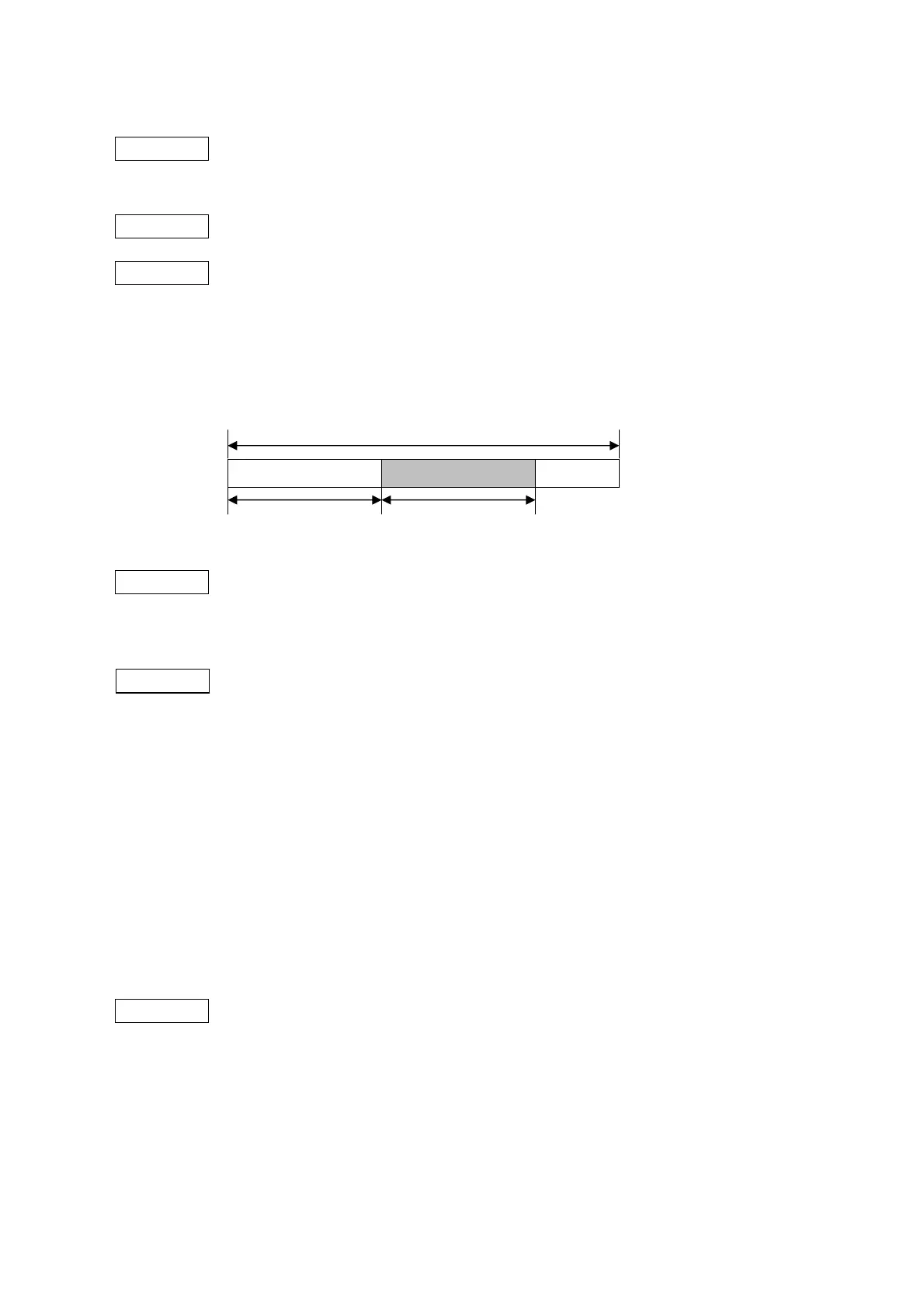
Function Specifies the width of the print area defined by nL and nH.
The width of the print area is determined by [(nL + nH × 256) dots].
Format [GS] WnLnH
Term ASCII: GS W
Hex: 1Dh 57h
[Parameter]
nL: Width of print area 0 ≤ nL ≤ 255 (00h ≤ nL ≤ FFh)
nH: Width of print area 0 ≤ nH ≤ 255 (00h ≤ nH ≤ FFh)
Default value 384 dots (nL = 128, nH = 1) (B-EP2DL-GHxx)
832 dots (nL = 64, nH = 3) (B-EP4DL-GHxx)
Explanation (1) This command will be executed only if received at the beginning of a line.
(2) If this command is received while the printer is in page mode, the defined parameter
setting will be applied after switching to standard mode.
(3) The command settings do not have any impacts upon page mode.
(4) If a value beyond the printable area per line is inputted, all area except for the left
margin will be specified as a print area.
(5) If a value specified for the width of the print area is smaller than the width of a
character to be printed, printing will only be performed by up to the specified width
of the print area.
(6) If the width of the print area is set to 0 ([GS] W [00] [00]), printing will start from the
left edge of the printable area.
Reference Left Margin Set Command ([GS] L)
Printable area
Left margin Width of print area



 To Next Page
 Loading...









