Description
| Front Panel
i_...a
!!!4ii_¸
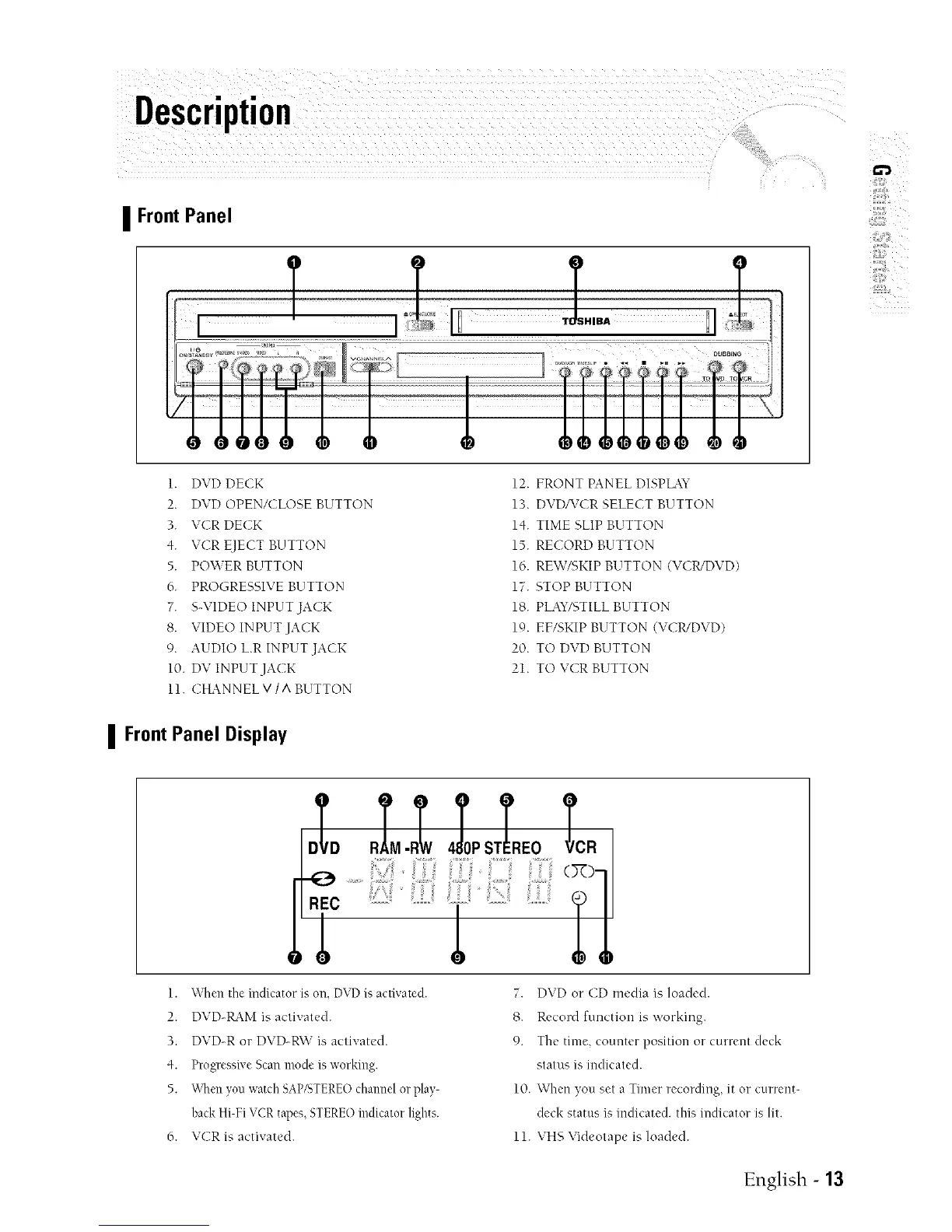
1. DVD DECK 12. FRONT PANEL DISPLAY
2. DVD OPEN/CLOSE BUTTON 13. DVDAZCRSELECT BUTTON
3. VCR DECK 14. TIME SLIP BUTTON
4. VCR EJECT BUTTON 15. RECORD BUTTON
5. PO\VER BUTTON 16. REW/SKIP BUTTON (VCWDVD)
6. PROGRESSIVE BUTTON 17. STOP BUTTON
7. S-VIDEO INPUT JACK 18. PLAY/STILLBUTTON
8. VIDE() INPUT JACK 19. EF/SKIP BUTTON (VCWDVD)
9. AUDIO L.R INPUT JACK 20. TO DVD BUTTON
10. DV INPUT JACK 21. TO VCR BUTTON
11. CHANNEL V/ A BUTTON
] FrontPanel Display
REC
1. +\q_en the indicator is on, DVD is activated.
2. DVD-RAM is activated.
3. DVD-R or DVD-R\V is activated.
4. Progressive Scan mode is working.
5. _'\tlen yon watch SAP/STEREO channel or play-
hack Hi-Fi VCR tapes, STERE() indicator lights.
6. VCR is activated.
;o,,slLl,o,:,
(×>
7. DVD or CD media is loaded.
8. Record function is working.
9. The time, counter position or current deck
status is indicated.
10. When yon set a Timer recording, it or current-
deck status is indicated, this indicator is lit.
11. VHS Videotape is loaded.
English - 13



 To Next Page