ChannelAdd/Delete
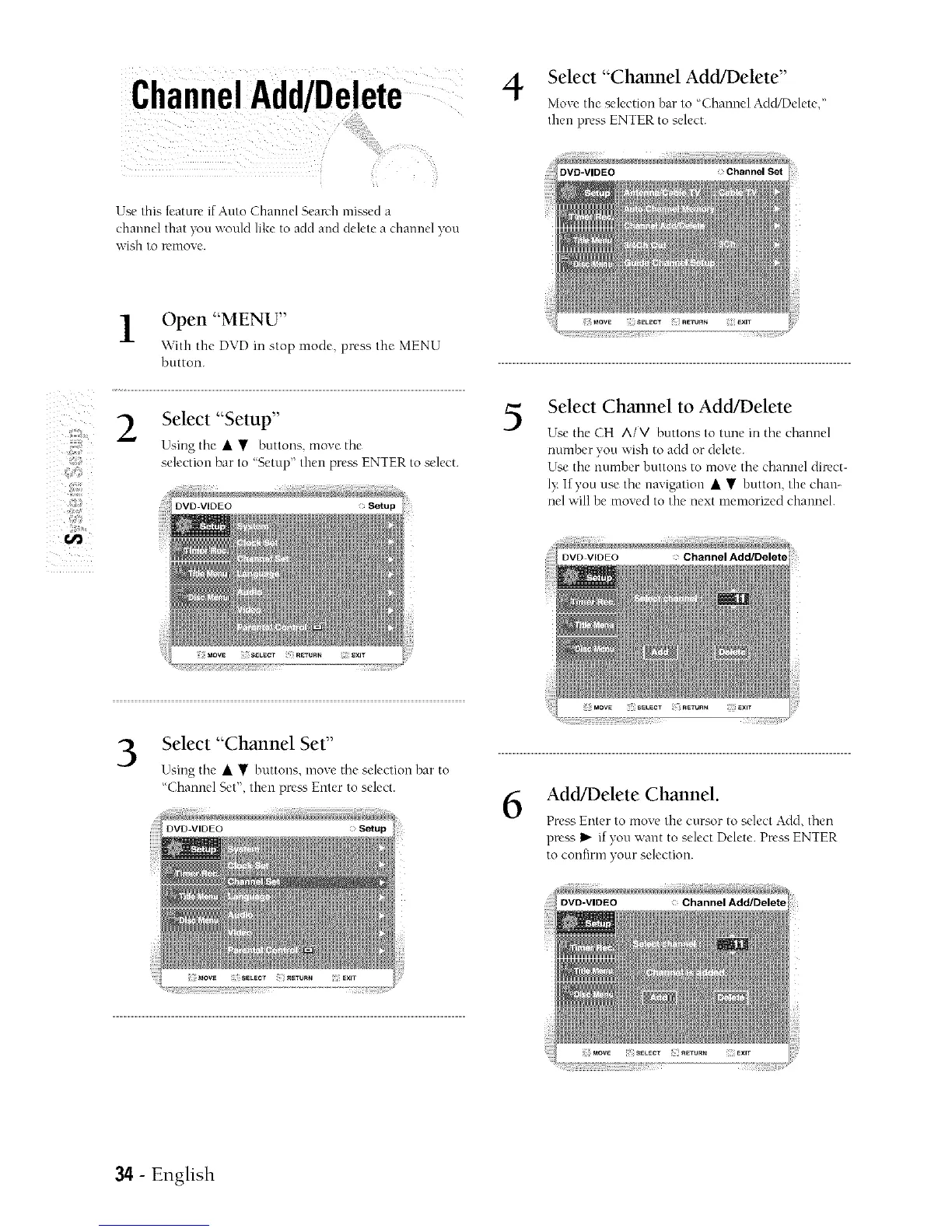
Select "Channel Add/Delete"
Move the selection bar to "Channel AddlDelete,"
then press ENTER to select.
Z
Z
Use this k'atur_" if Auto Channel Search mJs_,eu a
channel mat ' >tt would like t( add and delete a channel yon
\VIS[1 tO Fe[nove+
Open "MENU"
\\ith the DVD in stop mode, press the MENU
button.
Select "Setup"
Using the • • buttons, move the
selection bar to 'Setup" then pre_s ENTER to select.
DVD-VIDEO
5
Select Channel to Add/Delete
Use the CH AIM buttons to tune in the channel
number you wish to add or delete.
Use the number buttons to move the dlannel dilvct-
Iv If you use the navigation • • button, the chan-
nel will be moved to the next memorized channel.
3
Select "Channel Set"
Using the • • buttons, moxe the selection bar to
"Channel Set", then pre_ Enter to select.
6
Add/Delete Channel.
Press Enter to move the cursor to select Add. then
press I_"if you want to select Delete. Pr_'ss ENTER
to confirm your selection.
34 - English



 To Next Page