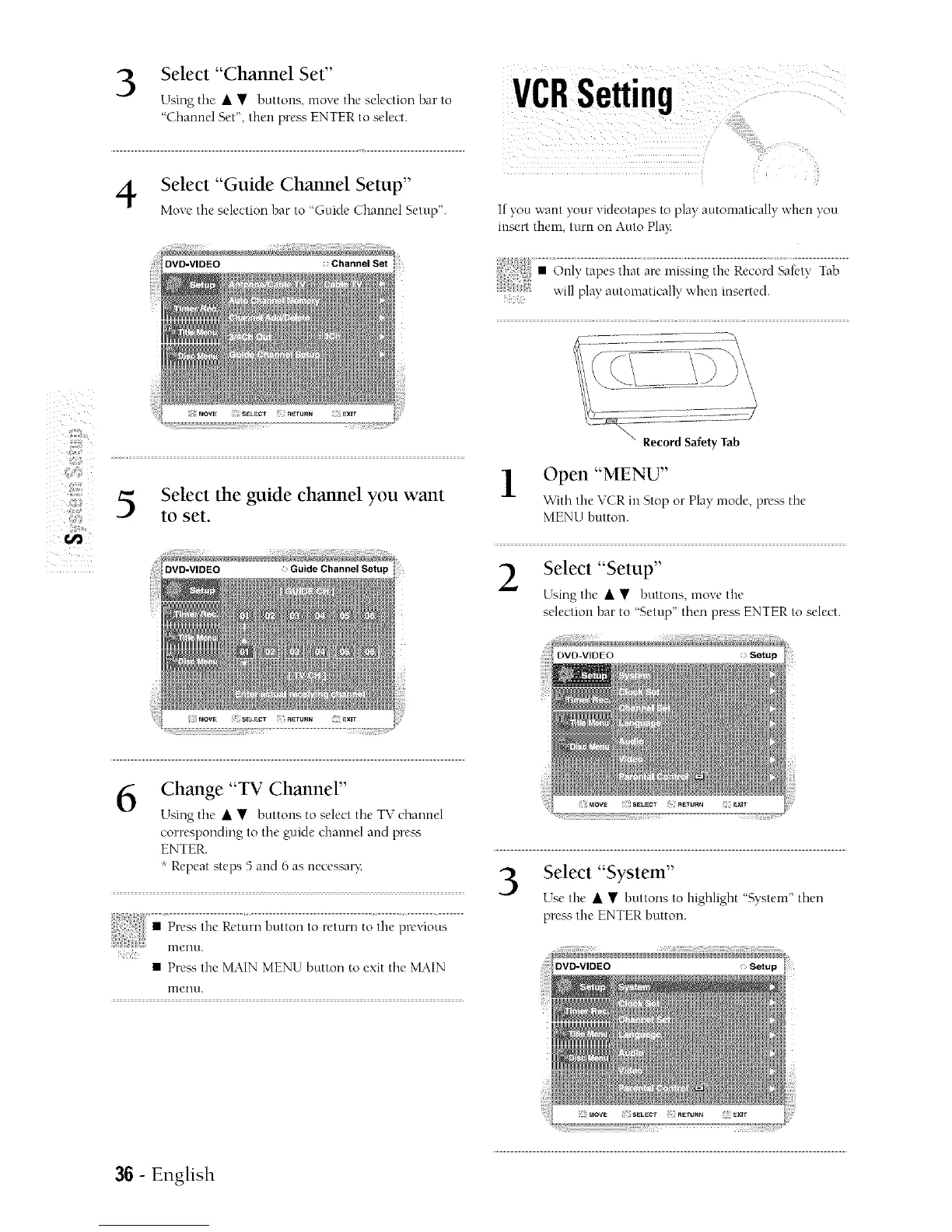
Select "Channel Set"
Using tile • • buttons, move tile selection bar to
"Channel Set", then pre_ ENTER to select.
Select "Guide Channel Setup"
Move tire selection bar to "Guide Channel Setup".
DVD-VIDEO
) Channel Set
Z
Z
Select the guide channel you want
J
to set.
DVD-VIDEO
6
Change "TV Channel"
Using tile • • buttons to select tile TV channel
corresponding to tile guide channel and prea';
ENTER.
Repeat steps 5 and 6 as necessa_:
• Press the MAIN MENU button to exit tile MAIN
[rleurc
VCRSetting
If you want your videotapes to play" automatically when you
insert them turn on Auto Play
• Record Safety Tab
Open "MENU"
With the VCR in Stop or Play mode, press the
MENU button.
Select "Setup"
Using the • • buttons, move the
selection bar to "Setup" then press ENTER to select.
Select "System"
Use the • • buttons to highlight "System" then
press tire ENTER hutton.
36 - English



 To Next Page